Gmail and Outlook can’t tell you who owns a client or whether you’re about to breach an SLA. Most help desks treat clients like ticket numbers. Help Scout combines the operational control your team needs with the relationship-first experience clients expect.
Help Scout for Financial Services
When trust is the product, late replies aren’t an option
In financial services, a slow reply or a missed detail can cost you the relationship. Help Scout gives your team the speed, context, and coordination to make sure that never happens.

Leading financial services companies trust Help Scout




Respond to 56% more customer messages in the first year.
Teams on Help Scout have 25% higher CSAT scores than average.
Resolve 73% of AI interactions automatically on average.
Built for growth: 80% of Help Scout customers stay for 4+ years.
Why Help Scout?

Help Scout vs. other help desks
Unlike platforms designed exclusively for customer support agents, Help Scout is also designed for teams managing client relationships. That’s why everyone from advisors to account managers can get up and running on day one.
Help Scout vs. Gmail and Outlook
In Gmail and Outlook, there’s no way to categorize or measure inquiry types and no visibility into workloads. Help Scout gives every conversation a clear owner, distributes work evenly, and helps you spot issues before they become problems.
Help Scout is built to keep client comms in sync
Respond faster without sacrificing quality
Your clients expect fast answers, but also personalized and thoughtful ones. That's hard to deliver without the right tools. Help Scout gives your team everything it needs to respond quickly with the right answer and the full client context in front of them.
Draft replies in seconds
AI Drafts composes responses based on previous replies, so new teammates can quickly answer questions from day one. Just review, edit, and send.
Respond to FAQs consistently
Build a library of saved replies — prewritten answers to common questions — that your team can insert into responses with a couple of clicks.
Summarize long conversations
Use AI to quickly create a summary of a long back-and-forth conversation, and get up to speed quickly without needing to read the entire thread.
See the whole client at a glance
The client profile sits alongside the conversation so you can view details like past messages, plan types, KYC status, and more without switching tabs.
Connect the systems you already use
Integrate with 100+ tools or use the API to connect your CRM, banking platform, or internal tools to add even more client data to your sidebar.
Know how you’re doing
Access detailed reports to see trends in request volumes, response and resolution times, team member performance, and client satisfaction.

Make sure every client reaches the right person
Sending a reply 2 days late, or from the wrong person, is the kind of mistake that can cost you the account. Help Scout makes ownership clear, flags potential collisions, and keeps team collaboration out of the client’s view.
Create clear ownership
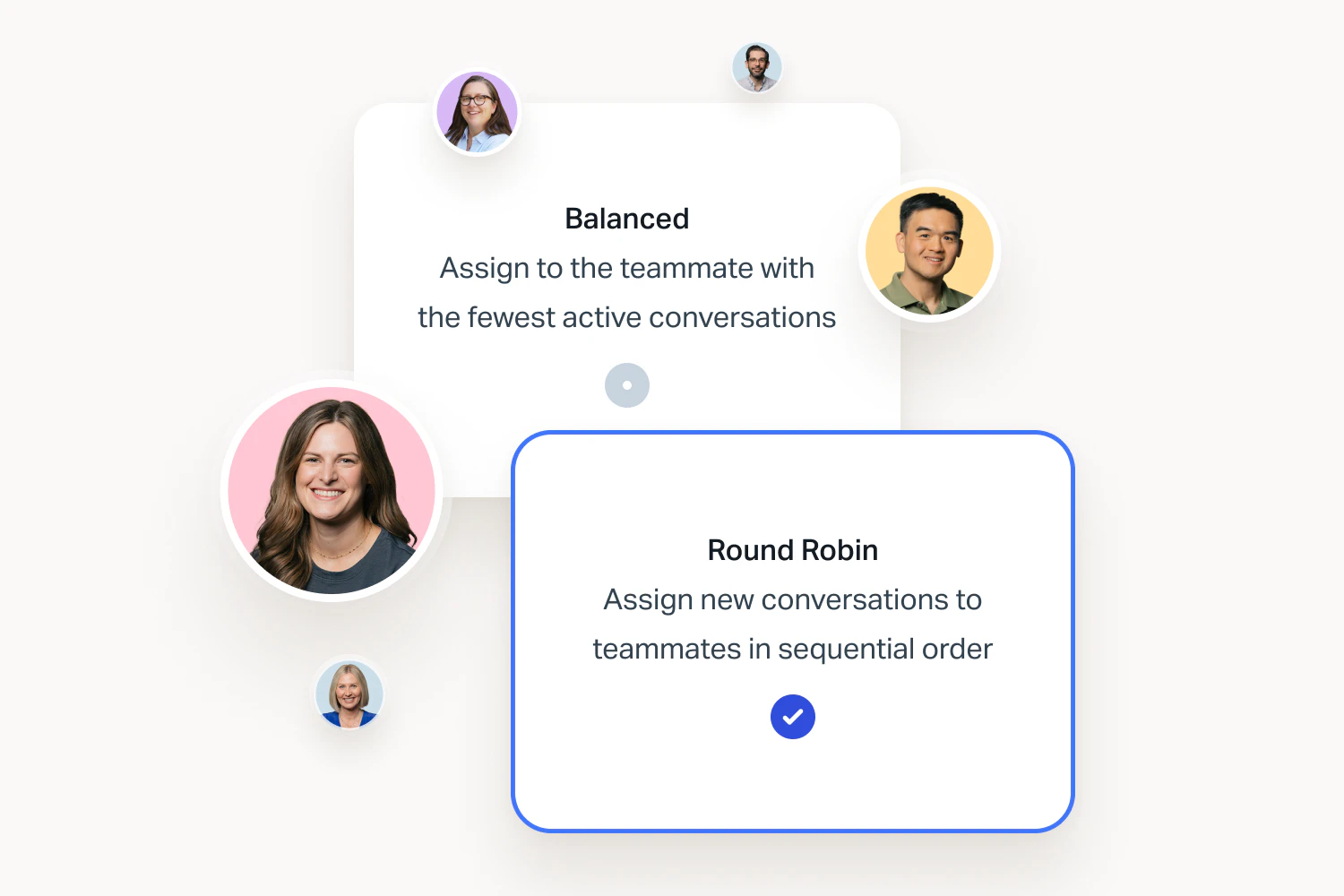
Assign conversations to team members manually as they come in, or use automatic routing to distribute work evenly.
Prevent duplicate work
Collision detection indicates when someone else is viewing or actively replying to a request and will alert you if a reply has already been sent.
Loop in teammates
Add a private note and @mention an underwriter, senior advisor, or compliance expert to get the answer you need inside the conversation. No more email forwards or Slack back-and-forth.
Keep every request organized and easy to find
Help Scout sorts, routes, and filters conversations automatically so your team always knows what to work on next, and nothing urgent gets overlooked.
Organize messages by team or type
Create teams and manage all requests from one inbox, or create separate inboxes for compliance, disputes, underwriting, accounts payable, etc.
Create custom inbox views
Cut through the noise with custom views that let everyone focus on the messages most relevant to them. Filter by time, sender, subject, and more.
Sort and route requests automatically
Create workflows to label, prioritize, and sort emails automatically to quickly catch overdue conversations, failed payments, or compliance flags.
Hit your response time targets
When first-response and resolution windows are written into your terms, they’re not just a nice-to-have. Get the tools you need to hold your team accountable and ensure clients are never stuck with silence.

Set and meet SLAs
Keep track of response time with SLAs that surface at-risk conversations so managers can step in before clients are left waiting.
Acknowledge requests automatically
Set up auto-replies to let clients know their request was received and when to expect an answer.
Measure client satisfaction
Send satisfaction surveys automatically when conversations are closed. View overall ratings, individual scores, and comments, so you can rely on data over assumptions.
The top support trends in financial services
We analyzed data across 340 financial service companies that have run client support on Help Scout for an average of 5 years. Here’s how the top teams build systems where nothing slips through the cracks.

Customer stories
From higher retention to reduced volume, see how teams like yours prove the value of great support with Help Scout.

Handle the routine questions automatically
Help Scout’s self-service tools let clients get instant answers to the repetitive questions that eat into your team’s time.

Knowledge base
Create a help center with articles covering account setup instructions, details on loan types and eligibility, reporting schedules, and more.

AI Answers
For clients who don’t want to search for answers on their own, launch AI Answers. It uses content from your knowledge base, website, and other designated sources to provide fast, reliable answers 24/7.
Proactive messaging
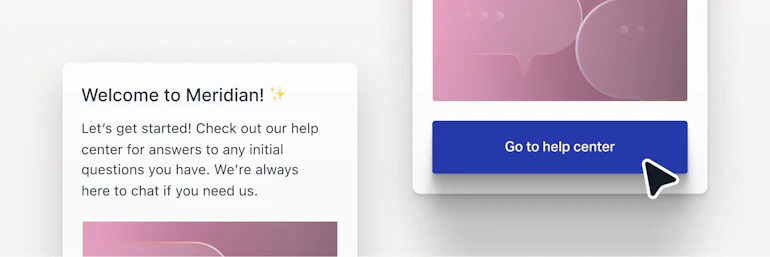
Use in-app or on-site messages to guide clients through applications, recommend products, or notify them of system downtime. It’s an easy way to get ahead of questions before they arrive.

Embeddable support hub
Add a Help Scout Beacon to your site or client portal so clients can search your knowledge base, ask AI, or contact your team without leaving the page.
Designed to keep client data safe
Help Scout is SOC 2 Type 2 certified, all communications are encrypted, and you can control access with detailed permissions.
Secure access
All web application communications are encrypted over 256-bit SSL, and you can manage access via 2-factor authentication (2FA), SSO, or any SAML-compatible identity provider.
Permissions and data controls
Limit what each person can see and do, down to the inbox level, so sensitive matters stay with the staff who should handle them. Data redaction in notifications reduces the risk of exposing names, addresses, and account numbers.
Always-on monitoring
Help Scout monitors security and performance 24 hours a day, 365 days a year, and can provide the latest SOC 2 Type 2 report upon request.
FAQs
Help Scout lets you deliver support via email, live chat, self-service, and social. For self-service, you can create one or more help centers that are either available to the public (and indexable by search engines) or restricted to specific users. For social, Help Scout pulls in and lets you respond to requests from Facebook Messenger, Instagram, and WhatsApp.
For phone and SMS support, Help Scout integrates with platforms like Aircall, JustCall, Heymarket, Talkdesk, Textline, Text Request, and more.
Help Scout offers pre-built integrations with more than 100 tools, including Slack, Zapier, HubSpot, Jira, Google Workspace, Mailchimp, Pipedrive, and Salesforce. If a tool you need to integrate with doesn't have an integration available — or to integrate with custom-built systems — you can use our fully documented API and/or webhooks feature.
Help Scout works by forwarding your existing email account (e.g., support@, underwriting@, etc.) into our system. Once messages land in your Help Scout inbox, you can use all of our features to respond. All emails sent from Help Scout will still be sent using your existing email address. However, once you make the switch, all emails must be handled within your Help Scout inbox.
If you have old emails you'd like to have in Help Scout, we partner with a company called Import2 to migrate messages from platforms like Gmail, Outlook, Zendesk, and Intercom. Read more about Import2’s service.
Yes. Access to incoming messages happens at the inbox level. Depending on your pricing plan, you may be able to have multiple inboxes (e.g. one for records@, one for referrals@, another for general information, etc.), and then you can decide which users have access to each of them separately.
We understand that every organization has unique needs around access and privacy, so our team would be happy to chat and discuss solutions that might work for you.
Feel free to reach out to our support team or schedule a demo.
Our pre-built reporting dashboards allow you to measure important metrics like conversation volumes, resolution times, and customer satisfaction scores across all channels.
You can also create custom reporting filters that allow you to track conversations based on tags, custom fields, or Views. Learn more about reporting in Help Scout.
Unlimited access to AI Drafts and AI Summarize is available on Help Scout’s Plus and Pro plans.
You can try AI Answers for 3 months for free. After the free trial, AI Answers usage is billed at $0.75/resolution. A resolution is a single AI chat session that is resolved without help from a human.
With the exception of off-site backup and redundancy infrastructure, Help Scout is hosted on Amazon Web Services (AWS) servers in the United States.
Yes. Help Scout is SOC 2 Type 2 certified, and our latest report is available upon request. All web application communications are encrypted over 256-bit SSL, and access is managed via 2FA, SSO, or any SAML-compatible identity provider.
Help Scout is an intuitive platform that can be set up quickly with minimal help from your IT department. Read our guide to switching help desks for more details on the process. You can keep your existing email address and migrate old emails from Gmail or Outlook into Help Scout if desired using Import2.
Reach out to our support team or schedule a demo with sales if you’d like to walk through what the process might look like for your organization.
Ready to go?
