7 Best Social Media Customer Service Software in 2026


If you only get a handful of questions from customers each month on social media platforms, you probably don't need dedicated social media support software. It's easy enough to just log into the platforms themselves, review any new messages and comments you've received, and reply to them. In many cases, your marketing team can handle these responses themselves without looping in support.
However, as the number of requests you're getting on social platforms starts to grow — which is common for ecommerce brands, D2C companies, and anyone doing heavy social media marketing — the "log into each platform to respond" strategy can quickly become unmanageable.
Social media customer service software can bring sanity back to your queue by automatically pulling requests from different social platforms into a consolidated view where you can manage them from one place — and possibly even alongside your other support channels.
Overview of the best social media customer service software
Get a quick summary of our picks for the best social media customer service software below. If you want more information about any of these tools, you'll find detailed reviews of each platform later in this article.
| Software | Overview | Free Trial | Pricing |
|---|---|---|---|
Help Scout | Help Scout is an affordable option for managing conversations from Facebook Messenger, Instagram, and WhatsApp — as well as email and live chat — in a shared inbox. | 15 days | Facebook Messenger and Instagram from $25/user/month; WhatsApp from $45/user/month |
Zendesk | Zendesk lets you view and manage comments, mentions, and DMs from X (formerly Twitter) in your help desk. | 14 days | From $55/agent/month for managing private messages on Facebook, Instagram, WhatsApp, and X |
eDesk | eDesk's TikTok Shop integration lets you manage conversations, view orders, and process returns and refunds directly in the help desk. | 14 days | From $39/agent/month for TikTok Shop and social media messaging |
Sprinklr | Sprinklr is an enterprise tool that integrates with 43 different social channels and has features for marketing and support teams. | Not available | Contact for pricing |
SocialPilot | Social Pilot is a marketing-focused platform with features for marketing teams to tag in support when they need help responding to a message. | 14 days | From $25.50/month for one user and up to seven social media accounts |
Statusbrew | Statusbrew is a robust option for teams that only deliver social media support and don't need to manage requests from other channels. | 14 days | From $69/month for one user and up to five social profiles |
Zoho Desk | Zoho Desk is an affordable option for teams that want an all-in-one system for email, chat, social media, messaging, and phone support. | 15 days | From $14/user/month for WhatsApp, Telegram, WeChat, and LINE messaging |
What is social media customer service software?
Social media customer service software is a system that pulls messages from all of your company's social media profiles into a central place. Some systems only focus on social media management, while others combine social media management and help desk features, letting you manage social requests alongside those from channels like email, chat, and phone.
The benefits of using social media customer service software
Using social media customer service software has a variety of benefits:
You’ll save time and effort managing social support requests. Logging into multiple systems to view and respond to requests is time-consuming. Unifying all of your requests in a shared inbox means everything lives in a single system and can be handled by anyone on your team.
You'll be able to reply to customers more quickly. Requests from social show up in your queue in real time, letting you get back to customers without any delay. Additionally, many tools give you access to features that let you draft replies more quickly using saved replies or generative AI.
You get access to useful data. Built-in reports show things like which social channels have the highest request volumes and what types of questions are most common.
Your customers will be more satisfied with your support. While it's possible to gracefully transfer customers to a different channel, it's not ideal from a customer's perspective. "Could you please send your request to us via email" is never a satisfying response to a support question, no matter how "happy to help" you say you'll be when you receive it.
Key features to look for in social media customer service software
When shopping for social support software, there are a few must-have features you should look for to make sure that you get exactly what you need from the platform:
A universal inbox: Logging in and out of multiple platforms to support customers on different channels is tedious and inefficient. Look for a system that unifies all of your requests from all of the support channels and/or social platforms you use in a central shared inbox.
Integrations with the social media sites you get requests on: Very few support platforms let you manage requests from all possible social platforms, so before you sign up, make sure you'll be able to use the platform to view and reply to requests on the social channels your customers reach out to you on most often.
Social integrations that do what you need them to do: Some systems will let you view and reply to direct messages while others will let you view and reply to both DMs and comments. The latter can be useful if you need that functionality, but it can lead to a messy queue if you don't.
Customer profiles: The ability to see things like who a customer is, what they've purchased from you, what they've asked your team in the past, and what company they belong to lets you deliver better, faster, and more personalized support.
Integrations with the other systems you use: In addition to integrating with the social media sites you use, the system should also integrate with your ecommerce platform or CRM to provide you with the greatest amount of context when helping customers.
Reports and analytics: Being able to quickly identify which channels are the most (and least) popular, what products/features lead to the highest number of questions, and what times of day are busiest can help you make informed decisions about how to staff your team, what self-service resources you need to create, and which channels you should continue supporting.
The 7 best social media customer service platforms
Below, you'll find our in-depth reviews of the seven best social media customer service platforms. We've included a blend of options — some are more customer service oriented and others are more social media marketing oriented — to help you find the right tool for your specific needs.
1. Help Scout – Best for Facebook Messenger, Instagram, and WhatsApp support

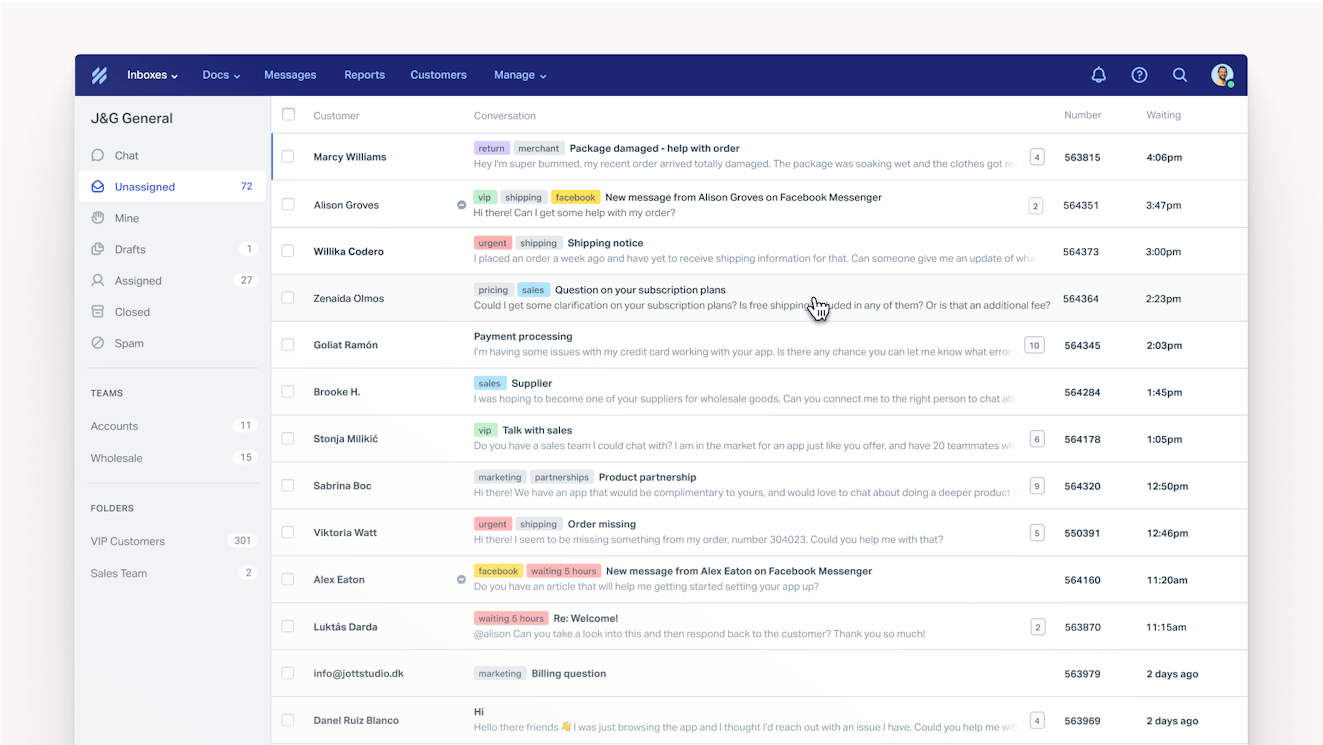
Help Scout is an easy-to-use and affordable customer support platform that lets you deliver email, live chat, self-service, and social media support. It integrates with Facebook Messenger, Instagram, and WhatsApp, allowing you to view and reply to messages received through those platforms.
All requests show up in a unified inbox, where you get access to dozens of powerful features that help your team work faster and collaborate more easily.
Work faster and collaborate more effectively

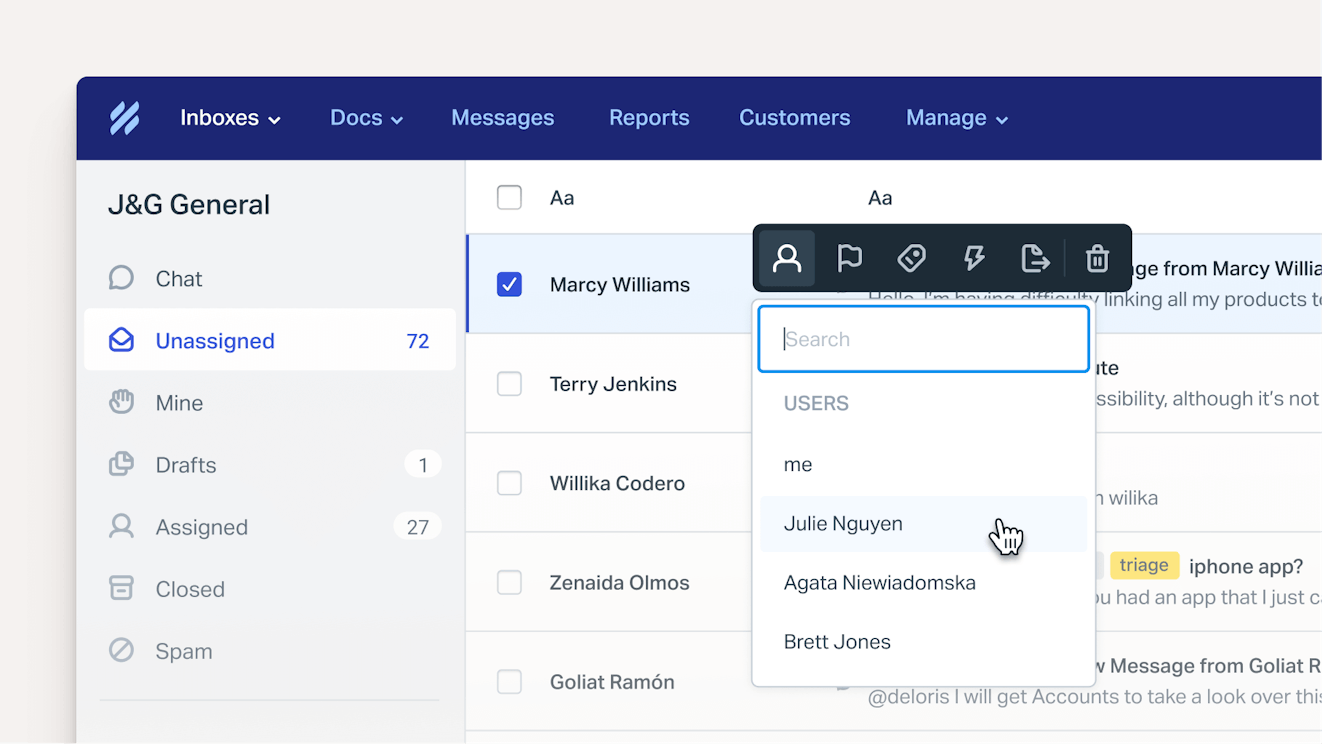
Consolidating all of your customer conversations (including messages from Facebook, Instagram, and WhatsApp) in Help Scout's shared inbox lets you take advantage of a wide range of features that help you reply faster and work more collaboratively with your teammates:
Saved replies: Create a library of default responses to frequently asked questions, then insert them into your replies and respond in only a couple of clicks.
Knowledge base integration: Help Scout's inbox connects with its knowledge base, allowing you to search your knowledge base articles without leaving the inbox and easily insert links to them into your replies.
Assignments: You can assign conversations to specific individuals/teams manually, or use round-robin or load-balanced routing to automatically assign new requests evenly or based on capacity.
Workflows: Set up automations that can be triggered either manually or automatically based on if/then clauses you set. Do things like automatically route emails sent from specific email addresses to the appropriate team/individual, close auto-reply emails as soon as they hit your inbox, or follow up with customers who haven't replied within a certain amount of time.
Tags: Add labels to conversations to track the things you care about (e.g., "VIP customer" or "feature request"), then either create a view to see only the conversations with that tag or build reports that show how many related requests you're receiving.
Collision detection: Prevent duplicate work with visual indicators that show when someone else is already viewing or replying to a conversation. Additionally, if anything was added to the thread while you were composing a reply, Help Scout will alert you before sending the message.
Connect with Messenger and Instagram easily

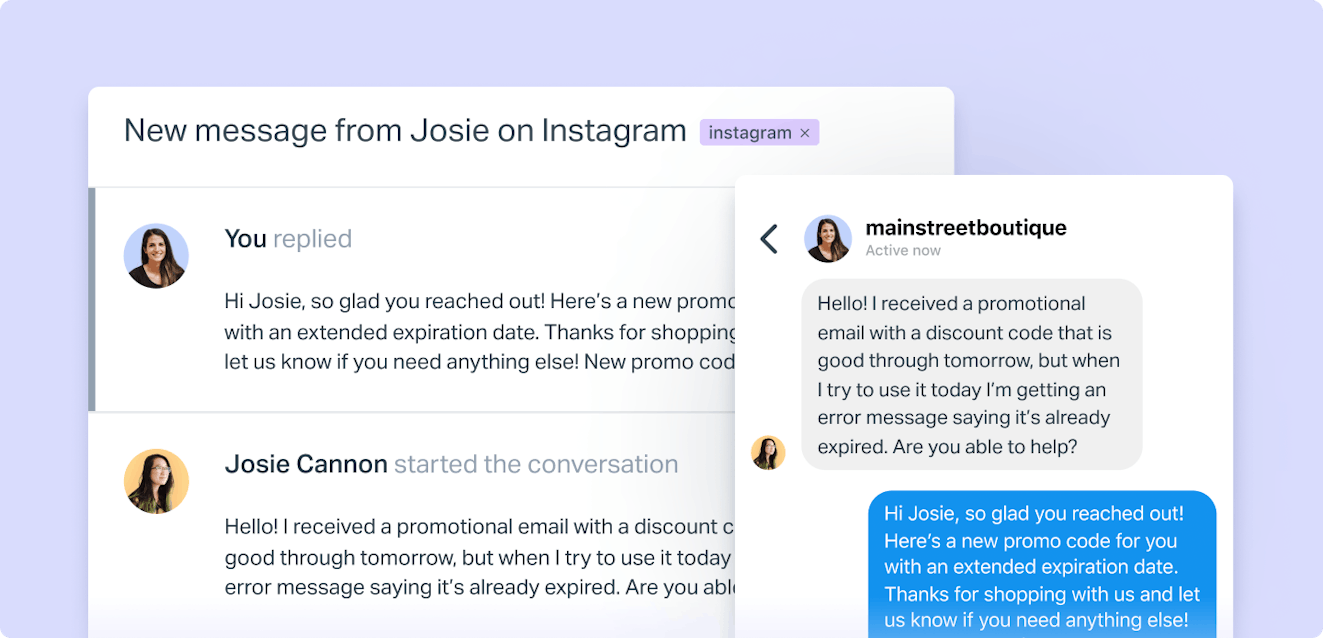
Help Scout makes integrating with Facebook and Instagram easy. Just add the Facebook Messenger or Instagram channel to your Help Scout mailbox, follow the instructions to log into your Facebook or Instagram account, choose the pages to connect, and grant the required permissions. That's it!
After that, when someone sends a new direct message to your connected Facebook Page or Instagram Business Account, a conversation containing that message will be created in Help Scout. You can reply to these messages like you would an email or live chat conversation, and your reply will be sent back to the customer on the platform they used to send the original request.
Save on costs when replying to WhatsApp messages

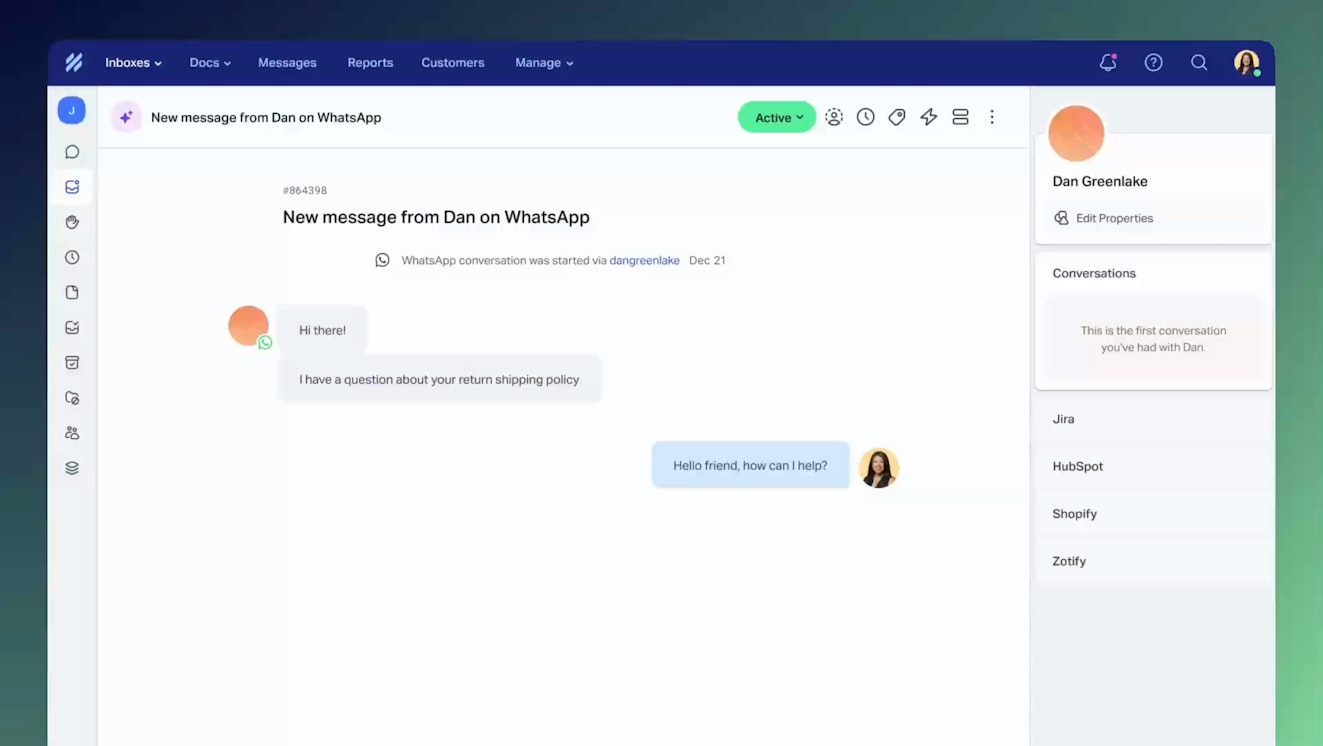
Many other support platforms charge usage fees for managing WhatApp messages. With Help Scout, you don't pay anything extra — just the fees Meta charges you if you reply after 24 hours have passed. Plus, features like views and workflows can help you avoid the charges for late replies by making it easier for your team to identify requests from WhatsApp and sending automatic alerts when time is running out.
Messages from WhatsApp appear in Help Scout in real-time so you can chat with customers there just like you would over live chat, and Help Scout will also pull in your templates from Meta so you can use them when you do need to reply to a request after 24 hours have passed.
Integrate with the other systems you use


In addition to its social media integrations, Help Scout also integrates with the types of tools SaaS and ecommerce customer service teams use most often to deliver personalized support, such as CRMs like Salesforce and HubSpot, ecommerce platforms like Shopify and Magento, and phone and SMS support providers like Aircall, Talkdesk, and Textline.
Access detailed reports
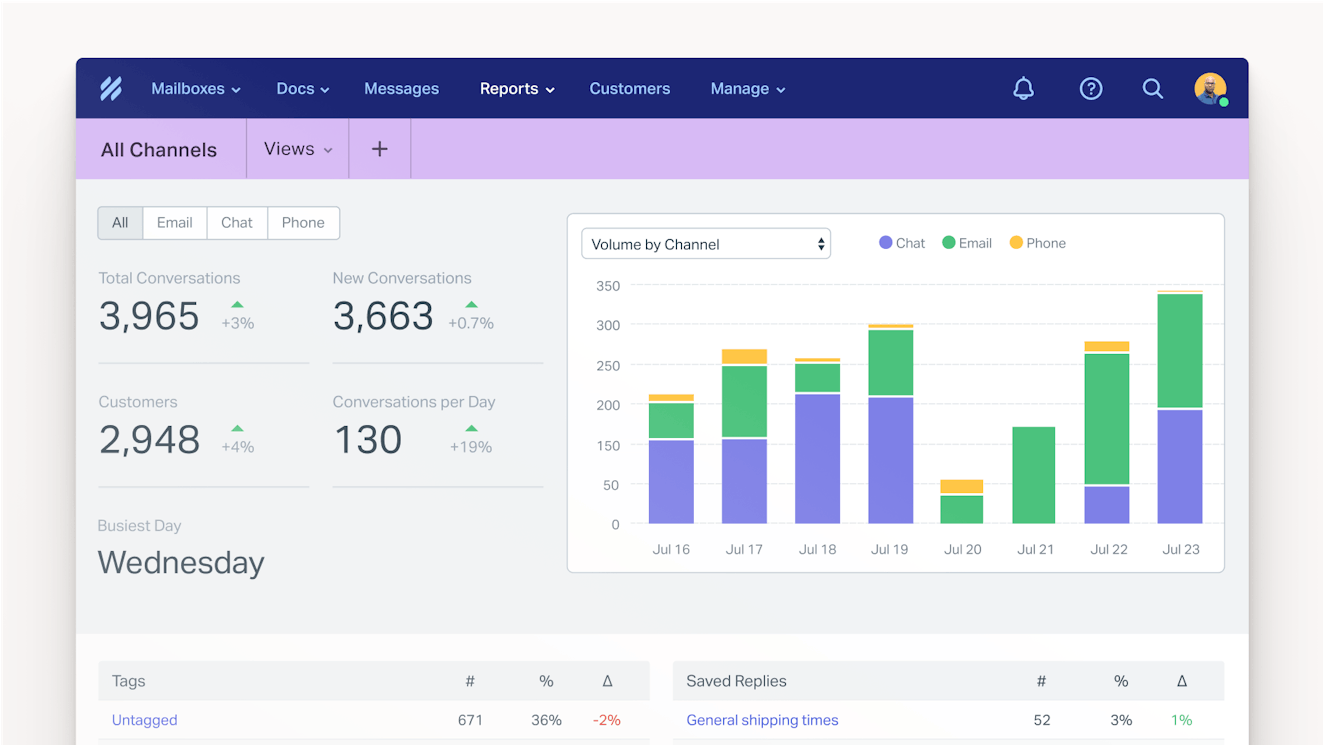
Help Scout's customizable reports make it easy to monitor your team's performance. You can quickly identify your busiest days of the week and times of day and see which channels customers use most often. Compare your support volume to previous periods, get insight into which topics/features/products result in the highest number of support requests, view how often each of your automated workflows are used, and more.
Pricing
Free plan and trial available. View Help Scout's current pricing.
2. Zendesk – Best for X support

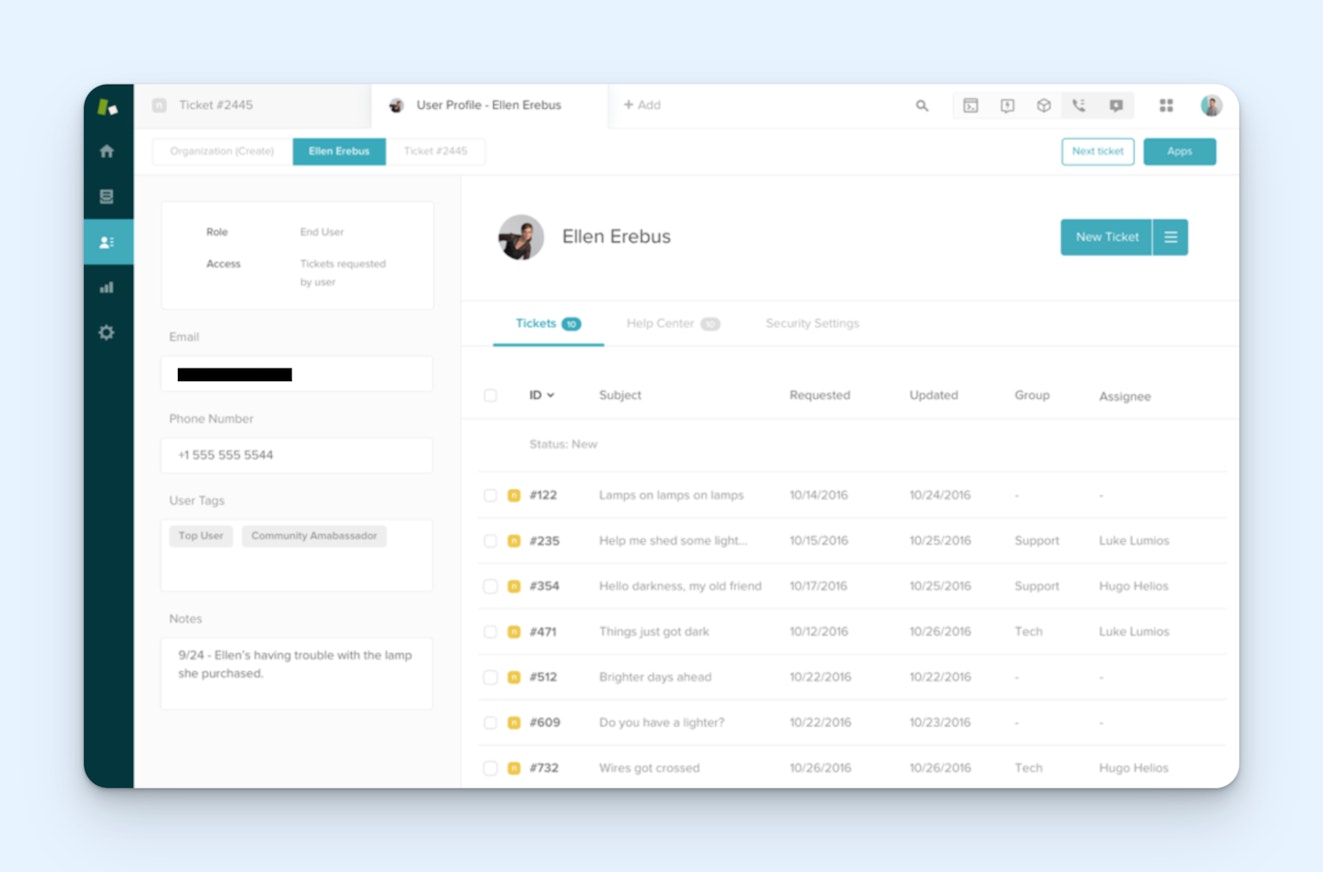
Zendesk's X integration lets you see and reply to both public and private messages, depending on which Zendesk plan you're subscribed to:
Customers on the Support Team plan can only see and reply to public messages, like comments on your X posts and mentions of your brand on X. These messages are converted into tickets in Zendesk, and you can reply to them as public posts or convert the conversation to email. You can also automatically convert any posts you like on X into tickets in Zendesk.
Customers on Zendesk's Suite plans get access to all of the public message features above but can also manage X DMs.
You also have some control over which types of messages are converted into tickets in Zendesk. Decide whether or not to create tickets in Zendesk for mentions of your brand on X, and turn on or off the feature where posts you like on X are converted into tickets.
Zendesk also integrates with Facebook, Instagram, WhatsApp, WeChat, LINE, and Apple Messages for Business. More broadly, it's a feature-rich and highly customizable customer service platform that lets you deliver support across all channels (email, chat, SMS, and phone), build internal and external knowledge bases, create community forums and customer portals, and use AI to reply to requests automatically.
Pricing
Free trial available. View Zendesk's current pricing.
3. eDesk – Best for TikTok Shop support

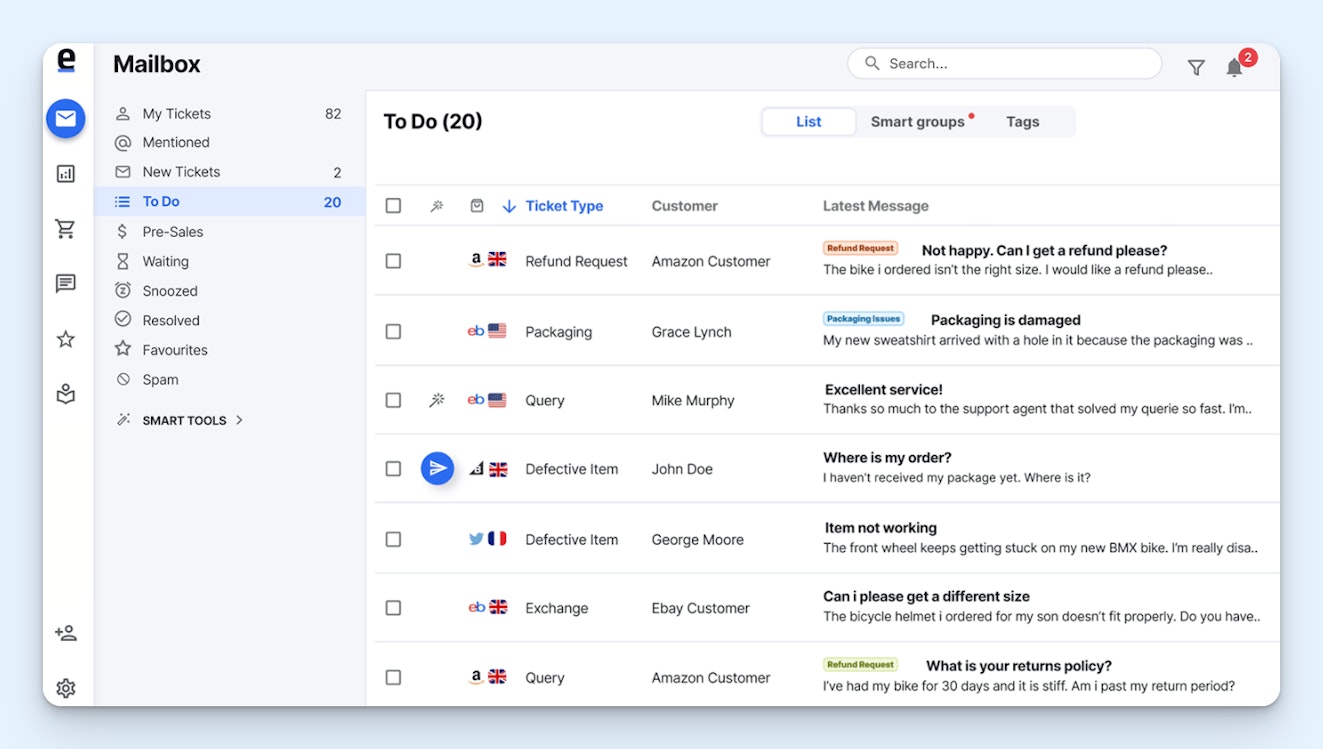
Ecommerce customer service software provider eDesk is unique because of its integration with TikTok Shop. It lets you manage all of your TikTok Shop support interactions directly in eDesk's shared inbox without having to toggle back and forth between the two systems. You can:
View and reply to all conversations that customers initiated with you on TikTok Shop.
See all messages and replies to a conversation threaded in a single ticket.
Initiate conversations with customers when you need to proactively communicate with them.
Process returns, cancellations, and refunds directly from the eDesk interface.
Add order information to replies with just a couple of clicks.
View all of your store's orders in a new "Orders" tab.
Beyond TikTok Shop, eDesk also integrates with social media and messaging platforms like WhatsApp, Facebook, and Instagram; marketplaces like Amazon, Walmart, eBay, and Mirakl; and ecommerce platforms like Shopify, Magento, BigCommerce, WooCommerce, Prestashop, and Cdiscount.
Ecommerce companies can also use eDesk to deliver email, live chat, and phone support and create a help center. One unique feature is its presales inbox that uses AI to identify queries from customers who are considering making a purchase and prioritize those for your team to help you increase sales. You'll even get reports showing exactly how much revenue your support team helped bring in.
Finally, eDesk's AI agent lets you respond to customer requests automatically across all of your connected channels and marketplaces. It can answer both pre- and post-sale questions for you using the knowledge from your help center, customers' order information, and your company's policies. However, unlike some of the other ecommerce chatbots on the market, eDesk's agent cannot make changes to customers' orders for you (i.e., processing refunds or canceling orders).
Pricing
Free trial available. View eDesk's current pricing.
4. Sprinklr – Best for enterprise social media management and support


Sprinklr is an all-in-one system that can be used by both marketing and support teams to manage social campaigns, listen for brand mentions, and respond to DMs and comments from customers. It integrates with 43 different social media and messaging platforms, including those like LinkedIn, YouTube, Pinterest, Reddit, Discord, and Bluesky that are rarely supported by other customer service tools.
Sprinklr caters to enterprise businesses that have massive social presences, highly specific needs, and large teams of people dedicated to social media management. On the marketing side of things, you can build and schedule marketing campaigns with multiple approval layers, monitor your brand mentions and post engagement, and compare your performance against competitors.
On the support side, you get access to a complete help desk platform that not only brings in messages you receive over social but also lets you set up systems for delivering email, chat, and phone support. Create a knowledge base, build a community forum, and use AI to automatically answer customers' questions on any channel. AI agents even retain context when customers switch to a new channel.
Sprinklr also has many features that are valuable for businesses in highly regulated industries. Its built-in AI reviews social posts/replies in real time and warns users if the content is biased, includes profanity, or uses an off-brand tone. You can also set up workflows that require a compliance officer to review new posts before they're published.
For small and midsized businesses, Sprinklr's cost and complexity will rarely make it a good fit, but for organizations managing large-scale social media operations across dozens of profiles, platforms, and regional markets — particularly those in regulated industries — it may be just what you're looking for.
Pricing
No free trial offered. Contact Sprinklr for pricing details.
5. SocialPilot – Best for teams with a low volume of social support requests


If you're getting a lot of requests from customers through your social media profiles, you'll definitely want a dedicated support platform that brings those requests in alongside tickets from other channels. However, if you only occasionally get a request from social that needs input from your support team, you might only need a social media marketing tool that comes with conversation management features.
For this use case, SocialPilot is an affordable option. It's considerably less expensive than competitors like Hootsuite and Sprout Social, and it connects with the most popular social media sites: Facebook, X, Instagram, Pinterest, YouTube, LinkedIn, Threads, TikTok, and Bluesky. It lets your marketing team create and schedule posts, build a content calendar, set up approval workflows, and more.
From the support side of things, SocialPilot aggregates comments, posts, and mentions from Facebook, Instagram, and LinkedIn into a shared Social Inbox. Your marketing team can add a "Support" tag to any messages they need your help with, then you can filter the inbox to only see messages with that tag.
From there, you can reply to the message directly from the inbox, or you can leave a note with the information that your marketing team needs in order to reply. When replying to DMs, you can include text, images, emojis, and GIFs, and you can also include videos when replying to comments.
You'll still need a dedicated support platform for managing requests from other channels. However, if you don't get many social support requests, you like the support platform you're currently using, and its only limitation is that it doesn't bring in requests you receive via social, then SocialPilot may be all you really need.
Pricing
Free trial available. View SocialPilot's current pricing.
6. Statusbrew – Best for teams that only offer social media support


If you don't need to offer support through channels like email and live chat and are just looking for a social media customer support platform, Statusbrew's social inbox is a great option. It connects with Facebook, Instagram, X, LinkedIn, TikTok, WhatsApp, YouTube, Reddit, and more and gives you access to the collaboration features you need to manage social comments and DMs as a team.
Statusbrew's social inbox displays all comments on your organic and paid posts as well as any DMs you've been sent. You can create multiple inboxes for different teams that need to handle different conversations (support, marketing, sales, etc.) and move incoming conversations to those inboxes to assign them to a specific team. You can also assign conversations to individual team members.
Views let you use filters to create lists of specific posts you're most interested in seeing. You can create a view for conversations with negative sentiment, those that have exceeded your SLA, and more. Rules make it easier to get conversations to the right place immediately; create rules that automatically send conversations about billing to your finance inbox or that flag possible spam comments for review.
When responding to conversations, Statusbrew offers more helpful features. Use collision detection to ensure two people aren't replying to a conversation at the same time, take advantage of saved replies and AI-generated replies to respond quickly, and use private notes and @mentions to give a team member a heads-up that you need their help along with context only your team can see.
Finally, Statusbrew's customer sidebar shows you all of the previous conversations you've had with a user across all of your social media sites so you can quickly get more context when needed.
Overall, Statusbrew is a complete support platform for teams that only deliver social media support — and one that your marketing team can also use for their campaigns. Just keep in mind that it doesn't have tools for delivering support on other channels and doesn't integrate with any help desk software, so if you plan to expand your support offerings in the future, you'll need to invest in a separate help desk.
Pricing
Free trial available. View Statusbrew's current pricing.
7. Zoho Desk – Best for delivering support over messaging apps


Zoho Desk is an affordable option for teams that get a lot of requests via messaging apps. In addition to letting you deliver email, chat, self-service, and phone support, you can connect Zoho Desk with Facebook Messenger, Instagram, WhatsApp, Telegram, LINE, and WeChat to manage conversations from those platforms.
Zoho makes it easy to add a customizable support widget for these channels to your webpage. In Zoho Desk's backend, you can generate code for your website to display the widget as a button, chat link, or QR code. After that, just copy the code provided and add it to your website to provide your customers with quick access to support.
Conversations from these messaging channels will appear in your IM inbox in Zoho Desk alongside your live chat requests. From there, you can take advantage of the platform's other features — like canned messages, assignments, chat routing, auto-close timers for inactive conversations, and chatbots — to send messaging app requests to the right team members and respond to conversations quickly.
If you get requests in multiple languages, Zoho Desk's AI can translate your replies into 15 different languages for you. Incoming messages can also be automatically translated using the Zoho Translate extension. In addition, its AI can be used to detect and display sentiment using an emoji indicator, create a summary of conversations, and suggest responses using information from your knowledge base.
For WhatsApp support, you will have to pay for IM credits in addition to your regular subscription fee. It's also worth noting that you'll need to be on Zoho Desk's Professional plan or higher to add multiple messaging channels.
Pricing
Free plan and trial available. View Zoho Desk's current pricing.
Choosing the best social media customer service software for your team
Whether you're looking deeper into the options we recommended above or investigating other options you found on your own, there are a few questions you can answer and tasks you can perform to make sure that the social media support software you choose is the perfect one for your team's needs:
Determine who owns social support. If your social media marketing manager is largely in charge of managing comments and DMs from social with occasional help from support, you'll be better off with a social media marketing tool. If your support team will handle the bulk of social requests, choose a help desk with social channel integrations.
Determine which social platforms you want to provide support on. If a tool doesn’t integrate with a social site you provide support on, chances are it’s not the right fit. Look for options that integrate with the platforms your customers use to contact you (or make a decision about which social sites you will or won't accept requests through).
Start a trial and test the social integrations. Set up the social media integrations in the platform to ensure they're easy to get up and running. Then, make sure they do everything you need them to do. Some will only bring DMs into your inbox; others will bring in DMs, comments, posts, and brand mentions. See if you're able to turn off types that you don't want to see in your inbox.
Consider the total cost of the platform. Make sure to look closely to see if the social channels you need are included in the plans you're considering, and look at the fine print to see if those integrations come with additional costs. It may be worth reaching out to support or getting a demo to make sure; brands aren't always transparent about those costs on their pricing pages.
Once you've found the perfect tool for your team, you'll be ready to start delivering exceptional social media support. For more tips on creating your strategy and launching support on new social channels, check out our guide to Getting Started with Social Media Support.
Jessica Greene
Jessica Greene is a Help Scout alum, where we make excellent customer service achievable for companies of all sizes. Connect with her on LinkedIn or through her website.


