Feature and Pricing Comparison of 6 Shared Inbox Tools


Comparing shared inbox software is difficult:
Few platforms publish lists of all of their features, so you're left searching through help center articles to determine if all of your must-have features are included.
Pricing pages show popular features only, making it difficult to determine what you'll pay to get access to what you need.
Many tools give their features branded names, which makes it difficult to evaluate features side by side (e.g., are one tool's "saved replies" the same thing as another's "macros"?)
To save you some time, we've done as much of the comparison research for you as possible. If a shared inbox tool has published the information we were looking for anywhere online — on its website, in its help center, or even on a review site profile — we've found it and added it to this guide. Where no information exists, we've listed that too so you know what you need to ask the tools' support or sales teams directly.
Below, we're comparing the features and pricing of six popular shared inbox tools: Help Scout, Front, Zendesk, Intercom, Hiver*, and Missive. We've listed which features each of the six platforms offers, as well as what you'll pay to get access to those features in each tool.
*In this post, we're looking specifically at Hiver Omni — Hiver's standalone shared inbox tool — instead of its Gmail extension, Hiver in Gmail. This is important to note because while the pricing is the same for Hiver Omni and Hiver in Gmail, Hiver Omni offers many features that are not included in Hiver in Gmail.
At Help Scout, we only publish deeply researched, human-written content. If you find our content to be as helpful as we strive to make it be, you can set us as a preferred source in Google so you'll see our content surfaced more often when you're searching.
Support channels


If you're looking for shared inbox software, you may only need something that helps you deliver support over email. The good news is that all of the platforms we're comparing in this post — Help Scout, Front, Zendesk, Intercom, Hiver, and Missive — give you tools for delivering email support.
However, you may also want to branch out beyond email, either now or in the future. If the tool you're looking for only lets you deliver email support and you decide in six months that having a knowledge base or live chat widget would be useful, you'll have to migrate to a different system to add those on. On the other hand, if you pick a tool upfront that can support you as you scale and add new channels, you'll be able to stick with that platform for the long haul.
The table below shows which channels each of the six shared inbox tools supports, as well as the starting cost of the plans that include that channel.
| Help Scout* | Front* | Zendesk | Intercom | Hiver* | Missive* | |
|---|---|---|---|---|---|---|
Free for up to five users $25/user per month for up to 25 users | $25/seat per month for a single channel only and up to 10 seats $65/seat per month for more than one channel and up to 50 seats | $19/agent per month | $19/seat per month | $25/user per month for up to 10 users | $14/user per month for up to five users | |
Live chat | $25/user per month for up to 25 users | $25/seat per month for a single channel only and up to 10 seats $65/seat per month for more than one channel and up to 50 seats | $19/agent per month | $19/seat per month | $25/user per month for up to 10 users | $14/user per month for up to five users |
$25/user per month for up to 25 users | $65/seat per month for up to 50 seats | $55/agent per month | $85/seat per month | Not offered | $14/user per month for up to five users | |
$25/user per month for up to 25 users | $65/seat per month for up to 50 seats | $55/agent per month | $85/seat per month | Not offered | $14/user per month for up to five users | |
X | Not offered | $65/seat per month for up to 50 seats | $55/agent per month | Not offered | Not offered | Not offered |
$25/user per month for up to 25 users | $65/seat per month for up to 50 seats plus a 20% administration fee | $55/agent per month | $19/seat per month + additional usage fees | Not offered | $14/user per month for up to five users | |
SMS | $25/user per month for up to 25 users | $65/seat per month for up to 50 seats | $55/agent per month + additional usage fees | $19/seat per month + additional usage fees | Can be added to any plan for an additional $30/voice seat per month | $14/user per month for up to five users |
Phone | Via integration only $25/user per month for up to 25 users + Aircall integration add-on cost | Via integration only $65/seat per month for up to 50 seats | $55/agent per month plus additional usage fees | $19/seat per month + additional usage fees | Can be added to any plan for an additional $30/voice seat per month | Via integration only $24/user per month for up to 50 users |
Knowledge base | Free for up to five users $25/user per month for up to 25 users | $25/seat per month for up to 10 seats | $55/agent per month | $19/seat per month | $25/user per month for up to 10 users | Not offered |
Customer portals | $45/user per month for up to 50 users | $65/seat per month for up to 50 seats | $115/agent per month | $85/seat per month | $55/user per month for unlimited users | Not offered |
Community forums | Not offered | Not offered | $115/agent per month | Not offered | Not offered | Not offered |
*Help Scout, Front, Hiver, and Missive have user/seat limits on some of their plans. If you need more users/seats than what's listed as the maximum for the lowest-cost plan, you'll need to upgrade to a higher-cost plan. Below are the costs and user/seat limitations for those four platforms.
The Free plan has a five-user maximum.
The Standard plan starts at $25/user per month and has a 25-user maximum.
The Plus plan starts at $45/user per month and has a 50-user maximum.
The Pro plan starts at $75/user per month and has no user maximum and a 10 user minimum.
The Starter plan starts at $25/seat per month and has a 10-user maximum.
The Professional plan starts at $65/seat per month and has a 50-user maximum.
The Enterprise plan starts at $105/seat per month and has no user maximum.
The Growth plan starts at $25/user per month and has a 10-user maximum.
The Pro ($55/user per month) and Elite ($85/user per month) plans have no user maximums.
The Starter plan starts at $14/user per month and has a five-user maximum.
The Productive plan starts at $24/user per month and has a 50-user maximum.
The Business plan starts at $36/user per month and has no user maximum.
Zendesk and Intercom do not have user or seat maximums on any of their plans.
Email management features

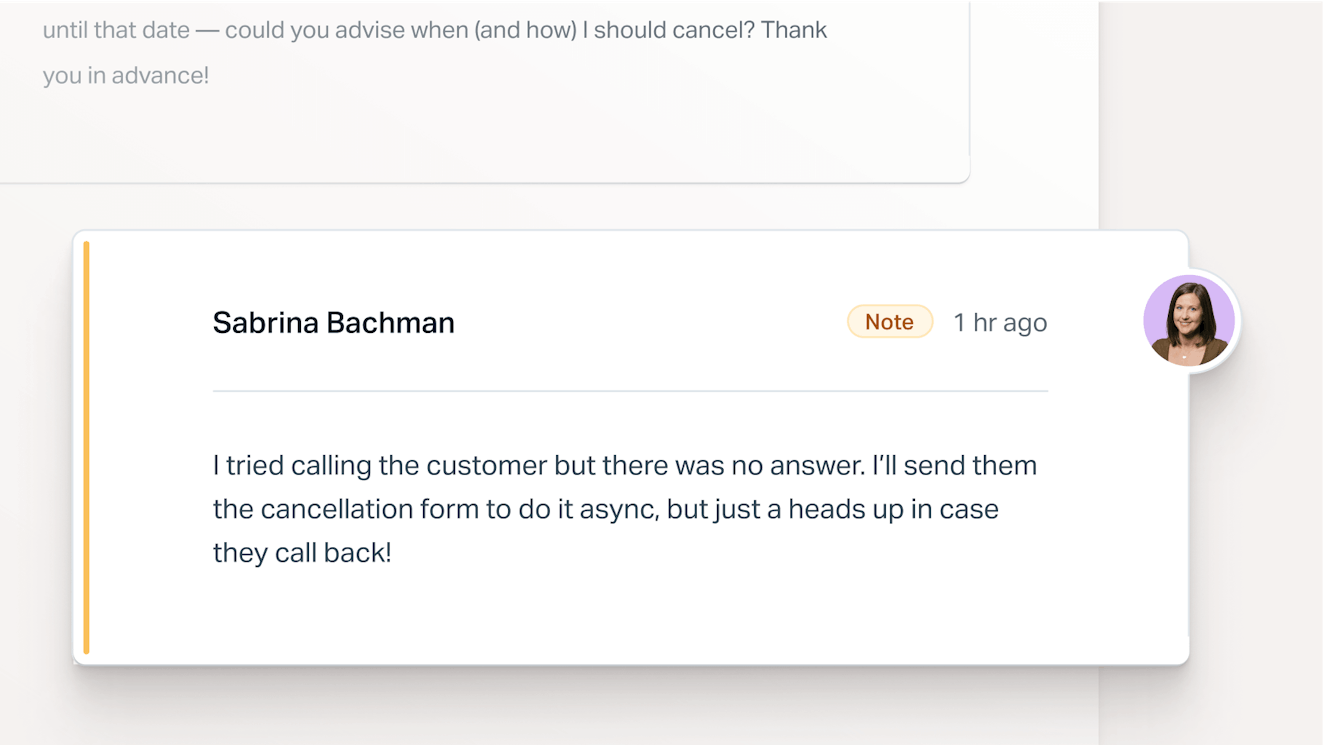
Email management features help your team organize incoming messages and work on them together. They make it clear who’s responsible for each conversation and give everyone the context they need to reply so nothing slips through the cracks.
Key email management features to look for in a shared inbox include:
Manual assignments: Manually assign emails to specific individuals or teams so it’s always clear who’s responsible for replying.
Teams: Group users into teams (like “Finance” or "HR") so conversations can be assigned to a group instead of a single person.
Internal notes: Leave notes on a conversation that only your team can see to share context or ping a teammate for help without leaving the conversation view.
Tags: Add labels to conversations to mark their topic, request type, or urgency.
Custom fields: Capture structured details about a conversation (e.g., an order number or product name). These can be added to contact forms to request more information from customers submitting a request or required before a conversation can be closed to get the details you'll need later for reporting.
Custom views: Create filtered lists of conversations based on criteria you choose — such as a specific tag, custom field, assignee, or customer — so team members can narrow the queue down to see only the messages that matter to them.
Contact profiles: View a customer’s contact information, past conversations, and more right alongside their message so you can get the context you need to reply without switching tabs.
Send later: Write a reply and schedule it to be sent at a specific date and time.
Snooze: Temporarily remove a conversation from your queue and have it reappear at a date and time you choose, which is useful when you’re waiting on information or want to follow up later.
Personal email management: Traditional support teams may receive all their requests at a shared address (e.g., support@), but other teams — like professional services companies working with clients — may receive email at both shared and individual addresses (e.g., jessica@). Personal email management features let you handle both in one place, and some even let you share your personal inbox with colleagues, giving them access to the whole thing while you’re out of office or to just one email you need their input on.
Here are the email management features that each platform supports, as well as the starting cost of plans that include each feature.
| Help Scout | Front | Zendesk | Intercom | Hiver | Missive | |
|---|---|---|---|---|---|---|
Manual assignments | Free for up to five users $25/user per month for up to 25 users | $25/seat per month for up to 10 seats | $19/agent per month | $19/seat per month | $25/user per month for up to 10 users | Offered, but pricing is not published |
Teams | $45/user per month for up to 50 users | $25/seat per month for up to 10 seats | $19/agent per month | $85/seat per month | Not offered | $14/user per month for up to five users |
Internal notes | Free for up to five users $25/user per month for up to 25 users | $25/seat per month for up to 10 seats | $19/agent per month | Offered, but pricing is not published | $25/user per month for up to 10 users | $14/user per month for up to five users |
Tags | 10 tags included in the free plan $25/user per month for unlimited tags and up to 25 users | $25/seat per month for up to 10 seats | $19/agent per month | Offered, but pricing is not published | $25/user per month for up to 10 users | $14/user per month for up to five users |
Custom fields | $45/user per month for up to 50 users | $25/seat per month for up to 10 seats | $19/agent per month | Offered, but pricing is not published | $25/user per month for up to two custom fields $55/user per month for up to 10 custom fields | Not offered |
Custom views | $25/user per month for up to 25 users | $25/seat per month for up to 10 seats | $19/agent per month | $19/seat per month | $25/user per month for up to 10 users | Not offered |
Contact profiles | Free for up to five users $25/user per month for up to 25 users | $25/seat per month for up to 10 seats | $19/agent per month | Offered, but pricing is not published | $25/user per month for up to 10 users | $14/user per month for up to five users |
Send later | Free for up to five users $25/user per month for up to 25 users | $25/seat per month for up to 10 seats | Not offered | Not offered | Offered, but pricing is not published | $14/user per month for up to five users |
Snooze | Free for up to five users $25/user per month for up to 25 users | $25/seat per month for up to 10 seats | Not offered | $19/seat per month | Not offered | $14/user per month for up to five users |
Personal email management | Not offered | $25/seat per month if email is the only channel you're using on the platform | Not offered | Not offered | Offered, but pricing is not published | $14/user per month for up to five users |
Automation features


Automation features take repetitive work off your team’s plate so they can spend less time triaging the queue and more time actually helping customers. They also help you set and meet expectations, making sure customers hear back quickly and nothing gets answered twice.
Key automation features to look for in a shared inbox include:
Auto-replies: Automatically send a reply to every new message to confirm it was received and set expectations for when the customer will hear back.
Office hours: Set the hours your team is working so the tool can calculate response times accurately.
Collision detection: See when a teammate is viewing or replying to a conversation, and get a warning if someone else sends a reply while you’re typing so customers don’t receive duplicate responses.
Saved replies: Build a library of templated responses to common questions that anyone on your team can insert into a reply in a couple of clicks. Some tools call these “macros,” “canned responses,” or “templates.”
CSAT surveys: Automatically ask customers to rate their experience after an interaction so you can measure satisfaction and spot conversations that went poorly.
SLAs: Set target times for first response, resolution, or both, and see which conversations are at risk of missing those targets.
Round-robin routing: Automatically assign new conversations to teammates in turn so the workload is spread evenly without anyone having to triage the queue.
Load-balanced routing: Automatically assign each new conversation to the available teammate with the fewest active conversations.
Skill-based routing: Automatically assign conversations to teammates based on their skills or expertise, such as languages spoken, product knowledge, or seniority.
Workflows: Set up “if this, then that” rules that perform actions for you — like tagging, assigning, or closing conversations — whenever certain conditions are met. Workflows may be set to trigger automatically based on specific conditions or manually by team members.
Here are the automation features that each platform supports, as well as the starting cost of plans that include each feature.
| Help Scout | Front | Zendesk | Intercom | Hiver | Missive | |
|---|---|---|---|---|---|---|
Auto-replies | Free for up to five users $25/user per month for up to 25 users | Available via workflows (called "rules" in Front) only; see restrictions on workflows below $25/seat per month for up to 10 seats | $19/agent per month | Offered, but pricing is not published | Available via workflows (called "automations" in Hiver) only; see restrictions on workflows below $25/user per month for up to 10 users | $24/user per month for up to 50 users |
Office hours | $25/user per month for up to 25 users | $65/seat per month for up to 50 seats | $115/agent per month | $19/seat per month | $55/user per month for unlimited users | $14/user per month for up to five users |
Collision detection | Free for up to five users $25/user per month for up to 25 users | $25/seat per month for up to 10 seats | $19/agent per month | Offered, but pricing is not published | $25/user per month for up to 10 users | Not offered |
Saved replies | 10 saved replies included in the free plan $25/user per month for up to 25 users | $25/seat per month for up to 10 seats | $19/agent per month | $19/seat per month | $25/user per month for up to 10 users | $14/user per month for up to five users |
CSAT surveys | $25/user per month for up to 25 users | $65/seat per month for up to 50 seats | $115/agent per month | $19/seat per month | $55/user per month for unlimited users | Not offered |
SLAs | $25/user per month for one basic policy $45/user per month for two advanced policies $75/user per month for unlimited policies | $65/seat per month for up to 50 seats | $115/agent per month | $132/seat per month | $55/user per month for unlimited users | Not offered |
Round-robin routing | $45/user per month for up to 50 users | Available via workflows (called "rules" in Front) only; see restrictions on workflows below $65/seat per month for up to 50 seats | $19/agent per month | $85/seat per month | $25/user per month for up to 10 users | Not offered |
Load-balanced routing | $75/user per month with no user maximum | Available via workflows (called "rules" in Front) only; see restrictions on workflows below $65/seat per month for up to 50 seats | $19/agent per month | $132/seat per month | Not offered | Not offered |
Skill-based routing | Not offered | Not offered | $115/agent per month | $132/seat per month | $85/user per month for unlimited users | Not offered |
Workflows | $25/user per month for 150 basic workflows $45/user per month for 500 advanced workflows $75/user per month for unlimited workflows | $25/seat per month for up to 10 $65/seat per month for up to 20 $105/seat per month for unlimited Note that certain workflow conditions are only available on certain plans | $19/agent per month for up to 40k actions per month $115/agent per month for up to 100k actions per month | $85/seat per month | $25/user per month for up to 10 $55/user per month for up to 50 $85/user per month for unlimited | $24/user per month for up to 1,000 |
AI features
Most shared inbox platforms these days offer AI that helps your team write replies, and many offer AI agents that answer customers' questions for you.
But comparing AI features and pricing across platforms is where things get the most confusing. Some AI features are included in the cost of base plans, some are billed based on usage, and some are sold as add-on products with additional fees on top of the cost of the base plan.
To make the comparison easier, we’ve split AI features into three groups: copilot features that help your team reply, AI agent features that respond to customers directly, and features that help support leaders manage their team’s work.
AI copilot features


AI copilot features work alongside your team in the inbox. They help you write replies faster and get up to speed on long threads, but a person still decides what ultimately gets sent to the customer.
Here are the AI copilot features that each platform supports, as well as the starting cost of each feature.
| Help Scout | Front | Zendesk | Intercom | Hiver | Missive | |
|---|---|---|---|---|---|---|
Clean up spelling and grammar errors in replies you wrote | Included in plans that start at $25/user per month | Included in plans that start at $25/seat per month | 5 uses/agent per month are included in the base cost of your plan For unlimited uses, you’ll have to purchase the Copilot add-on for $50/agent per month Also requires a subscription to the Suite Professional plan ($115/agent per month) or higher | Included in plans that start at $19/seat per month | Included in plans that start at $25/user per month | Included in plans that start at $24/user per month plus additional usage/credit fees |
Change the voice, tone, or length of replies you wrote | Included in plans that start at $25/user per month | Included in plans that start at $25/seat per month | 5 uses/agent per month are included in the base cost of your plan For unlimited uses, you’ll have to purchase the Copilot add-on for $50/agent per month Also requires a subscription to the Suite Professional plan ($115/agent per month) or higher | Included in plans that start at $19/seat per month | Included in plans that start at $25/user per month | Included in plans that start at $24/user per month plus additional usage/credit fees |
Translate incoming messages | Not offered | Included in plans that start at $25/seat per month | Included in plans that start at $19/agent per month | Offered, but pricing is not published | Not offered | Included in plans that start at $24/user per month plus additional usage/credit fees |
Translate outgoing messages | Included in plans that start at $25/user per month | Included in plans that start at $25/seat per month | Included in plans that start at $19/agent per month | 10 uses/agent per month are included in the base cost of your plan For unlimited uses, you'll have to purchase the Copilot add-on for $29/teammate per month Also requires a subscription to the Essential plan ($19/seat per month) or higher | Not offered | Included in plans that start at $24/user per month plus additional usage/credit fees |
Summarize conversation threads | Included in plans that start at $45/user per month | Included in plans that start at $25/seat per month | 5 uses/agent per month are included in the base cost of your plan For unlimited uses, you’ll have to purchase the Copilot add-on for $50/agent per month Also requires a subscription to the Suite Professional plan ($115/agent per month) or higher | Included in plans that start at $85/seat per month | $0.10 per eligible conversation* Also requires a subscription to the Growth plan ($25/user per month) or higher | Included in plans that start at $24/user per month plus additional usage/credit fees |
Draft replies for you from scratch | Included in plans that start at $45/user per month | Included in plans that start at $105/seat per month Available as an add-on to $25/seat per month and $65/seat per month plans for an additional $20/seat per month | Available as an add-on (Copilot) to all plans for an additional $50/agent per month Also requires a subscription to the Suite Professional plan ($115/agent per month) or higher | 10 uses/agent per month are included in the base cost of your plan For unlimited uses, you'll have to purchase the Copilot add-on for $29/teammate per month Also requires a subscription to the Essential plan ($19/seat per month) or higher | $0.10 per eligible conversation* Also requires a subscription to the Growth plan ($25/user per month) or higher | Included in plans that start at $24/user per month plus additional usage/credit fees |
Provide guidance to your team on how to reply to requests | Included in plans that start at $105/seat per month Available as an add-on to $25/seat per month and $65/seat per month plans for an additional $20/seat per month | Available as an add-on (Copilot) to all plans for an additional $50/agent per month Also requires a subscription to the Suite Professional plan ($115/agent per month) or higher | 10 uses/agent per month are included in the base cost of your plan For unlimited uses, you'll have to purchase the Copilot add-on for $29/teammate per month Also requires a subscription to the Essential plan ($19/seat per month) or higher | $0.10 per eligible conversation* Also requires a subscription to the Growth plan ($25/user per month) or higher | Not offered | |
Route incoming emails | Not offered | $0.05-$0.39 / conversation Also requires a subscription to the Starter plan ($25/seat per month) or higher | Offered, but pricing is not published | Not offered | $0.10 per eligible conversation* Also requires a subscription to the Growth plan ($25/user per month) or higher | Not offered |
Tag tickets or suggest tags | $0.05/conversation Also requires a subscription to the Starter plan ($25/seat per month) or higher | Not offered | Not offered | $0.25 per skill execution Also requires a subscription to the Growth plan ($25/user per month) or higher | Not offered |
*Several of Hiver's copilot features are charged per "eligible conversation," so instead of only paying usage fees when the copilot features are actually used, you'll pay the usage fees for any conversation where a copilot feature could be used.
AI agent features

AI agents help your customers like they're an additional member of your team.
On all platforms that have them, AI agents answer customers' questions for you automatically. On most platforms, questions that the AI agent can't answer (or has been told not to answer) are routed by the AI agent to a human team member. And on some platforms, AI agents can actually perform actions on behalf of a customer, such as canceling an order and initiating a refund.
AI agents may work on all of the channels a shared inbox platform supports or only some of those channels.
Help Scout, Front, Zendesk, Intercom, and Hiver all charge by usage for AI agents, but what counts as "usage" varies by platform:
Help Scout and Zendesk both charge per resolution, so you only pay when the AI agent fully resolves the customer's request without your team's help.
Front and Hiver also charge per resolution, though there are additional usage costs for other actions the AI agent performs like tagging tickets and routing conversations, so if an AI agent can't answer a customer's question and has to route it to your team, you'll still pay for the AI agent interaction.
Intercom charges by outcome, which can include a resolution, an agent handing off a procedure it's run to a human, a lead qualification or disqualification, or a lead being directed to a free trial.
Keep how each tool defines usage in mind when comparing costs across tools.
Here's what the AI agents can do (and where they can do it) across the six shared inbox tools we're comparing, as well as what you'll pay for access to them.
| Help Scout | Front | Zendesk | Intercom | Hiver | Missive | |
|---|---|---|---|---|---|---|
Answer customers' questions automatically over email | $0.75/resolution Also requires a subscription to the Standard plan ($25/user per month) or higher | $0.89/resolution Also requires a subscription to the Starter plan ($25/seat per month) or higher | Between 5 and 15 automated resolutions per agent per month are included in the base cost of your plan Additional automated resolutions start at $1.50/resolution Also requires a subscription to the Support Team plan ($19/agent per month) or higher | $0.99/outcome Also requires a subscription to the Essential plan ($19/seat per month) or higher | $0.80/resolution Also requires a subscription to the Growth plan ($25/user per month) or higher | Not offered |
Answer customers' questions automatically over chat | $0.75/resolution Also requires a subscription to the Standard plan ($25/user per month) or higher | $0.89/resolution Also requires a subscription to the Starter plan ($25/seat per month) or higher | Between 5 and 15 automated resolutions per agent per month are included in the base cost of your plan Additional automated resolutions start at $1.50/resolution Also requires a subscription to the Support Team plan ($19/agent per month) or higher | $0.99/outcome Also requires a subscription to the Essential plan ($19/seat per month) or higher | $0.80/resolution Also requires a subscription to the Growth plan ($25/user per month) or higher | Not offered |
Answer customers' questions automatically over social channels | Not offered | $0.89/resolution Also requires a subscription to the Professional plan ($65/seat per month) or higher | Between 5 and 15 automated resolutions per agent per month are included in the base cost of your plan Additional automated resolutions start at $1.50/resolution Also requires a subscription to the Suite Team plan ($55/agent per month) or higher | $0.99/outcome Also requires a subscription to the Advanced plan ($85/seat per month) or higher | Not offered | Not offered |
Answer customers' questions automatically over messaging channels | Not offered | $0.89/resolution Also requires a subscription to the Professional plan ($65/seat per month) or higher | Between 5 and 15 automated resolutions per agent per month are included in the base cost of your plan Additional automated resolutions start at $1.50/resolution Also requires a subscription to the Suite Team plan ($55/agent per month) or higher | $0.99/outcome Also requires a subscription to the Essential plan ($19/seat per month) or higher | $0.80/resolution Also requires a subscription to the Growth plan ($25/user per month) or higher | Not offered |
Answer customers' questions automatically on phone calls | Not offered | Not offered | Between 5 and 15 automated resolutions per agent per month are included in the base cost of your plan Additional automated resolutions start at $1.50/resolution Also requires a subscription to the Suite Team plan ($55/agent per month) or higher | $1.99/outcome Also requires a subscription to the Essential plan ($19/seat per month) or higher | Not offered | Not offered |
Perform actions on behalf of customers automatically | Not offered | $0.89/resolution Also requires a subscription to the Starter plan ($25/seat per month) or higher | Between 5 and 15 automated resolutions per agent per month are included in the base cost of your plan Additional automated resolutions start at $1.50/resolution Also requires a subscription to the Support Team plan ($19/agent per month) or higher | $0.99-$1.99 / outcome Also requires a subscription to the Essential plan ($19/seat per month) or higher | $0.80 per resolution and $0.05 per task execution Also requires a subscription to the Growth plan ($25/user per month) or higher | Not offered |
AI features for support leaders


AI features for support leaders work behind the scenes. Rather than helping with individual replies, they analyze conversations in aggregate so you can spot trends and make better decisions about quality and staffing.
Here are the AI features for support leaders that each platform supports, as well as the starting cost of each feature.
| Help Scout | Front | Zendesk | Intercom | Hiver | Missive | |
|---|---|---|---|---|---|---|
Classify incoming conversations into topics | Included in plans that start at $25/user per month | Included in plans that start at $25/seat per month | Included in plans that start at $115/agent per month Using topics in workflows requires the Copilot add-on for an additional $50/agent per month | Available as an add-on (Pro) to all plans for an additional $100/workspace per month The Pro add-on includes analysis of 500 conversations / month; analyzing additional conversations costs $0.20/conversation Also requires a subscription to the Essential plan ($19/seat per month) or higher | Included in plans that start at $25/user per month | Not offered |
Provide workflow recommendations | Not offered | Not offered | Available as an add-on (Copilot) to all plans for an additional $50/seat per month Also requires a subscription to the Suite Professional plan ($115/agent per month) or higher | Not offered | Not offered | Not offered |
QA all replies | Not offered | Included in plans that start at $105/seat per month | Available as an add-on (Workforce Engagement Bundle) to all plans for an additional $50/seat per month Also requires a subscription to the Support Team plan ($19/agent per month) or higher | Available as an add-on (Pro) to all plans for an additional $100/workspace per month The Pro add-on includes analysis of 500 conversations / month; analyzing additional conversations costs $0.20/conversation Also requires a subscription to the Essential plan ($19/seat per month) or higher | $0.05 per eligible conversation* Also requires a subscription to the Elite plan ($85/user per month) | Not offered |
Forecast support demand | Not offered | Not offered | Available as an add-on (Workforce Engagement Bundle) to all plans for an additional $50/seat per month Also requires a subscription to the Support Team plan ($19/agent per month) or higher | Available as an add-on (Pro) to all plans for an additional $100/workspace per month The Pro add-on includes analysis of 500 conversations / month; analyzing additional conversations costs $0.20/conversation Also requires a subscription to the Essential plan ($19/seat per month) or higher | Not offered | Not offered |
Create work schedules | Not offered | Not offered | Available as an add-on (Workforce Engagement Bundle) to all plans for an additional $50/seat per month Also requires a subscription to the Support Team plan ($19/agent per month) or higher | Available as an add-on (Pro) to all plans for an additional $100/workspace per month The Pro add-on includes analysis of 500 conversations / month; analyzing additional conversations costs $0.20/conversation Also requires a subscription to the Essential plan ($19/seat per month) or higher | Not offered | Not offered |
Add CSAT scores to all interactions | Included in plans that start at $105/seat per month | Via sentiment detection only Included in plans that start at $115/agent per month | Available as an add-on (Pro) to all plans for an additional $100/workspace per month The Pro add-on includes analysis of 500 conversations / month; analyzing additional conversations costs $0.20/conversation Also requires a subscription to the Essential plan ($19/seat per month) or higher | Not offered | Not offered |
*Hiver's AI QA feature is charged per "eligible conversation," so instead of only paying usage fees when the QA feature is actually used, you'll pay the usage fees for any conversation where the QA feature could be used.
Reporting
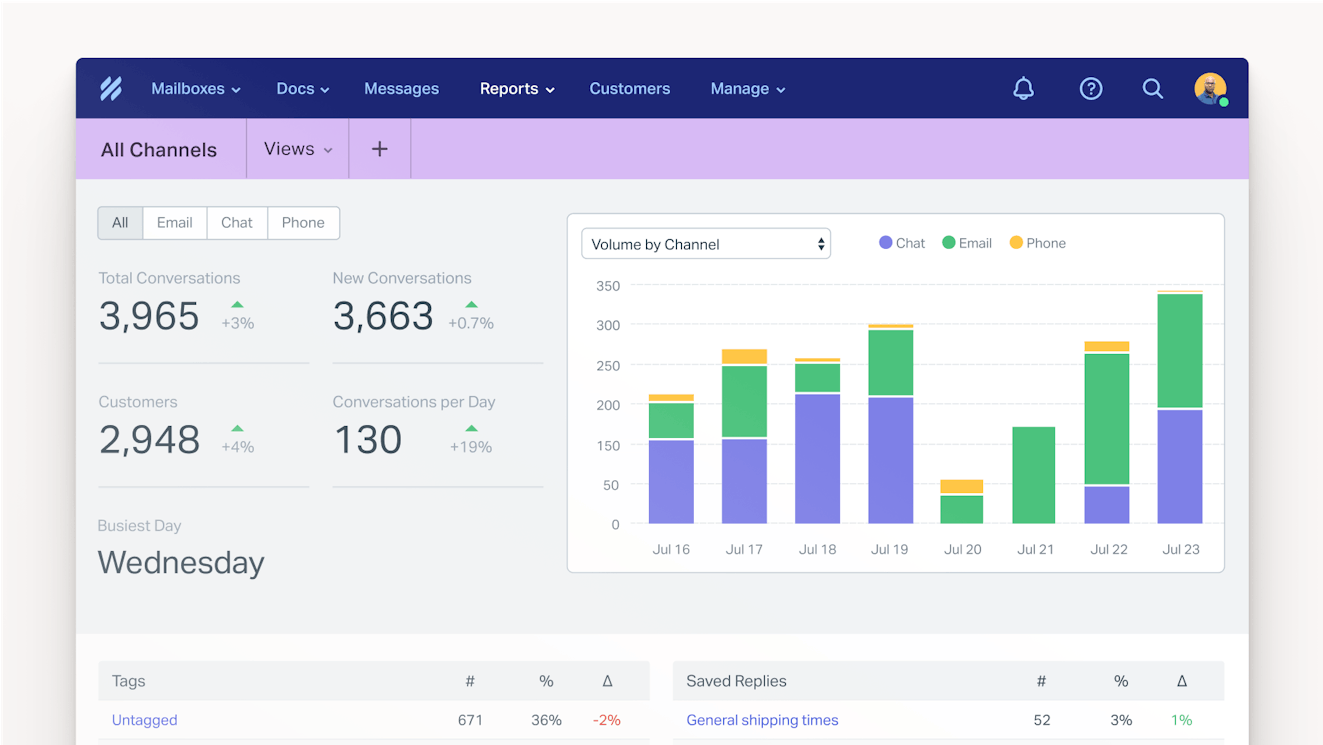
Your shared inbox holds a lot of information about your customers and your team. Reporting features bring that information to the surface so you can see how your team is performing and where there’s room to improve.
Every tool we compared offers prebuilt reports, but how much you can do beyond them varies quite a bit. Some tools let you adjust prebuilt reports by filtering them by date, tag, or inbox and saving that view for later. Others let you choose your own metrics and visualizations to build entirely new reports and dashboards from scratch.
How much flexibility you need depends on your team. Smaller teams can usually get what they need from prebuilt reports, while larger teams with dedicated support operations roles may want the freedom to build their own.
Here are the reporting features that each platform supports, as well as the starting cost of plans that include each feature.
| Help Scout | Front | Zendesk | Intercom | Hiver | Missive | |
|---|---|---|---|---|---|---|
Access prebuilt reports | Free for up to five users $25/user per month for up to 25 users | $25/seat per month for up to 10 seats | $19/agent per month | $19/seat per month | $25/user per month for up to 10 users | $24/user per month for up to 50 users |
Customize prebuilt reports | $25/user per month for up to 25 users | $105/seat per month for unlimited seats | $115/agent per month | $19/seat per month | $55/user per month for unlimited users | $24/user per month for up to 50 users |
Build reports from scratch | Not offered | Not offered | $115/agent per month | $19/seat per month | $55/user per month for unlimited users | Not offered |
Export data | $25/user per month for up to 25 users | $65/seat per month for up to 50 seats | $19/agent per month | $19/seat per month | $55/user per month for unlimited users | Not offered |
Create custom reporting dashboards | Not offered | $105/seat per month for unlimited seats | Offered, but pricing is not published | $132/seat per month | $55/user per month for unlimited users | Not offered |
Schedule report sends | Not offered | $65/seat per month for up to 50 seats | $115/agent per month | Offered, but pricing is not published | $55/user per month for unlimited users | Not offered |
MCP access | $25/user per month for up to 25 users | $25/seat per month for up to 10 seats | $19/agent per month | Offered, but pricing is not published | $25/user per month for up to 10 users | $24/user per month for up to 50 users |
Security and compliance
If your team handles sensitive customer information like payment details or health records, security features aren’t optional. They control who can access your account and what people can see once they’re in, and they help you meet the requirements of industry regulations like HIPAA.
Security is also one of the most common reasons teams have to upgrade. Features like single sign-on and IP restrictions are often reserved for higher-tier plans, so the tool with the lowest entry-level price may not be the cheapest once you factor in what your IT or legal team requires.
Below, you’ll find the starting price for key security features in each tool. All of the tools we’re comparing (Help Scout, Front, Zendesk, Intercom, Hiver, and Missive) are SOC 2 Type II certified and offer 2FA on all of their plans, so we’ve left those features off the comparison table.
| Help Scout | Front | Zendesk | Intercom | Hiver | Missive | |
|---|---|---|---|---|---|---|
SAML SSO | $75/user per month | $65/seat per month | $19/agent per month | $132/seat per month | $85/user per month | $36/user per month |
Customizable permissions | $45/user per month | $105/seat per month | Offered, but pricing is not published | $132/seat per month | $85/user per month | Not offered |
IP restrictions | $75/user per month | $105/seat per month | $19/agent per month | Offered, but pricing is not published | Not offered | $36/user per month |
Data masking | Currently in beta testing | Not offered | Offered, but pricing is not published | Offered, but pricing is not published | Not offered | Not offered |
HIPAA compliance | $75/user per month | Offered, but pricing is not published | $115/agent per month | $132/seat per month | $85/user per month | Not offered |
Integrations


Your shared inbox is rarely the only tool your team relies on. Customer details often live in your CRM, and bug reports usually end up in your engineering team’s issue tracker. Integrations bring that information into your inbox so your team can see the full picture without switching tabs and pass issues along to other teams without copying and pasting across systems.
Below, you’ll find some of the most popular integrations that support teams depend on, along with the starting price of the plans that include each one in all six platforms.
| Help Scout | Front | Zendesk | Intercom | Hiver | Missive | |
|---|---|---|---|---|---|---|
Salesforce | $45/user per month | $25/seat per month | $19/agent per month | $85/seat per month | $55/user per month | $24/user per month |
HubSpot | $45/user per month | $25/seat per month | $19/agent per month | $19/seat per month | $55/user per month | $24/user per month |
Shopify | Can be used as a single integration on the free plan or alongside multiple integrations for $25/user per month | $25/seat per month | $19/agent per month | $19/seat per month | $25/user per month | $24/user per month |
Stripe | Can be used as a single integration on the free plan or alongside multiple integrations for $25/user per month | $25/seat per month | Only available from third-party developers in Zendesk's marketplace | $19/seat per month | Not offered | Not offered |
Slack | Can be used as a single integration on the free plan or alongside multiple integrations for $25/user per month | $25/seat per month | $19/agent per month | $85/seat per month | $25/user per month | Not offered |
Microsoft Teams | Not offered | $25/seat per month | Only available from third-party developers in Zendesk's marketplace | Not offered | Not offered | Not offered |
Jira | $45/user per month | $25/seat per month | $19/agent per month | Contact for pricing | $25/user per month | Not offered |
Linear | $45/user per month | $25/seat per month | $19/agent per month | Contact for pricing | Contact for pricing | Not offered |
GitHub | $45/user per month | $25/seat per month | Only available from third-party developers in Zendesk's marketplace | $19/seat per month | Not offered | Contact for pricing |
Zapier | Can be used as a single integration on the free plan or alongside multiple integrations for $25/user per month | $65/seat per month | Unclear — Zapier does have a page showing the Zaps you can create for Zendesk, but Zendesk doesn't mention a Zapier integration anywhere on its site | Contact for pricing | Not offered | Contact for pricing |
API for custom integrations | $25/user per month for 200 calls/minute $45/user per month for 400 calls/minute $75/user per month for 800 calls/minute | $25/seat per month for 50 calls/minute $65/seat per month for 100 calls/minute $105/seat per month for 200 calls/minute | $19/agent per month (contact Zendesk for rate limits on the Support Team plan) $55/agent per month for 400 calls/minute | Contact for pricing | $55/user per month | $24/user per month |
Pricing comparison for different scenarios
The pricing tables above are helpful if you just want to know what you'll pay to get access to a specific feature or channel in one of the shared inbox tools. However, what's often more helpful is to compare the tools across broader, more realistic scenarios to see how their pricing compares when you add multiple users and need access to multiple features.
Below, we've compared the tools across several scenarios that are similar to the setups support teams commonly need. Note that each row shows the cost of the base setup plus that one feature, unless the row says otherwise.
Email-only support, five users
| Help Scout | Front | Zendesk | Intercom | Hiver | Missive | |
|---|---|---|---|---|---|---|
Base price | Free | $125/month | $95/month | $95/month | $125/month | $70/month |
Add a knowledge base | Free | $125/month | $275/month | $95/month | $125/month | Feature not offered |
Add office hours | $125/month | $325/month | $575/month | $95/month | $275/month | $70/month |
Add an SLA | $125/month | $325/month | $575/month | $660/month | $275/month | Feature not offered |
Add unlimited AI email drafting | $225/month | $225/month | $825/month | $240/month | $125/month + $0.10 for each eligible conversation | $120/month + additional usage/credit fees |
Add report customization | $125/month | $525/month | $575/month | $95/month | $275/month | $120/month |
Add 100 automatic AI resolutions | $200/month | $214/month | $207.50/month | $194/month | $205/month | Feature not offered |
Multichannel support, 15 users
| Help Scout | Front | Zendesk | Intercom | Hiver | Missive | |
|---|---|---|---|---|---|---|
Email only | $375/month | $975/month | $285/month | $285/month | $825/month | $360/month |
Add live chat | $375/month | $975/month | $285/month | $285/month | $825/month | $360/month |
Add SMS | $375/month | $975/month | $825/month + additional usage fees | $285/month + additional usage fees | $1,275/month | $360/month |
Add Facebook Messenger | $375/month | $975/month | $825/month | $1,275/month | Channel not offered | $360/month |
Add Instagram | $375/month | $975/month | $825/month | $1,275/month | Channel not offered | $360/month |
Add WhatsApp | $375/month | $975/month + administration fees | $825/month | $285/month + additional usage fees | Channel not offered | $360/month |
Add all of the available channels above and 500 AI resolutions | $750/month | $1,420/month + WhatsApp administration fees | $1,462.50/month | $1,770/month + additional WhatsApp and SMS usage fees | $1,675/month | Feature not offered |
Add a knowledge base | $375/month | $975/month | $825/month | $285/month | $825/month | Feature not offered |
Add customer portals | $675/month | $975/month | $1,725/month | $1,275/month | $825/month | Feature not offered |
Advanced needs, 50 users
| Help Scout | Front | Zendesk | Intercom | Hiver | Missive | |
|---|---|---|---|---|---|---|
Email only | $2,250/month | $3,250/month | $950/month | $950/month | $2,750/month | $1,200/month |
Add CSAT surveys | $2,250/month | $3,250/month | $5,750/month | $950/month | $2,750/month | Feature not offered |
Add unlimited SLA policies | $3,750/month | $3,250/month | $5,750/month | $6,600/month | $2,750/month | Feature not offered |
Add round-robin routing | $2,250/month | $3,250/month | $950/month | $4,250/month | $2,750/month | Feature not offered |
Add load-balanced routing | $3,750/month | $3,250/month | $950/month | $6,600/month | Feature not offered | Feature not offered |
Add skill-based routing | Feature not offered | Feature not offered | $5,750/month | $6,600/month | $4,250/month | Feature not offered |
Add unlimited AI email drafting | $2,250/month | $4,250/month | $8,250/month | $2,400/month | $2,750/month + $0.10 for each eligible conversation | $1,200/month + additional usage/credit fees |
Add report customization | $2,250/month | $5,250/month | $5,750/month | $950/month | $2,750/month | $1,200/month |
Add custom permissions | $2,250/month | $5,250/month | Pricing not published | $6,600/month | $4,250/month | Feature not offered |
Add IP restrictions | $3,750/month | $5,250/month | $950/month | Pricing not published | Feature not offered | $1,800/month |
Add 2,500 AI resolutions | $4,125/month | $5,475/month | $4,325/month | $3,425/month | $4,750/month | Feature not offered |
Add all of the available features above and 2,500 AI resolutions | $5,625/month | $7,475/month | $11,250/month | $10,525/month | $6,250/month + $0.10 for each eligible conversation for AI email drafting | Feature not offered |
Add HIPAA compliance | $3,750/month | Pricing not published | $5,750/month | $6,600/month | $4,250/month | Feature not offered |
Which shared inbox tool is right for your team?
After all of that comparison data, you might be hoping for a clear winner, but the reality is that each of these tools is built for a different kind of team. The best fit for your team depends on your size, your channels, and maybe even your customer service philosophy. Here’s where each one stands out.
Help Scout
Choose Help Scout if you want a platform that’s packed with advanced features but doesn’t cost a fortune. It’s the most affordable way to get email, live chat, social, WhatsApp, SMS, and a knowledge base in one platform, and its AI agent has the lowest per-resolution price of any tool we compared that offers one.
Help Scout’s pricing also scales gradually as your team grows. Each paid plan costs $20-30/user more than the one before it, while Intercom, for example, jumps from $19/seat for its base plan to $85/seat for its mid-level plan.
Advanced features stay affordable in Help Scout too: customer portals, SLAs, custom permissions, and HIPAA compliance all cost less in Help Scout than in any other tool on this list that offers them and publishes its pricing.
Front
Choose Front if you’re a small team of fewer than 10 people that supports customers over email and in Microsoft Teams. Front’s entry-level plan covers the core collaboration features small email-focused teams rely on, like teams, custom fields, and CRM integrations, and it’s the only tool we compared with a native Microsoft Teams integration.
However, larger teams should take a close look at the pricing and feature comparisons above when considering Front. Once you need more than 10 seats or a second channel, Front becomes one of the most expensive tools on this list.
Zendesk
Choose Zendesk if you need the widest range of channels and the most advanced features. Zendesk supports more channels than any other tool we compared, including native phone support and X, and it’s the only one that offers community forums.
On its higher-tier plans and add-ons, Zendesk also offers features many other tools don’t, like skill-based routing, AI-generated workflow recommendations, and AI workforce management tools for forecasting demand and scheduling your team.
Intercom
Choose Intercom if AI automation is your top priority. Its AI agent can answer customers on every channel that Intercom supports, including phone calls, and it can take actions on a customer’s behalf, like canceling an order or issuing a refund.
Intercom also offers some of the most extensive AI features for support leaders of any tool we compared. A single add-on gives you AI tools to classify conversations, QA replies, score CSAT for every interaction, forecast support demand, and build work schedules.
Hiver
Choose Hiver if you need advanced routing and reporting features at an affordable price. It’s the most affordable tool we compared that offers skill-based routing. And its Pro plan ($55/user per month) includes custom reporting dashboards and scheduled report sends, while Front doesn’t offer dashboards until its $105/seat plan and Zendesk doesn’t offer scheduled sends until its $115/agent plan.
Hiver is a tougher fit if you support customers on social media or WhatsApp, since it doesn’t offer those channels. Its AI pricing also takes some planning: several of its AI features are billed per “eligible conversation,” so you’ll pay for every conversation where a feature could be used, not just the ones where your team actually uses it.
Missive
Choose Missive if you’re a small team that needs an affordable collaborative inbox for email and messaging channels. It’s the lowest-cost tool we compared, and even its entry-level plan supports email, live chat, social, WhatsApp, and SMS.
Growing support teams may find it limiting, though. Missive doesn’t offer a knowledge base or an AI agent, and it lacks features like SLAs, CSAT surveys, and automatic routing that larger teams typically rely on.
If you need more help deciding which platform is right for your team, check out our Buyer's Guide to Choosing the Right Customer Support Tool.
Like what you see? Share with a friend.
Jessica Greene
Jessica Greene is an alum of Help Scout, where we make excellent customer service achievable for companies of all sizes. Connect with her on LinkedIn.
Ready to go?

