Help Scout vs. Front: A Deep-Dive Comparison


If you’re shopping for customer service software and comparing Help Scout vs. Front, this comprehensive comparison of features, pricing, use cases, support, and scalability will help you determine which tool is the best fit for your business.
Quick look: Who is Help Scout best for vs. who is Front best for?
In terms of features, both Help Scout and Front are nearly identical, so the decision really comes down to two things: what you're using the platform to do and how much you're willing to pay.
Help Scout has feature parity with Front but at a much more affordable price. Its free plan is comparable to Front's $25/seat per month Starter plan. Additionally, Help Scout's Standard plan — which is $25/user per month — is essentially identical to Front's Professional plan, which runs $65/seat per month in total ($40/user per month more than Help Scout).
However, Front does offer some niche features that make it appealing for departments like sales and HR. In addition to shared email inboxes, you can manage personal email accounts in Front, delegate access to your personal inbox to a teammate when you're away from work, and @mention teammates when you need their help replying to emails in your personal inbox without giving them access to your entire inbox.
Learn more about Help Scout:
Help Scout vs. Front: Feature comparison


In terms of the channels you can deliver support over, Help Scout and Front are very similar. Both platforms let you deliver support via email, live chat, SMS, and social (Facebook Messenger, Instagram, and WhatsApp), as well as create internal and external knowledge bases and launch an AI agent. Customers can also track their conversations with your company using a customer portal.
However, there are a few differences between the types of support you can deliver over social and how social channels are priced on the two platforms:
Help Scout's Facebook and Instagram integrations only allow you to view and respond to direct messages, while Front's Facebook and Instagram integrations let you see and reply to both DMs and comments on your Facebook and Instagram posts.
Help Scout's WhatsApp integration doesn't have any additional platform costs for responding to messages received on that channel. To connect WhatsApp with Front, you'll have to pay a 20% administration fee on top of Meta's usage fees.
Front integrates with X; Help Scout doesn't offer an X integration. To connect X with Front, you'll need to purchase a subscription to use X's API.
As far as pricing goes for the different channels, you can deliver support across email, chat, self-service, social, and SMS on all of Help Scout's paid plans (starting at $25/user per month).
Front's Starter plan ($25/seat per month) only allows you to deliver support on a single channel: either email or chat. This makes it a lot more similar to Help Scout's free plan — which lets you deliver email and self-service support — than to any of Help Scout's paid plans. To deliver multi-channel support in Front, you'll need to be on the Professional plan ($65/seat per month) or higher.
Channel pricing comparison
| Channel | Help Scout's starting price | Front's starting price |
|---|---|---|
Included in the free plan; paid plans start at $25/user per month | Can be selected as your single channel in the Starter plan at $25/seat per month | |
Live chat | $25/user per month | Can be selected as your single channel in the Starter plan at $25/seat per month |
Knowledge base | Included in the free plan; paid plans start at $25/user per month | $25/seat per month |
Facebook Messenger | $25/user per month | $65/seat per month |
$25/user per month | $65/seat per month | |
X | Not available | $65/seat per month |
$25/user per month | $65/seat per month + 20% administration fee | |
SMS | $25/user per month | $65/seat per month |
Phone | Via integration only | Via integration only |
Customer portal | $45/user per month | $65/seat per month |
Conversation management features

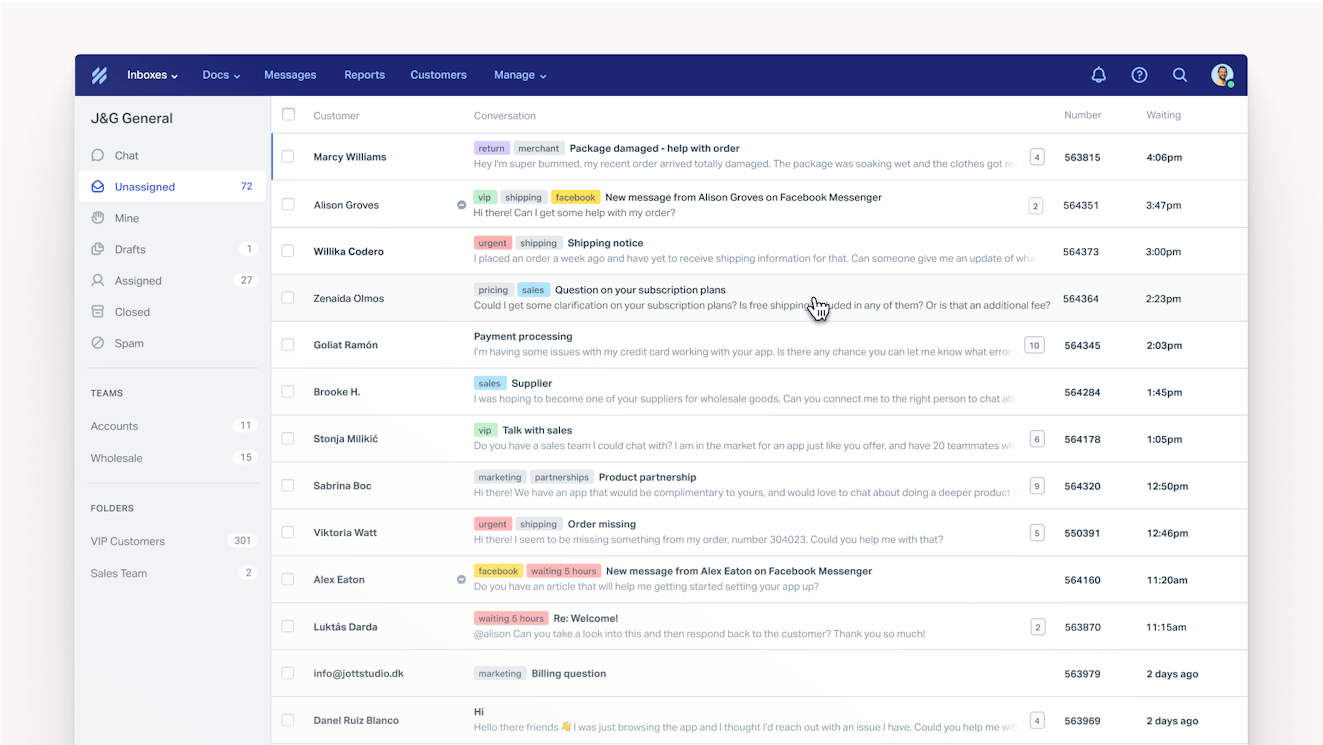
Both Help Scout’s and Front’s shared inboxes centralize all support requests from all channels, giving your team a single place to see and manage all customer inquiries.
Both tools offer features that make it easier to route, manage, and respond to requests:
Ticket assignments that let you assign specific tickets to specific agents.
Customer profiles that show key information about the person requesting support.
Internal notes and @mentions that let you collaborate on replies privately.
Collision detection to prevent duplicate work and replies.
Round-robin and load-based routing that automatically assign incoming requests equally.
Saved replies that let you create canned responses to frequently asked questions.
Auto-replies that let customers know their requests have been received.
Tags that let you label and filter requests.
Views that group together conversations that meet specific criteria (tags, assignees, etc.).
Workflows that automatically route and sort requests.
However, the two platforms do differ slightly on how you collaborate with individuals outside of your support team.
Front has a feature called guest collaborators that lets you tag in anyone you need help from even if they don't have a login for the system. Add the collaborator to the conversation using only their email address, then they can view the conversation, add comments, and help you compose a reply.
Help Scout's collaboration feature is called light users; these are users with limited permissions who can view conversations and add notes to them. Light users need a login to access the system, but they can do more than just see individual conversations you've shared with them, such as viewing all conversations, creating proactive messages, and viewing reports.
Knowledge base and self-service features


Both Help Scout and Front let you create knowledge bases that can be internal-facing (for your support team) or external-facing (for your customers). One knowledge base is included in Help Scout's free plan and Front's Starter plan. To create multiple knowledge bases, you'll need to be on one of Help Scout's paid plans or Front's Professional plan or higher.
Both products let you create articles and sort them into collections. Both offer built-in search features, give you access to revision histories, and let you collect satisfaction ratings. You can also publish your knowledge base on a custom domain on any of Help Scout's paid plans; domain customization is only available on Front's Professional and Enterprise plans.
Reporting and analytics features
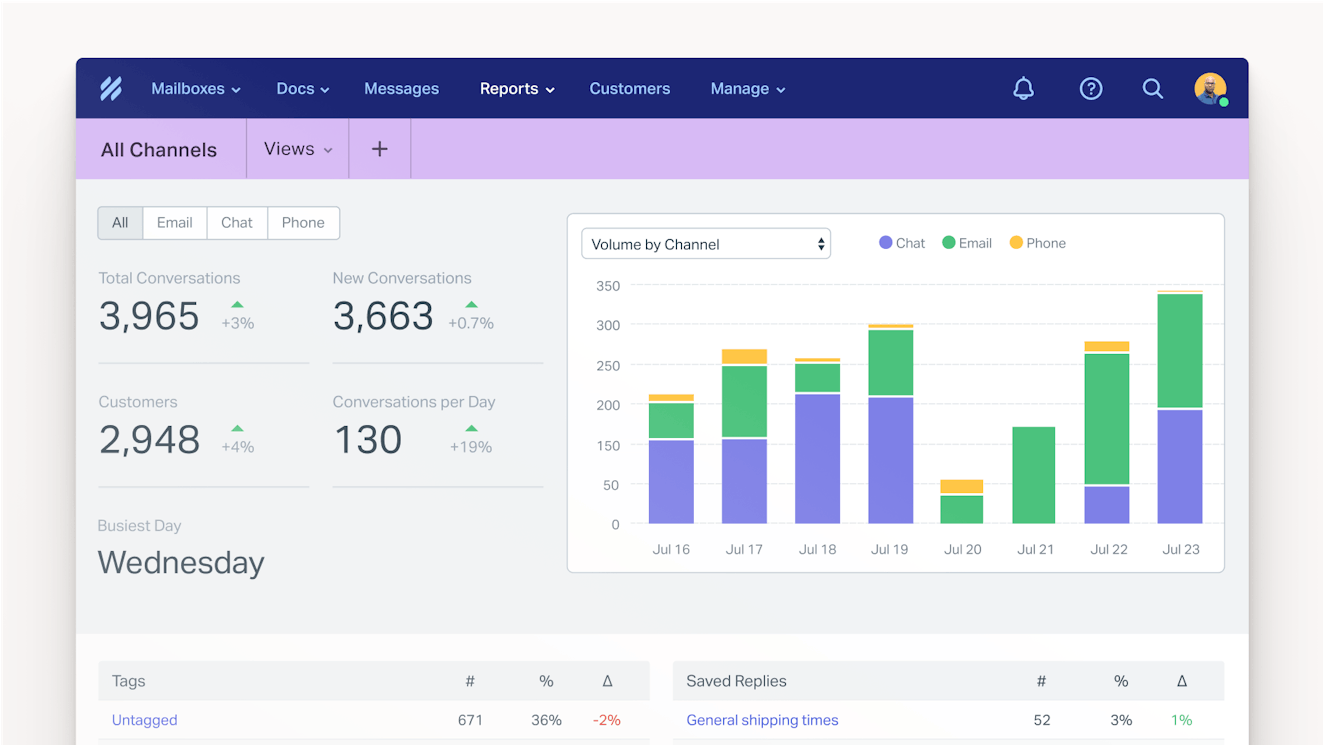
Both Help Scout and Front offer pre-built and custom reports — as well as report exporting — so you can easily track your KPIs and monitor volume trends overall and by channel. Both also offer office hours, which is a way to define the times when you offer support so your reports aren't negatively impacted by days/times when no one is working.
The only notable difference between the two platforms when it comes to reporting is that while Help Scout includes custom reports in all of its paid plans, custom reports are only available on Front's Enterprise plan.
AI features

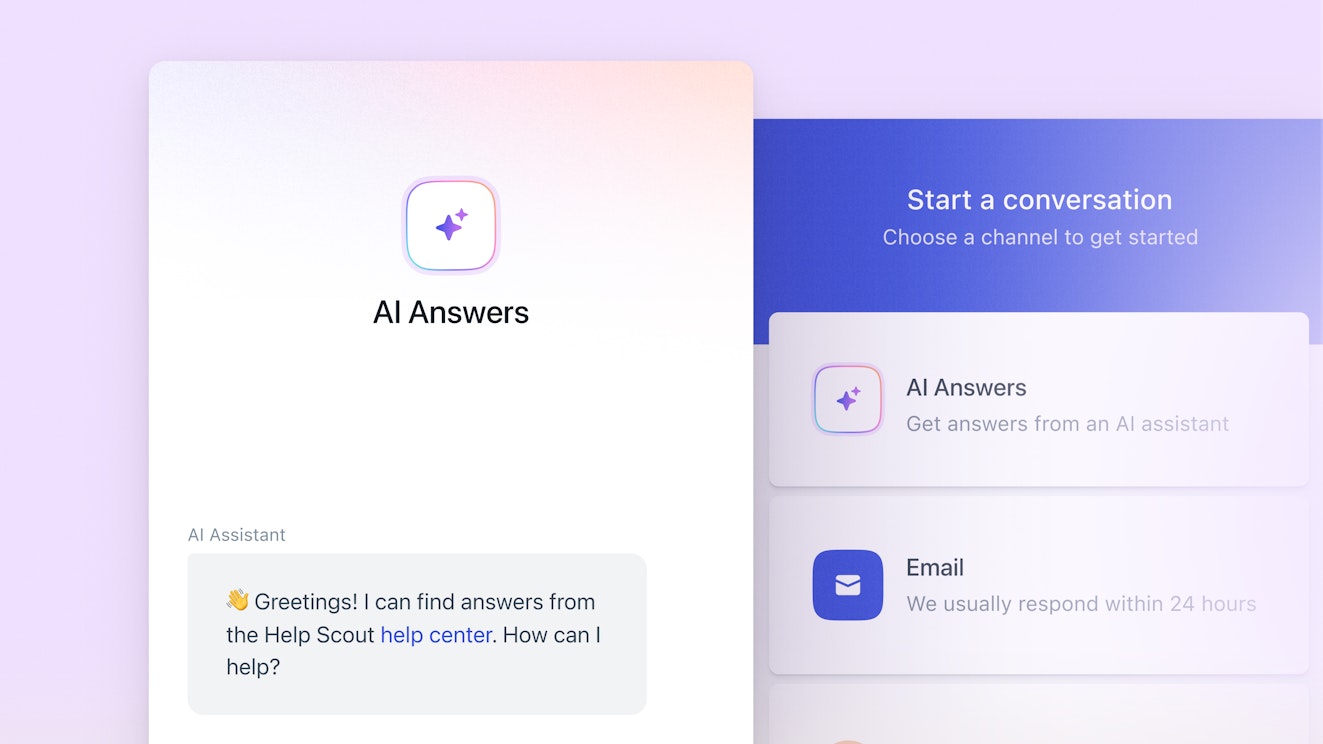
Help Scout and Front both have a number of AI features.
Both tools let you answer customers' questions automatically via AI agents that use knowledge from your help center and website. Help Scout's AI agent works in its live chat widget (though AI agents for email are coming soon), while Front's AI agent can be used to reply to requests from any channel.
Additionally, when connected to other backend systems, Front's AI agent can perform actions on its own, such as updating orders and processing refunds. This capability is not available in Help Scout.
You can try Help Scout's AI agent for free for three months; after that, you'll pay $0.75/resolution. Front charges usage fees based on the type of action the AI agent took:
Automatic tagging and routing costs $0.05/conversation.
Handing requests off to your team costs $0.39/conversation.
Resolving requests costs $0.89/conversation.
Both tools also have AI copilot features that help your support team move more quickly. You can use AI to draft replies to requests that can be reviewed and edited before they're sent; adjust the tone, spelling, language, or length of a reply you've already written; translate replies into different languages; or summarize long conversation threads to get up to speed quickly.
Unlimited use of Help Scout's AI copilot features is available as part of its Plus and Pro plans (AI Assist is also included in the Standard plan). Front's copilot is sold as an add-on for an additional $20/seat per month on its Starter and Professional plans, but it is included in the base price of its Enterprise plan.
Finally, both tools offer AI features that give you more insight into what's happening in your queue. Both tools have features that use AI to automatically categorize incoming requests into topics. Additionally, Front offers a Smart QA feature that uses AI to identify issues and opportunities for improvement and a Smart CSAT feature that infers customer satisfaction to provide you with CSAT scores for 100% of your customer interactions.
Proactive support
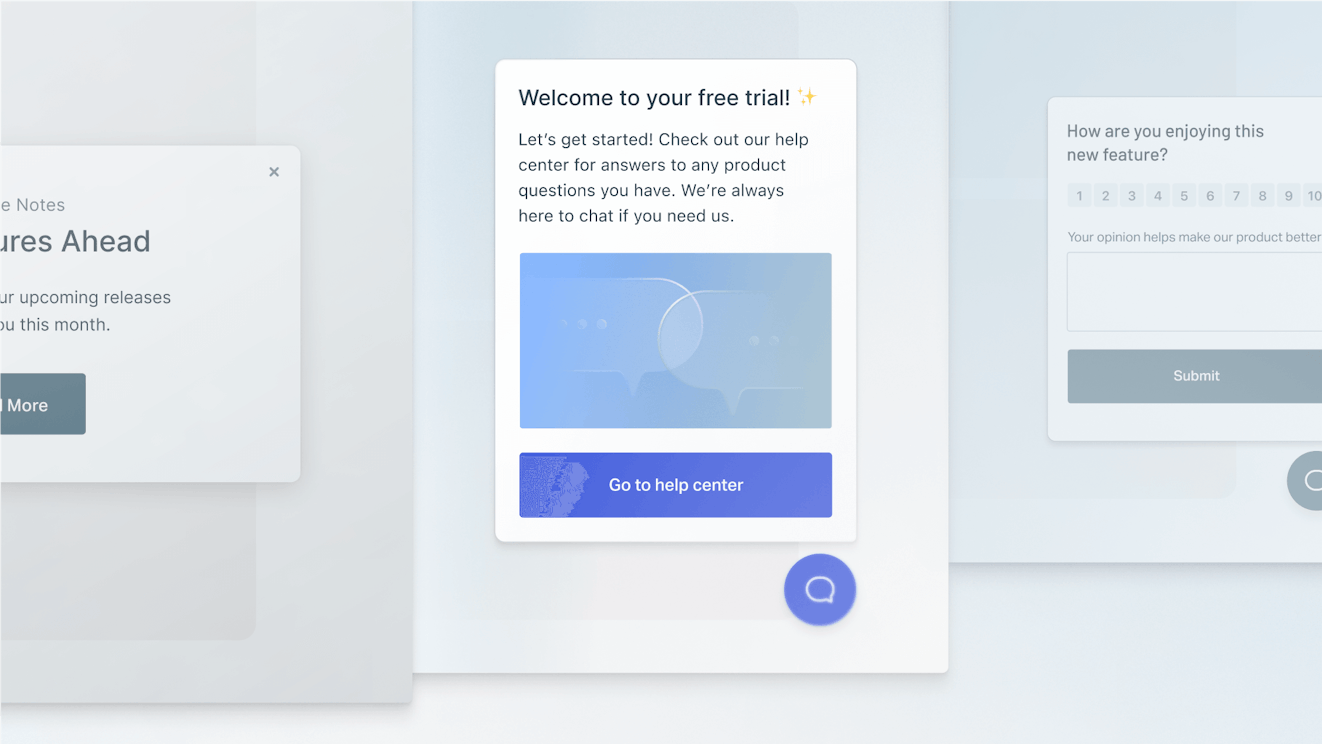
In both Help Scout and Front, you can use your web widget to pop up messages when users are browsing your website or working inside of your app. These messages can be triggered based on things like the URL being viewed, time spent on the page (Help Scout only), or type of visitor, and they are commonly used to offer help, get feedback, or promote an offer.
Front's proactive message capabilities are more limited than Help Scout's. You can only do two things: ask a visitor an open-ended question or ask them a question with two answers they can select from (e.g., "Yes" and "No"). If the visitor replies, you can choose to launch a chat conversation, follow up via email, or hand the conversation off to a chatbot.
Help Scout's proactive messages have many more options for what you can share and how users can interact with them. You can add text, images, and CTAs that point to specific URLs as well as create multiple-choice or NPS® surveys to collect information and feedback.
There are also multiple ways to display the proactive messages you create in Help Scout. Have them pop up within the web widget, display as a modal in front of your website or app, or even show as a banner at the top of your website or app to, for example, let customers know about system issues that are impacting your product's functionality.
Personal email management

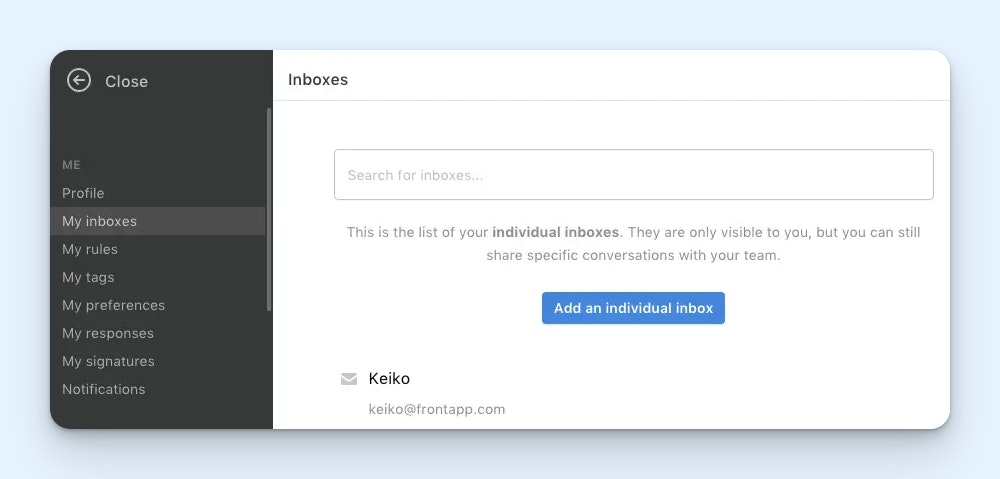
One of the features you'll find in Front that's not available in most other shared inbox tools is personal email management. In addition to being able to manage shared email addresses in Front (e.g., support@), you can use it to manage personal emails (e.g., jessica@).
Front's personal email management feature also gives you access to some tools that let you collaborate with your teammates on your individual email account. For example, you can temporarily delegate access to your personal inbox to a teammate to manage it for you when you're out of the office, and you can @mention coworkers on your personal emails when you need their help writing a reply — no forwarding necessary.
While you can manage personal email inside of Help Scout, the system is not really designed to be used in that way. If you do add a personal email to Help Scout, you'll have to only use Help Scout to manage that email going forward.
Help Scout vs. Front: Pricing comparison
Both Help Scout and Front use hybrid pricing models. The base software for both products is user-based, meaning your per-month price will increase as you add new users to your account. However, pricing for both products' AI agents is usage-based, meaning you’ll pay more based on the number of requests that your AI agents handle or resolve.


Help Scout has four pricing packages:
Free: $0/month for up to 5 users.
Standard: $25/user per month for up to 25 users.
Plus: $45/user per month for up to 50 users.
Pro: $75/user per month for unlimited users (with a minimum of 10).
Help Scout's free plan lets you deliver email support and create a knowledge base. All of its paid plans let you deliver support across email, live chat, self-service, Instagram, Facebook Messenger, WhatsApp, and SMS.
As for usage-based pricing, AI Answers starts at $0.75/resolution after a three-month free trial. Copilot features are included in paid plans at no additional cost; Topics and AI Assist are included in all paid plans, and AI Summarize and AI Drafts are included in Plus and Pro.


Front has three pricing packages:
Starter: $25/seat per month for one channel and up to 10 users.
Professional: $65/seat per month for all channels and up to 50 users.
Enterprise: $105/seat per month with no user limits.
Many of Front's AI features are sold as add-on products with an additional per-user per-month cost if you're subscribed to the Starter or Professional plans. Its AI copilot and Smart QA features are an additional $20/seat per month each, and its Smart CSAT is an additional $10/seat per month. However, these three AI products are included in the platform's Enterprise plan at no additional cost.
Front's AI agent has different usage-based fees depending on the action the AI agent took:
Automatic tagging and routing costs $0.05/conversation.
Handing requests off to your team costs $0.39/conversation.
Resolving requests costs $0.89/conversation.
Overall, Help Scout is much more affordable than Front. Help Scout's free plan is comparable to Front's Starter plan that costs $25/seat per month, Help Scout's Standard and Plus plans are $20-$40 less per user per month than Front's Professional plan, and Help Scout's Pro plan is $30 less per user per month than Front's Enterprise plan.
Additionally, Help Scout's AI agent only charges usage fees when the agent is able to fully resolve a request on its own. In Front, you'll incur usage fees when agents tag, route, and handoff requests as well as resolve them. When it comes to resolutions, Help Scout costs $0.14/resolution less than Front.


Help Scout has a higher rating on Capterra for “value for money” with a 4.4 out of 5-star rating versus Front's 4.1 out of 5 stars. Many Front customers note that the pricing is high for small businesses, the jump in cost between the Starter and Professional plans is a concern for growing teams, and the cost of paying for separate integration subscriptions can be prohibitive.
Ease of use and setup


In terms of ease of use and setup, Help Scout has higher scores on G2 for ease of use (9.2/10 vs. Front's 9.1/10), ease of setup (9.2/10 vs. Front's 8.8/10), and ease of admin (9.1/10 vs. Front's 8.9/10).
As one Help Scout customer writes: "I love that Help Scout makes it easy for our team to organize, categorize, and track issues. We use Help Scout for both internal and external support, and all of our team members find it easy to use."
Front customers also praise its system for its ease of use: "The functions that Front has enable me to effectively manage my team. It's easy to use and uncomplicated. The interface is clear, and the ticketing system works well."
* Customer quotes have been lightly edited for clarity.
Integrations


In terms of integrations, Help Scout and Front are very similar. Both tools integrate with the third-party platforms that teams most often need to connect to their help desks, including phone support software, CRMs like Salesforce and HubSpot, social media platforms like Facebook and Instagram, and ecommerce platforms like Shopify. Front does have more total integrations (188) than Help Scout (115).
Scalability
Both Help Scout and Front have the basic features that teams need while they’re small and the more advanced features they’ll need as they grow, so scaling the size of your team on either platform is seamless.
However, Help Scout is the more affordable option when scaling:
While the pricing for Front's Starter plan and Help Scout's Standard plan is the same, Front's Starter plan is limited to 10 users (and includes single-channel support only), while Help Scout's Standard plan allows you to add up to 25 users (and deliver multichannel support).
Front's Professional plan and Help Scout's Plus plan both let you add up to 50 users, but Help Scout's Plus plan costs $20 less per user per month than Front's Professional plan.
Front's Enterprise plan and Help Scout's Pro plan both let you add unlimited users, but Help Scout's Pro plan costs $30 less per user per month than Front's Enterprise plan.
Customer support
Both Help Scout and Front score highly on G2 for the quality of the support they provide to their customers, so you'll get great help when you need it regardless of which platform you choose.
Help Scout vs. Front: Which tool is right for you?
In terms of core features, channel options, and support, Help Scout and Front are nearly identical. However, there are a few key differences that may make one platform or the other a better fit for your team:
Help Scout is much more affordable, both initially and as you scale. It has a free plan for small businesses that's similar to Front's $25/user per month plan, and its paid plans run as much as $40 less per user per month than Front's.
Help Scout's AI agent usage fees are $0.14 less per resolution than Front's, and Help Scout only charges usage fees for requests that its AI agents fully resolve. Front charges separate fees for resolutions, tagging/routing, and handoffs to humans, meaning you'll pay to use the agent even if it wasn't able to resolve a request.
Front's AI agent can answer customers' questions and perform actions on their behalf. Help Scout's AI agent only answers customers' questions. Help Scout is the better option if you want to set more guardrails on what your agents are able to do, while Front is better if you want to use AI to replace more of your human support team.
Front has an integration that lets you deliver support on X; Help Scout does not. Front also allows you to see and reply to comments and DMs from Facebook and Instagram in your shared inbox, while Help Scout only pulls in DMs from those channels. This may make Front a better choice if X support and the ability to see and reply to comments are must-have features for your team.
Both Help Scout and Front are leaders in the customer support space, and you really can’t go wrong with either choice. Consider the differences between the two platforms, select the platform that looks like it will best support your business’s unique needs, and then start a trial to make sure that it works for you both in theory and in practice.
Like what you see? Share with a friend.
Jessica Greene
Jessica Greene is a Help Scout alum, where we make excellent customer service achievable for companies of all sizes. Connect with her on LinkedIn or through her website.


