The 10 Best Free Ticketing Systems for Support & IT (2026)



When it comes to support, most small businesses and early-stage startups either give customers a personal email address to reach out to or create a shared email address like support@ for which individuals share a login. This can work while volumes are small, but these systems break down when volume increases or the number of people delivering support grows.
In most cases, it's better to move to a dedicated support ticketing system as soon as possible. These systems are more secure, and they have features that improve collaboration, keep things organized, make it clear who's responsible for what, and even let you automate some of your work.
While budget is often a concern, it doesn't have to prevent you from making the switch. There are many great free ticketing systems your company can use to deliver better support without paying a dime. We've dug deep into the options to put together this list of the 10 best free ticketing systems with details on who they're best for and what exactly is included in each platform's free plan.
Below, you'll find two lists. The first covers the best free ticketing systems for customer support teams (individuals who support your company's customers). The second covers the best options for IT support teams (individuals who provide technical assistance for your company's other employees).
The best free ticketing systems for customer support
Ticketing systems for customer support teams consolidate all of your customer requests into a single queue, let you assign specific requests to specific team members, and give you access to reports that let you monitor your team's performance and your customers' satisfaction.
1. Help Scout – Best for growing companies

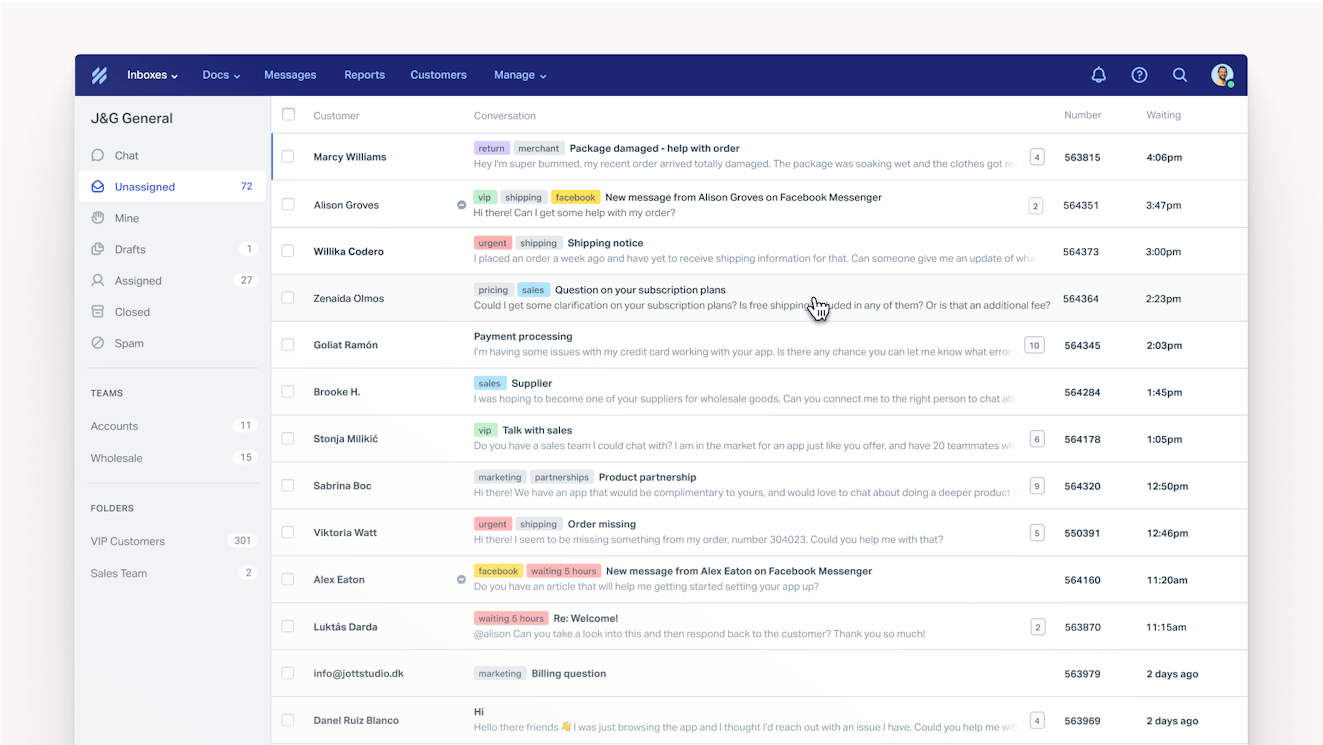
Help Scout is a user-friendly ticketing system with a generous free plan, and its pricing stays affordable even if you outgrow the free plan. Its high user limit also makes it a good option for teams with more than one or two people responding to customers (most other free customer support ticketing systems have more restrictive user limits).
On the free plan, you can create a shared inbox for managing email requests and build a knowledge base to let customers find answers to their questions themselves. You also get access to some more advanced features that will help your team work more efficiently and improve the quality of your support:
Saved replies let you create canned responses to FAQs and insert them into replies in seconds.
Tags let you label conversations. You can add tags for things like "VIP customer" or "Urgent" to make it easier for your team to identify emails that need to be handled first.
Customer profiles let you see information about who is emailing you (such as name and company) so you can personalize your responses and troubleshoot more quickly.
Private notes and @mentions let your team members have side conversations that the customer can't see in order to get the information they need to reply to an email.
Collision detection alerts you when someone else on your team is viewing, replying, or has already replied to an email.
Snooze lets you hide emails from your inbox temporarily.
Send later lets you schedule emails to be sent at a future date and/or time.
Auto reply lets you create an email that is automatically sent to people who contact you to let them know their request was received.
A Beacon embeddable support hub lets you add a widget to your website or in your product to let customers search and browse your knowledge base articles without having to navigate to your help center.
Contact forms let you embed a form in your knowledge base or Beacon widget that customers can use to contact you.
Reports let you monitor important metrics like request volumes and response times.
Knowledge base article versioning automatically saves previous versions of knowledge base articles so you can see what changed in a revision or revert the article back to a previous version.
Out of office lets team members (and their managers) set their availability so no one gets assigned conversations when they're not working.
What's included in Help Scout's free plan?
Up to five users.
Up to 100 contacts per month (a contact is one person your team helped; multiple emails from the same person only count as one contact).
One shared inbox for managing email requests.
One knowledge base with up to 10 articles.
One embeddable Beacon support hub.
Contact forms for Beacon and your knowledge base.
Up to 10 saved replies.
Up to 10 tags.
Unlimited use of snooze, send later, customer profiles, private notes, @mentions, collision detection, article versioning, out of office, and auto replies.
Pre-built reports with a 30-day history.
One integration — choose from apps like Shopify, Slack, Aircall, and more.
Learn more about Help Scout:
2. ProProfs Help Desk – Best for one-person support teams


ProProfs Help Desk's free plan is a great option if you have one person managing customer support for the whole company. You get many of the same features found in Help Scout's free plan — such as private notes, auto-replies, saved replies, tags, reports, and integrations — though there are no limits on how often you can use these features.
You also get more advanced features like:
Overdue time: Set a maximum resolution time for tickets.
Custom fields: Add specific questions to your contact form, and run reports on that data.
Business hours: Set the times when you're available for work so your overdue time calculations don't count weekends or times when you're not working.
Bookmarks: Bookmark tickets so you can find them easily later.
Branding customization: Customize the help desk with your brand colors and logo.
Customer satisfaction surveys: Send CSAT surveys to customers after their tickets have been closed to measure their satisfaction with the support they received.
One thing to keep in mind with ProProfs is that it has separate products for all of the different channels you might use. So while you can create a knowledge base or offer live chat on the platform, you'll have to subscribe separately to the free plans for ProProfs Knowledge Base and ProProfs Live Chat to do so.
What's included in ProProfs Help Desk's free plan?
One user.
Unlimited tickets.
Multiple inboxes.
Unlimited use of overdue time, private notes, auto-replies, saved replies, customer satisfaction ratings, tags, custom fields, business hours, and integrations.
Reporting with no time limits on viewing historical data.
Branding customization.
3. Zoho Desk – Best for SLA management


If you need to track your team's performance against service-level agreements (SLAs), Zoho Desk's free plan is a good option. It lets you create one default SLA that can be used to identify tickets that have exceeded their SLAs. However, it's important to note that you won't get SLA reports on the free plan, so SLAs can only be used to escalate tickets that have surpassed their SLAs.
In fact, reporting is Zoho Desk's weakest area in an otherwise generous free plan. You'll only get access to the Agent Dashboard, which allows you to see performance metrics (like number of closed tickets, average response times, average resolution times, and satisfaction ratings) by agent — not for the team as a whole. For team-level reports, you'll have to upgrade to a paid plan.
You can use Zoho Desk to manage email requests and build both internal and external knowledge bases. In terms of features, Zoho Desk's free plan includes a few of the same features found in the previous two tools — private notes, contact forms with custom fields, tags, and knowledge base article versioning — as well as some unique features like:
Macros: Create workflows to automate actions on your behalf, such as automatically assigning emails containing a specific word in their subject lines to a specific person on your team.
Notification alerts: Send updates to agents or customers automatically when progress is made on resolving a ticket.
API credits: Connect Zoho Desk to other systems your team uses to pull in data from those platforms or to push data from your ticketing system into other platforms.
What's included in Zoho Desk's free plan?
Up to three users.
Unlimited tickets.
One shared inbox.
One help center.
One internal knowledge base.
One contact form that can include custom fields.
One embeddable widget containing a contact form.
Unlimited use of private notes and notification alerts.
Up to 10 tags per ticket.
Two macros.
One SLA.
Knowledge base article versioning.
Agent performance dashboard.
Google Workspace integration.
5,000 API credits.
Recommended Reading


4. Hiver – Best for companies without a dedicated support team

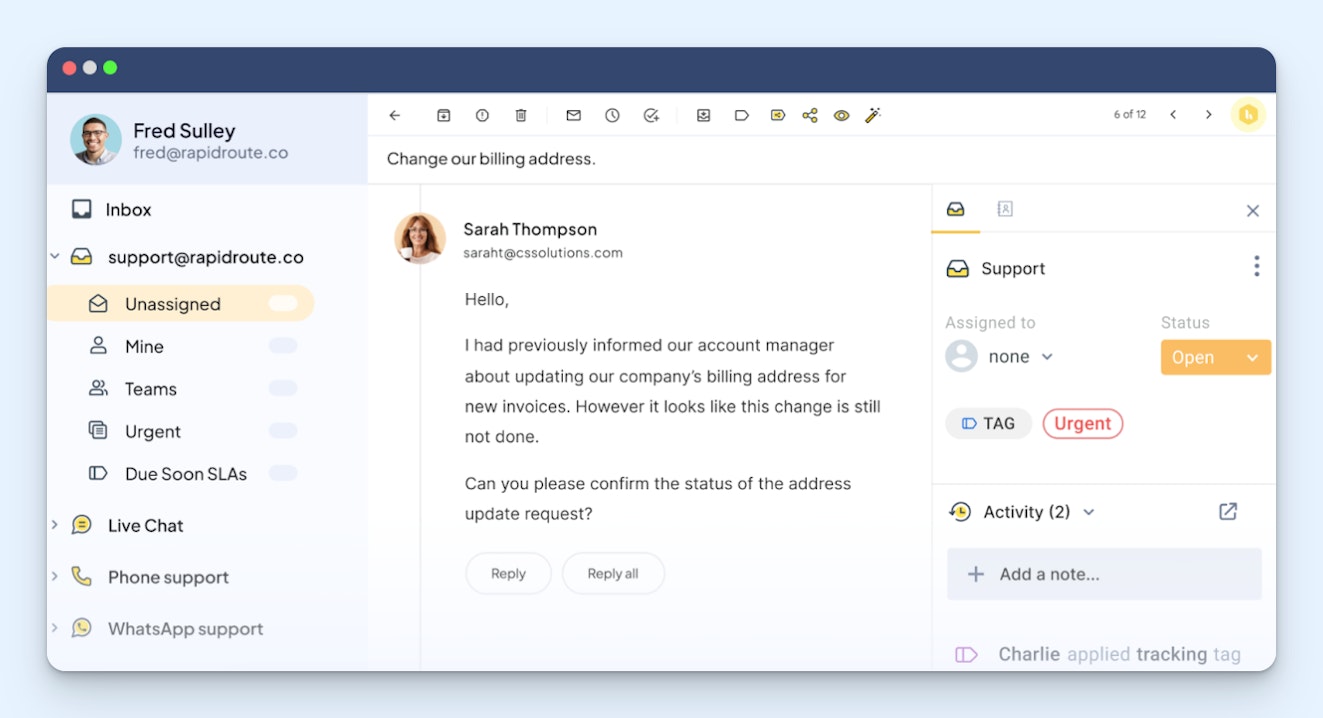
Hiver's free plan is unique because it doesn't have user or usage limits, so you can add as many people as you want and send as many replies as you need to without having to upgrade to a paid plan. (Note, however, that there are feature limitations.) This makes it a great option for companies that don't have dedicated support teams and, instead, just have people across the company doing support as needed.
Another great thing about Hiver's free plan is that it includes both email and live chat channels, so if you want to offer chat support in addition to email support (or just offer chat support), it's a great option. You can also use the platform to build an external knowledge base.
As far as features, Hiver's free plan includes a few of the features we've seen in other platforms, including saved replies, tags, private notes, out of office, and contact forms, but it also has a couple of unique features:
Inbox views: Use filters to create custom views of your inbox to see only the conversations you're interested in/responsible for.
Collaborators: Create permalinks of your conversations, and allow people without Hiver accounts to view and leave notes on them.
What's included in Hiver's free plan?
One shared inbox.
Live chat widget.
One external knowledge base with up to 50 articles.
A pre-chat form for live chat requests.
One tag.
One email template (i.e., saved reply).
Unlimited use of private notes, inbox views, availability (out of office), and collaborators.
Slack integration.
5. Zammad – Best open-source and self-hosted option

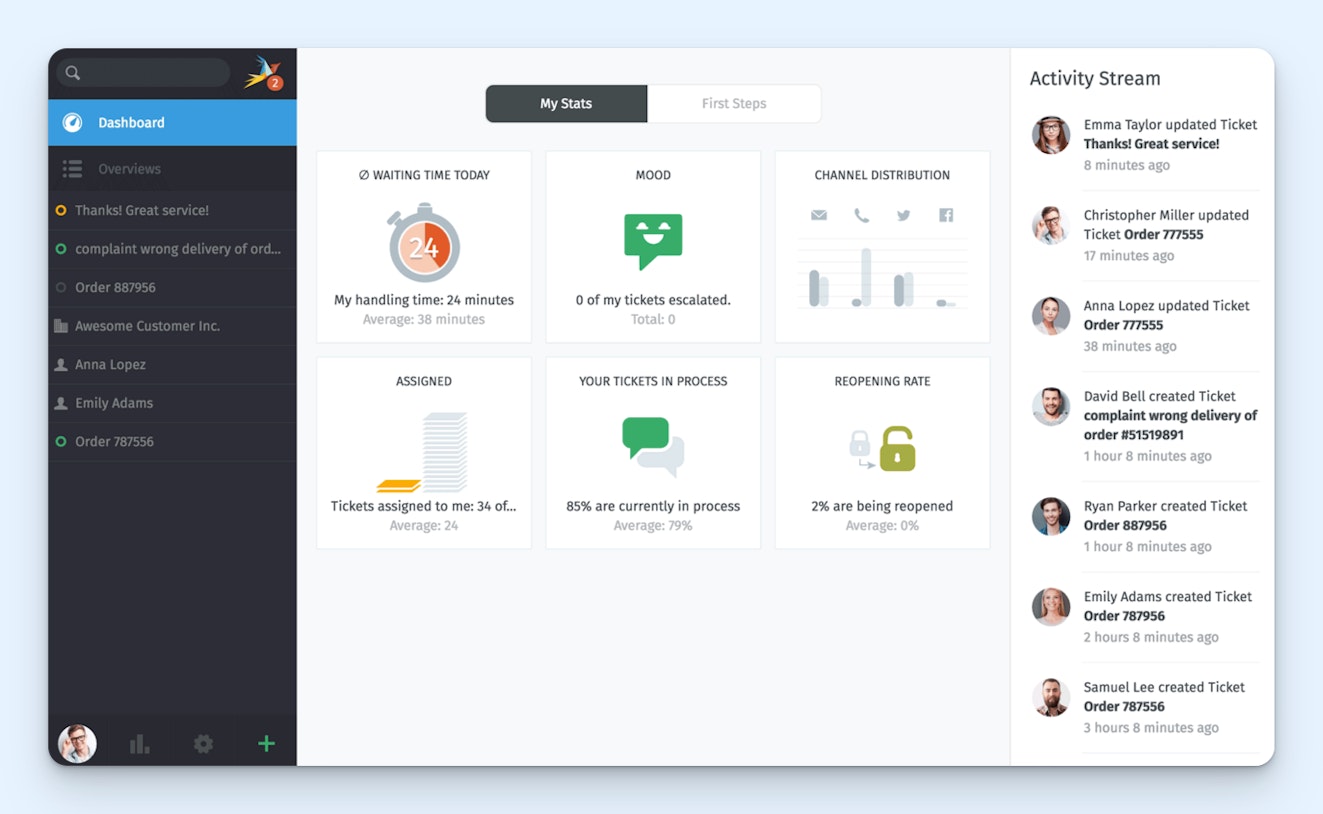
If you have a technical background — or have support from your development or engineering teams — the open-source, self-hosted version of Zammad is a great free ticketing system with tons of features you won't find in the cloud-hosted, closed-source platforms' free plans.
You can use Zammad to manage an email support queue, create a knowledge base, deliver live chat, and integrate with social media sites to view and respond to messages you receive on those platforms from your ticketing system. It offers integrations with social media and messaging platforms like X, Telegram, Facebook, Slack, and Microsoft Teams. You can also integrate with providers like Twilio (to add SMS support) and Placetel (to add phone support), but you may have to pay a fee to use those other platforms.
As far as features, Zammad has several of the features we've seen in the other free ticketing systems, such as @mentions, API access, custom fields, tags, collision detection, custom branding, out of office, customer profiles, teams, saved replies, and SLAs. You'll also get access to several unique features:
Automatic language detection: Detect the language a request is written in to automatically route it to the right individual or team.
Checklists: Create to-do lists to keep track of progress on requests that require multiple steps or input from team members to resolve.
Single sign-on: Users can sign in to the platform using SSO via SAML, OpenID Connect, and Shibboleth.
Customer interface: Customers can view the status of their requests at any time in the Zammad customer portal.
VIP lists: Create lists of VIP companies and individuals to easily identify requests that need to be handled quickly or to get notifications when receiving a request from a VIP customer.
Dynamic object screens: Set up different user groups, and control which specific pieces of data those groups see when viewing a ticket.
Time tracking: Track the amount of time it took to handle a specific ticket.
Two-factor authentication: Require users to validate their identities using a secondary source.
You can also use Zammad's AI features — AI ticket summaries, AI writing assistants, and AI agents — for free, though you may need to pay separately for API access to your LLM of choice to use these features.
What's included in Zammad's free plan?
The self-hosted, open-source version of Zammad includes unlimited use of all of the platform's features. Add as many users, reply to as many customers, and create as many shared inboxes and knowledge bases as you need. You'll only need to pay if you want access to premium support or to connect with an integration that requires a separate paid subscription.
6. HubSpot Service Hub – Best for customer success teams


While HubSpot Service Hub has one of the more restrictive free plans on this list, it's a good option for small customer success teams that aren't dealing with high-volume queues and need to be able to access data from HubSpot's CRM. It lets you manage email, live chat, and Facebook Messenger requests from a shared inbox as well as use rule-based chatbots to route requests to the right individual or team.
Where HubSpot does stand out is with its reporting. You can create custom reports using any data the platform collects across all of the HubSpot products your company is using (Sales Hub, Marketing Hub, Service Hub, etc.). Then, add those reports to dashboards to keep a close eye on all of your KPIs.
One other feature of the free plan that's nice for customer success teams is the ability to create a personal meeting link. This can be useful if you want to schedule a call with a customer in your book of business. You get a personalized link that customers can use to see your availability and book times to meet with you over a video call.
What's included in HubSpot Service Hub's free plan?
Up to two users.
Shared inbox.
Live chat.
Facebook Messenger integration.
Up to 10 reporting dashboards with up to 50 reports per dashboard.
Rule-based chatbots for routing requests.
Up to three saved replies.
One personal meeting link.
Recommended Reading


7. Tidio – Best for video chat support


In addition to email ticketing, Tidio's live chat widget supports both text-based chats and video calls, making it a good option if your team handles complex requests that are difficult to resolve over email or chat alone. Having the video on is optional for both support professionals and customers, so you can chat using voice and face or just leave it as voice-only.
Tidio also integrates with Facebook Messenger, Instagram, and WhatsApp to let you manage requests received on social media and messaging platforms. It doesn't have a knowledge base, but you can upload FAQs into the platform that are used to train its AI Agent, Lyro. Unfortunately, Lyro can only be used for free to respond to up to 100 requests (lifetime limit), so if you're looking for a free ticketing system that enables better self-service support, Tidio isn't the best choice.
One other advantage of Tidio is that it does include some AI writing assistant features in its free plan. You can use its reply assistant to add more detail to the replies you've already written, or you can use its copilot to clean up replies you've written by fixing things like spelling and grammar issues.
What's included in Tidio's free plan?
Up to 10 users.
Up to 50 billable conversions per month.
Email ticketing system.
Live chat with video calling.
Basic live chat widget customization.
50 lifetime Lyro AI Agent conversations.
AI writing assistant.
Basic analytics.
Multi-language support.
All integrations.
The best free ticketing systems for IT support
Ticketing systems that are designed for IT support teams often have many of the same features as those designed for customer support (such as a knowledge base, saved replies, and automated routing) but they also come with features that are specific to the needs of IT support teams, like asset management, remote desktop support, and incident management.
8. Jira Service Management – Best for small IT support teams with basic needs

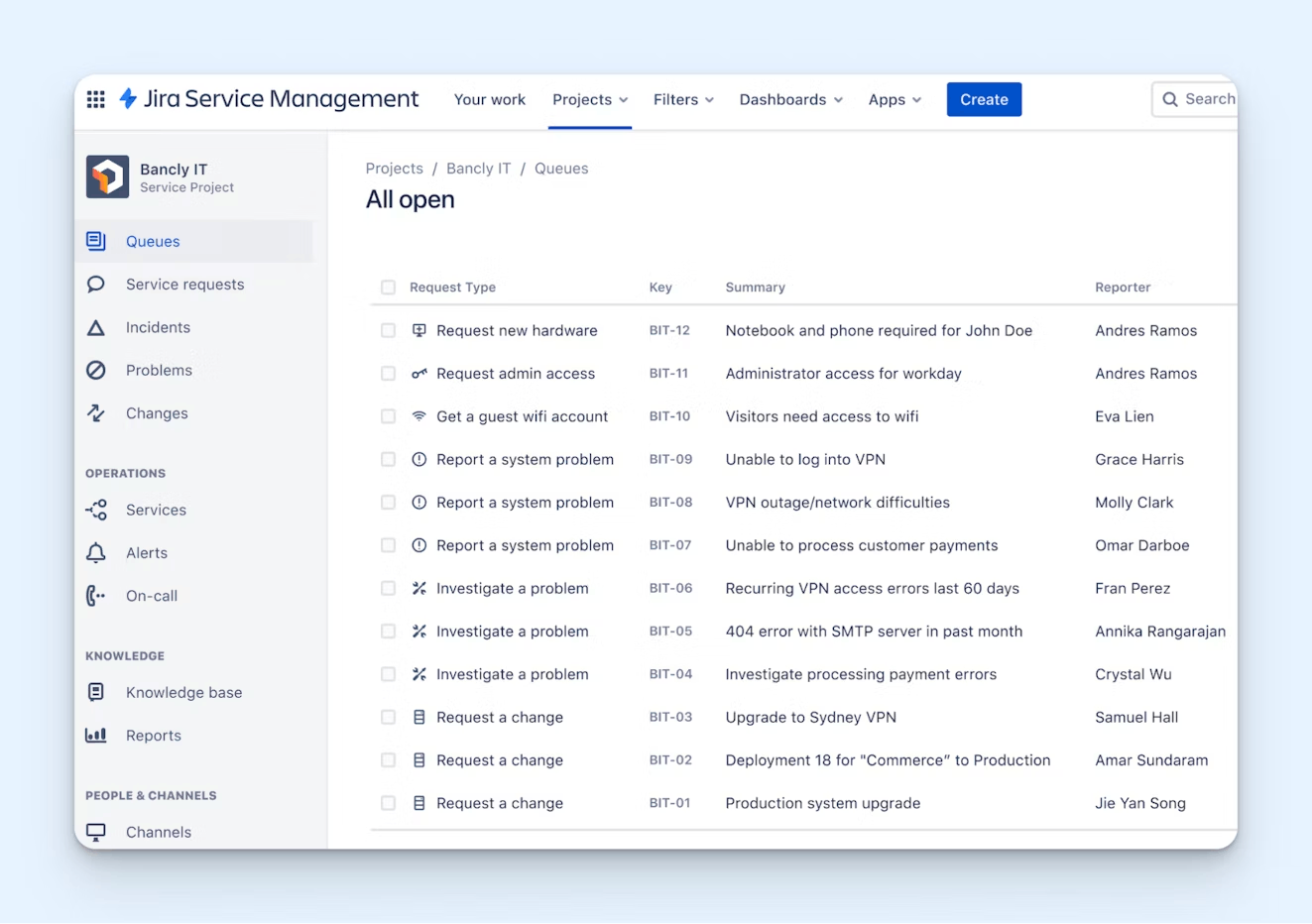
Jira Service Management can be used by IT support teams for email, live chat, and self-service support. Create custom intake forms, or build a customizable support hub that employees can log into to create tickets or check on the statuses of tickets they've already created. You can also build a knowledge base and embed it across your company's different websites and portals to give your coworkers easy access to the information they need to troubleshoot their own issues.
The free plan also comes with several of the standard ticketing features that IT teams need, like SLAs, on-call schedules, escalation policies, and service registration, which lets you register the third-party services you're using so that you can connect issues to services that aren't working properly. You can also assign tickets to specific team members, create rules used to automate certain tasks, and route tickets to the right individuals or teams automatically.
Unfortunately, you won't get access to the platform's more advanced features on the free plan, such as their tools for asset, change, and incident management. With that said, it is a relatively robust option for small IT support teams that primarily work to answer questions their coworkers have about the different systems and technologies the company uses.
What's included in Jira Service Management's free plan?
Up to three users.
Up to 100 emails per day.
Live chat.
Up to 500 automated rule runs per month.
Unlimited help centers and an embeddable knowledge base widget.
Default and custom reports.
Access to 1,000+ integrations.
Custom forms.
SLAs.
Ticket routing.
On-call schedules and escalation policies.
IT service registration.
Customizable support hub.
Customer profiles.
Mobile device management.
If Jira Service Management seems right for you but you also need a way to manage assets, you could sign up for it for ticketing, then sign up for Lansweeper for asset management. Lansweeper has a free plan that lets you manage up to 100 assets, but it does not include ticketing. Combining the two platforms gives you access to all of the features you need at no cost.
9. Spiceworks' Cloud Help Desk – Best for creating a ticketing portal
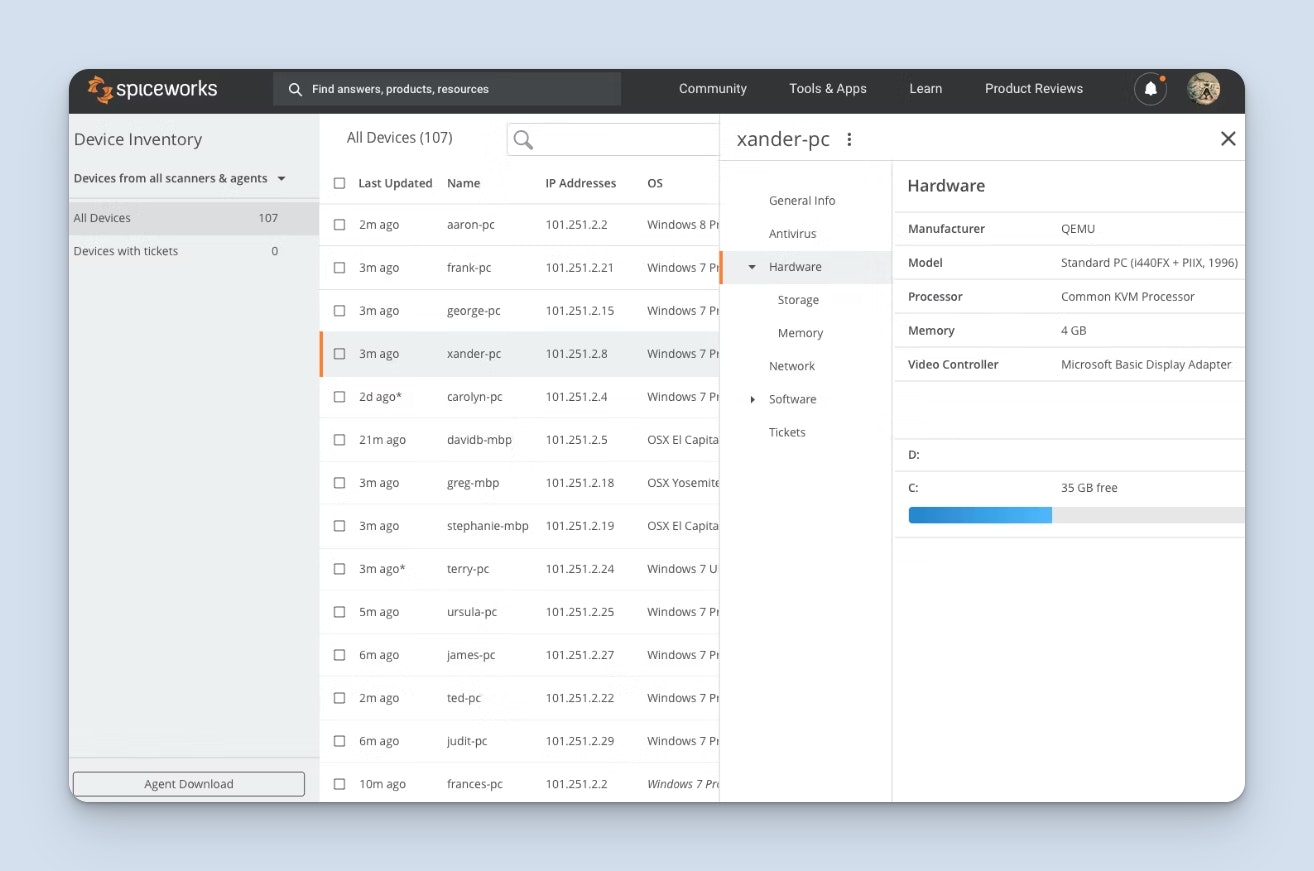
While most other ticketing systems consolidate requests from multiple channels — such as email, live chat, and messaging platforms — Spiceworks' Cloud Help Desk relies on a central ticketing portal. Instead of sending emails or reaching out across other channels, your coworkers log into the portal to submit their requests and read your replies. The portal also serves as a knowledge base for self-service support.
Create custom forms that your coworkers fill out when creating tickets, then the system will use the data from the forms to automatically assign and route tickets based on priorities and categories. You can organize requests into multiple ticket queues, view and respond to tickets using the platform's mobile app, create rules that automatically set due dates, and create saved replies for answering FAQs quickly.
It's worth noting that the free version of Spiceworks' Cloud Help Desk includes ads. To get rid of the ads in the platform, you'll have to upgrade to a paid plan. However, Spiceworks' paid plans are very affordable, starting at only $5/seat per month.
What's included in Spiceworks Cloud Help Desk's free plan?
Up to five users.
Unlimited tickets.
Ticketing portal.
Knowledge base.
Incident tracking.
Automatic alerts.
Customizable reports.
TOTP-based MFA.
10. GLPI – Best open-source, self-hosted ITIL service desk

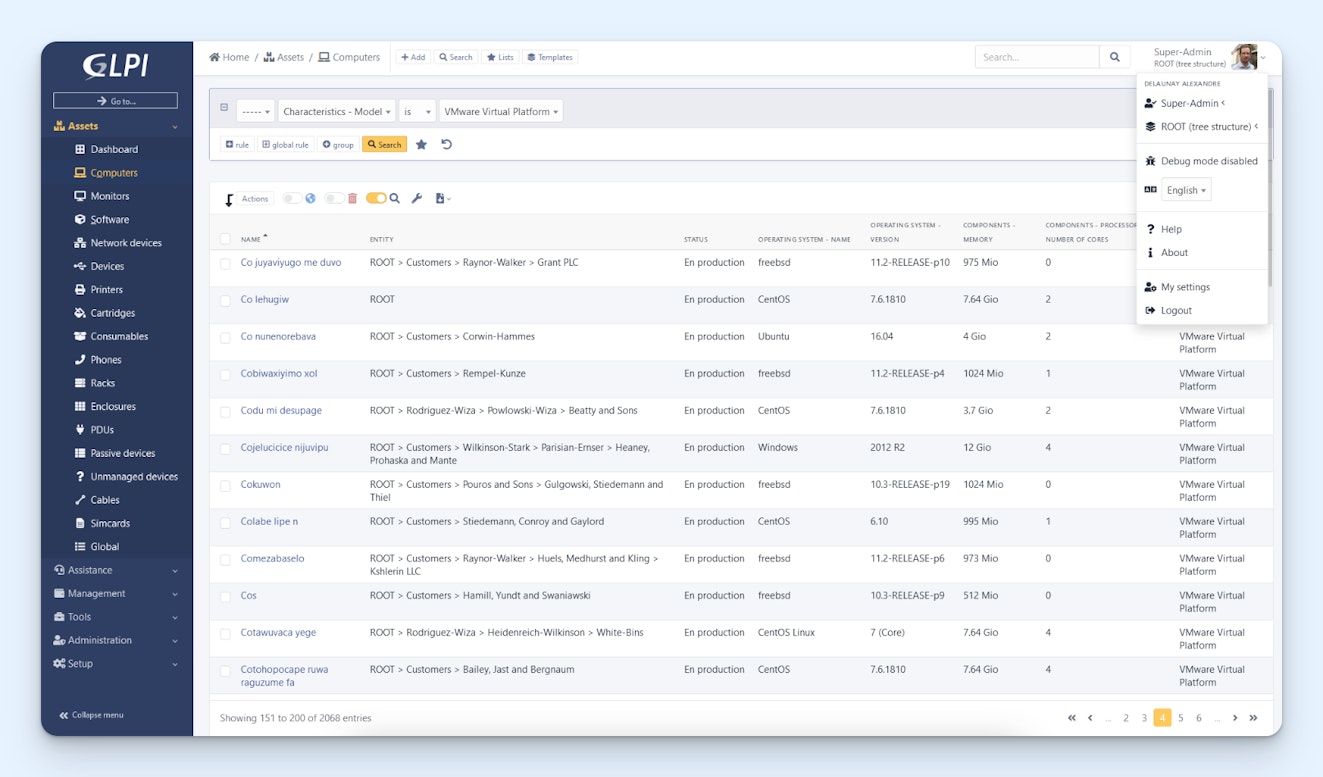
GLPI offers a free open-source, self-hosted version of its ticketing system with a GitHub codebase. It's an incredibly robust platform that includes an ITIL service desk for request fulfillment, a knowledge base builder, and many other features IT support teams need:
Service asset and configuration management for keeping detailed records of all of your assets.
Incident and problem management for getting notifications when things break and investigating the cause of the issue to prevent it from happening again.
Change management for planning and rolling out changes to your IT systems.
Contract management for tracking all of your vendor agreements.
Financial management for tracking IT-related spending and managing budgets.
Asset reservation for reserving equipment for specific people at specific times.
Data center infrastructure management for monitoring and managing the physical equipment housed in your server rooms or data centers.
Software and license management for tracking which software your organization owns and how many licenses are in use.
Project management for organizing, assigning, and tracking IT projects from start to finish.
Intervention planning for scheduling and coordinating on-site visits by technicians.
Of course, as an open-source tool, you can also build additional features you need on top of the platform's source code, and a number of community-built plugins are also available for adding other features.
What's included in GLPI's free plan?
The open-source, self-hosted version of GLPI gives you unlimited access to all of the platform's features. Note that there is also a paid version of GLPI's self-hosted software, but if you're comfortable working with the code provided on GitHub and don't need support from the GLPI team, you won't need to pay the monthly fee for the supported self-hosted plan.
There are a number of additional self-hosted, open-source IT ticketing systems available, but since none were as robust as GLPI, we opted not to include them in this list. However, if GLPI isn't right for your team, you can also look into iTop, Request Tracker, Znuny, and Hesk.
Choosing the best ticketing system for your team
Beyond the options and features listed above, there are a few additional things you should think through to find the option that's the best fit for your team.
First, it's important to think beyond where you are now and consider where you're headed. If your team or company is growing, you'll likely outgrow the free plan in the future and will need to upgrade to a paid account. Review each platform's paid plan pricing before you commit. Migrating to a new ticketing system later is a time-consuming process that can disrupt your team's workflows and result in lost data if not handled carefully.
Second, be realistic about your technical resources. Self-hosted, open-source options like Zammad and GLPI are incredibly powerful and have no usage limits, but they require someone on your team to handle installation, maintenance, security updates, and server costs. If you don't have that expertise in-house, a cloud-hosted option will save you a lot of headaches.
Finally, pay attention to the limits that matter most for your situation. Some free plans cap the number of users, some limit how many customers you can help per month, and others restrict access to features like reporting or automations. Make a list of your must-haves before you start evaluating tools so you can quickly identify which free plans will actually work for your team — and which ones you'll outgrow in a matter of weeks.
The good news is that since all of these tools are free, you can take as long as you need to test them without any financial commitment. Pick the one that seems like the best fit, and try it with your team for a few weeks to get a sense of whether or not it's going to meet your needs.
Jessica Greene
Jessica Greene is a Help Scout alum, where we make excellent customer service achievable for companies of all sizes. Connect with her on LinkedIn or through her website.