The 7 Best Help Desk Software for Education in 2026


While help desks are most commonly associated with customer service and IT support teams, help desk software is useful for any team that manages a high volume of email requests. It gives you tools to keep your inbox more organized, respond to requests faster, and enable team collaboration.
These benefits are extremely helpful in education operations. Whether you're managing IT support for a large K-12 school district or dealing with a ton of questions from prospective students as the head of admissions at a university, managing email is probably a huge portion of your workload.
In this post, we're taking a look at the seven best help desk software for education institutions. We break down which tools are best for which types of teams and roles, walk through the features you'll have access to on each platform, and explain the benefits you'll get from using the tool.
At Help Scout, we only publish deeply researched, human-written content. If you find our content to be as helpful as we strive to make it be, you can set us as a preferred source in Google so you'll see our content surfaced more often when you're searching.
1. Help Scout – Best for higher education

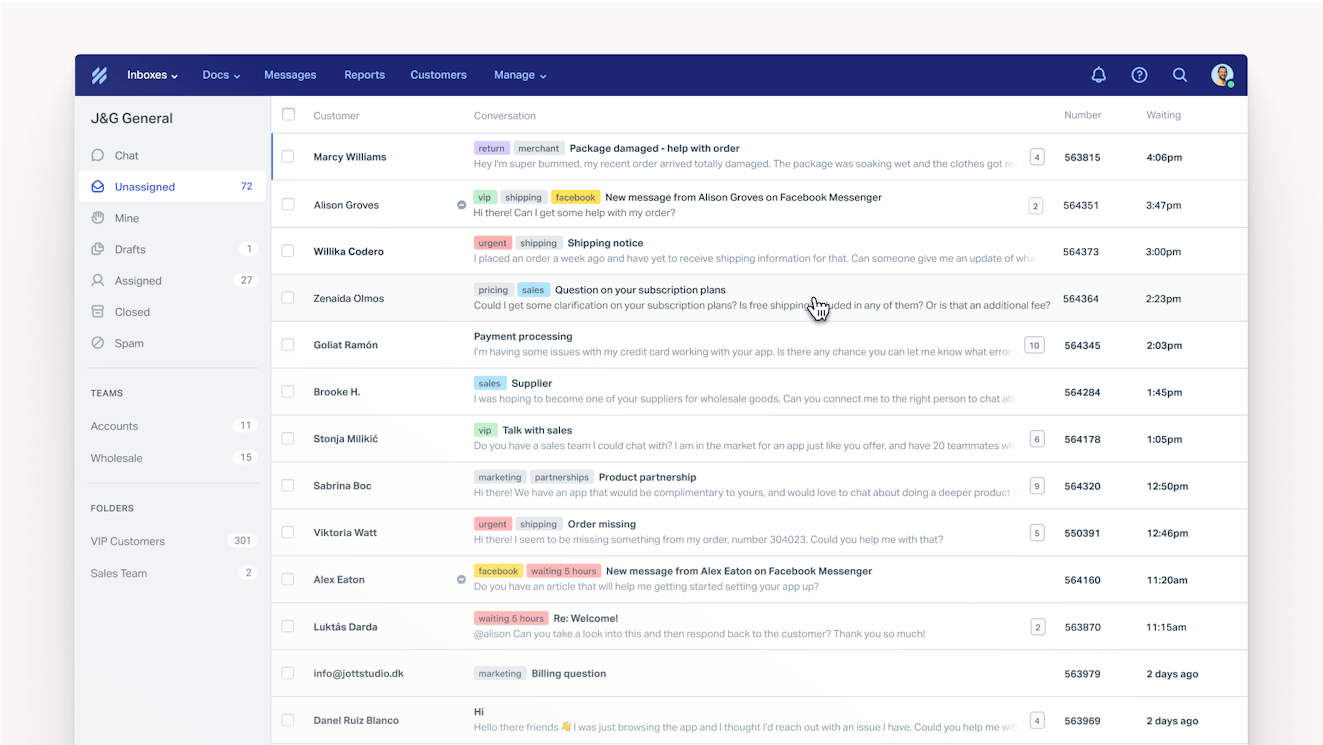
If you want a single tool that can help every department in your university manage email more effectively, Help Scout is the ideal choice. It's an intuitive help desk platform that consolidates all of your requests into a central queue so you can stay organized, collaborate easily, and respond faster.
You start by setting up inboxes for each of your departments' email addresses (it@, bursar@, admissions@, etc.); this ensures teams see only the requests they're responsible for. Next, you assign users to those inboxes. After that, every email sent to that email address will show up in your department's shared inbox where everyone who's assigned to that inbox can see and respond to them.
Help Scout comes with lots of features to keep your team from stepping on each others' toes while working in their inbox. Collision detection shows you when someone else is already replying to a request. Assignments let you assign requests to specific team members to handle. Notes let you communicate with coworkers in a thread alongside the conversation that only members of your team can see.
There are also lots of features to help you send replies faster. You can create saved replies — answers to FAQs like "How do I reset my password?" or "When is your application deadline?" — and insert those into responses in seconds. When a saved reply isn't already written, you can use AI Drafts to write a custom response for you. It uses knowledge from your previous replies to ensure the draft is accurate.
However, even the time it takes to insert a saved reply or review an AI draft can add up, so Help Scout comes with several features to make self-service simpler for your faculty, staff, and students. Use the system to build a knowledge base everyone can reference on their own time, then launch AI Answers — a chatbot that answers questions instantly without anyone on your team having to get involved.
All of these features make Help Scout a significant upgrade over tools like Gmail's Collaborative Inbox and Outlook's shared mailbox that really aren't built for high-volume email management and large-team collaboration. You'll even get access to reports that show things like when your busiest times are, which can be helpful for knowing exactly when to schedule your work-study students to come in and help.
Pricing: Free plan and trial available. View Help Scout's current pricing.
Learn more about Help Scout:
2. Incident IQ – Best for K-12 school districts


Incident IQ is an operations management platform designed for K-12 school districts with multiple schools. It offers six modules for different operational processes: a help desk, an asset management system, facilities management software, an event management system, instructional materials management software, and an HR system. You can use all of the modules or select only the ones your district needs.
Its help desk software, iiQ Ticketing, is designed specifically for IT support departments. It comes with a ticket wizard that teachers and staff use to submit requests, and it automatically adds important information to their requests: the school the request is coming from, the device being used, and the name of the requester. Teachers can also see a classroom roster of student devices to submit requests on behalf of students.
When teachers or staff use the ticket wizard to submit requests, the system also uses the description of the issue to recommend common troubleshooting steps for the requester to perform before submitting the ticket. This can be really helpful for reducing the number of issues you have to manage; it will let the requester know if a simple "turn it off and back on" solves the issue before it hits your to-do list.
Once requests are received, they can be automatically routed to the right person or team based on criteria like the issue type, location, and technician availability. The system also uses tickets to create a detailed record of all issues reported and maintenance performed on every single device your district owns.
Finally, detailed, real-time reports are available, which can be helpful when you need to justify requests for budget to add team members or replace devices that are increasing your team's workload. You'll also get personalized implementation and onboarding support to get the system up and running quickly.
Pricing: No free trial offered. Contact Incident IQ for pricing.
3. Manage1to1 – Best for independent schools


Manage1to1 is an affordable IT help desk for independent schools that aren't managing tickets and assets across an entire school district. It offers transparent, flat-rate pricing for schools with up to 700 students. If you have more than 700 students, you'll pay a small fee for each student per year. All of the platform's features are included in all of its plans, so you won't have to pay more to get specific features you need.
Manage1to1 combines asset and user management with a help desk, consolidating all of the features IT support teams need into a single platform. Its user management feature gives you account provisioning for students and staff and lets you build a student information system with ID photos and other relevant details. Additionally, you can set student-specific restrictions when parents make specific requests.
Its asset management platform gives you details on your entire inventory, including all of your devices, who has them or where they're located, what issues have been reported and what maintenance has been done, and even if a student's parent purchased insurance for the device. All of that data also connects directly to your help desk so you can see device information and maintenance histories alongside new tickets.
As far as the help desk goes, students and staff can make requests by sending an email or using your support portal, which can be hidden behind a login or left open to the public. Tickets can be routed automatically based on the email address the request was sent to or the option selected in the portal's request form, and round-robin and location-based routing options are also available.
You can also build a knowledge base that anyone can reference to troubleshoot issues on their own. The knowledge base lives inside of your portal, making it easy for people to do a quick check to see if you have content addressing their issue before creating a request. You'll also get reports showing which search terms don't return results so you can create content addressing FAQs you haven't already covered.
Pricing: No free trial offered. View Manage1to1's current pricing.
4. Vizor – Best for K-12 schools with multiple teams that manage tickets


Most help desks for K-12 schools — like the two we looked at previously — combine a support desk with asset management. However, if you only need the help desk and not the asset management system, Vizor is a good option to consider. It gives you the option to get its help desk and asset management products in one package, or you can opt to subscribe only to its help desk software.
Vizor's help desk consolidates requests received by email or through your support portal. You can build workflows that let you automate routing, set priorities, or categorize requests based on things like the subject line of the email or a specific selection in your portal's contact form. You can also create custom fields to add to your contact form that can be used by workflows to automate how tickets are handled.
The ability to customize your forms and route requests lets you use it for more than just IT support; for example, you could use the portal and help desk to manage facilities requests, too. You can also create a knowledge base with articles for anything the people you support might be looking for, and you can even segregate which articles are available depending on the role of the end user: student, teacher, or admin.
Finally, Vizor's help desk can be either cloud-hosted or self-hosted, so it's a good option for schools that want to keep all of their student data on site.
Pricing: No free trial offered. Contact Vizor for pricing.
5. Issuetrak – Best for highly customizable security controls


Like the other tools on this list, Issuetrak gives you a help desk that can be used by any department in your school to track issues and respond to requests. You can accept requests via email or create a portal for request submissions, and you can build a knowledge base in your portal. There's also a live chat widget for instant support and an asset management module for tracking devices.
However, Issuetrak isn't exclusively designed for IT support teams like some of the other tools on this list. It can certainly be used by IT support, but you can also use it to track transportation complaints, requests from parents, feedback from the community, HR requests — anything that's sent in an email or submitted through your portal. Workflows, assignments, and permission sets keep requests organized by type.
What makes Issuetrak stand out is its highly customizable security controls. There are more than 55 configurable access permissions, so you can get much more granular than simply creating groups of people with broad permissions. Certain data can be set to be accessed with permission only, the software can be self-hosted so you control all of your data, and the ability to search the platform can be restricted.
The platform can also be completely white-labeled to match the brand of your school, university, or school district; add your logo and customize the design with your colors. Additionally, every customer gets a personal account manager who helps with setting up the tool and answering any questions you have.
Pricing: Free trial available. View Issuetrak's current pricing.
6. Gmelius – Best for schools using Google Workspace for Education

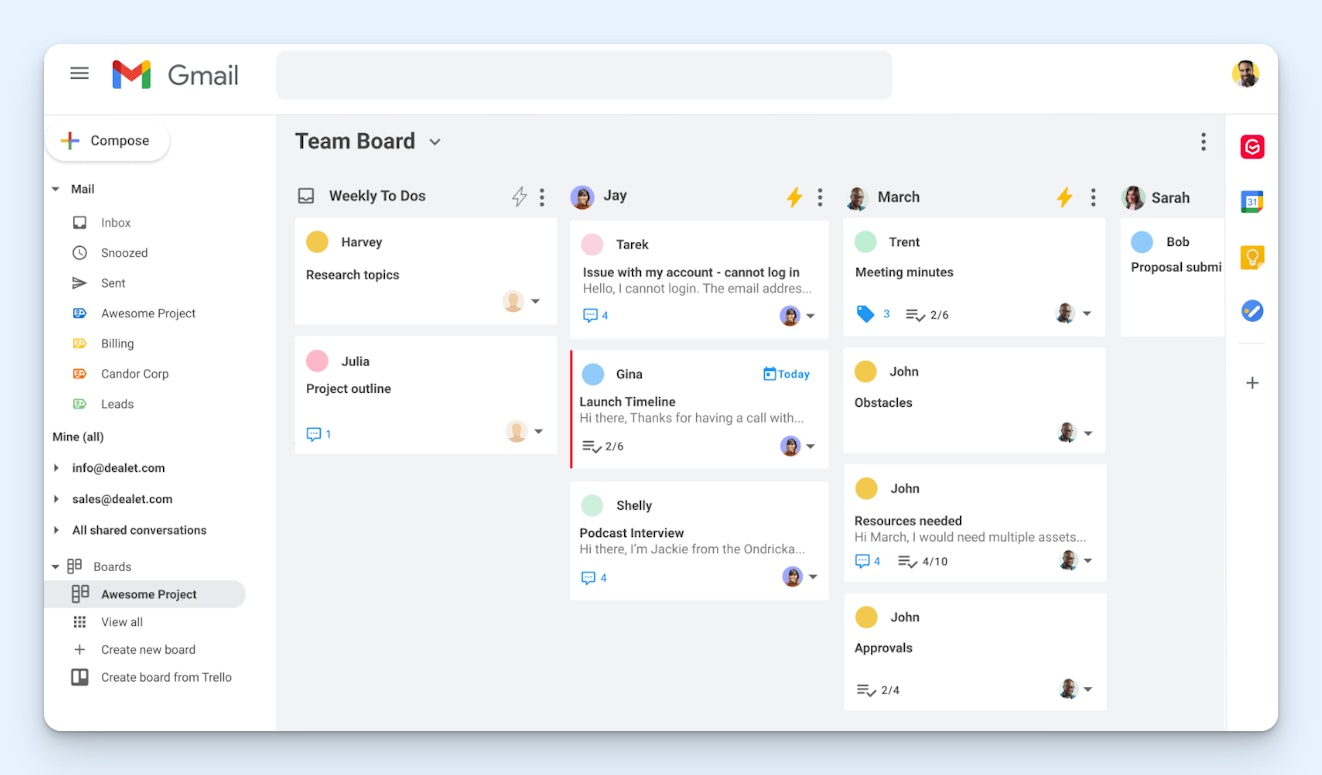
If you're using Google Workspace for Education and already have all of your staff set up on Gmail, Gmelius lets you turn your existing Gmail inbox into a help desk. It's a Gmail extension that lets you create a shared inbox in Gmail, giving your Google users access to it from their existing Gmail accounts. It's similar to Google's Collaborative Inbox but adds on a lot more useful features.
You can use Gmelius to create multiple shared inboxes — one for front office staff, one for IT support, one for facilities requests, etc. When emails show up in the inbox, they can be manually assigned to specific team members, or you can use routing features to assign emails to individuals automatically, either equally with round-robin routing or based on current workloads with load-balanced routing.
Emails can be viewed in a typical queue-like format or displayed Kanban-style for a more project management-type experience. SLA rules are available if you want to ensure emails are replied to in a timely manner, you can share Gmail labels to tag and categorize emails, and collaboration features like collision detection, notes, and shared drafts let your team work together more efficiently.
Some AI features are available in Gmelius as well. It can be used to compose draft replies to requests, automatically tag and route emails, and schedule meetings for you. You'll also get access to reports showing things like how many emails have been assigned to specific team members, how many requests they've closed, their average time to close requests, and more.
Pricing: Free trial available. View Gmailus' current pricing.
Recommended Reading

7. Front – Best for school leaders

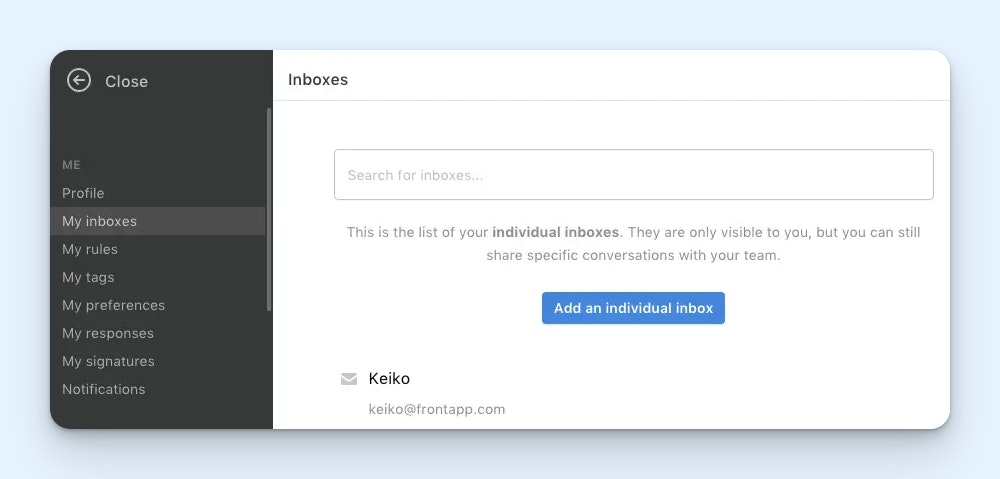
Like Gmelius, Front lets you access both your personal and shared email inboxes in the same interface. Where Front stands out, however, is that it lets you share your personal emails — or your personal inbox — with other people on your team when necessary. This makes it a good option for school leadership roles like department heads, deans, and principals who may need others to help manage their inboxes.
School leaders receive a lot of emails, but they may not have time to respond to all of them, or they might be out of office or on sabbatical and unable to respond. Front lets you temporarily delegate access to your entire inbox to one or more people on your team so they can see and reply to emails for you, or you can simply choose to share specific emails with other people so they can help you reply to those.
As far as managing team emails in a shared inbox, Front has many of the same features found in Help Scout and Gmelius. You can collaborate with teammates on email replies, leave private notes, assign emails to specific people/teams, set up SLAs, and use AI to create draft replies to emails that your team can review — or even reply to emails automatically without anyone having to get involved.
One unique thing about Front is that it can also be used to create a portal that your students, parents, staff, etc. can use to submit requests and view the status of them. The portal appears as a tab on your help center — which you can also create using Front — giving the people you support a one-stop shop for submitting requests and finding their own answers.
Pricing: Free trial available. View Front's current pricing.
Choosing the right help desk software for your school
Finding the right help desk for your school depends less on which platform has the most features and more on how well it fits the way your team already works.
Start your search by determining who needs the help desk. If it's just your IT department, a tool built specifically for education IT — with asset tracking and device management baked in — will probably serve you better than a general-purpose help desk. However, if multiple departments need to manage email requests, you'll want something flexible enough to support different teams with different workflows.
Think about scale, too. A platform designed for multi-school districts will have features like cross-location routing and district-wide reporting that a single school doesn't need. If you're an independent school, a simpler tool that does the basics well is usually a better fit.
Security and data control are also worth thinking through early. If your school or district has strict requirements around where student data is stored, look for platforms that offer self-hosting or granular permission controls before you get too far into a trial.
Finally, take advantage of free trials and demos wherever they're available. A help desk might check every box on paper but feel clunky or confusing in practice. Getting your team's hands on it will tell you more than any feature comparison can.
If you want more tips on managing email in an educational institution, check out our guide to email management in higher education. While it's written for leaders at colleges and universities, the tips are perfectly practical for K-12 institutions as well.
Like what you see? Share with a friend.
Jessica Greene
Jessica Greene is a Help Scout alum, where we make excellent customer service achievable for companies of all sizes. Connect with her on LinkedIn or through her website.
Ready to go?

