Which Support Channels Can You Manage in Help Scout?


Help Scout lets you manage email, live chat, SMS, WhatsApp, Facebook Messenger, and Instagram conversations natively in one shared inbox. It includes multiple tools for self-service support: a knowledge base builder (Docs), an embeddable help widget (Beacon), customer portals, and an AI agent.
Phone support is not available in Help Scout natively, but you can view and manage phone calls in Help Scout by integrating with providers like Aircall, JustCall, and Talkdesk.
Messages received through every channel land in your Help Scout Inbox, so your team can use the same assignments, tags, workflows, saved replies, and routing rules no matter how a customer reached out.
Help Scout support channels at a glance
| Channel | How it's supported | How customers use it | Included in |
|---|---|---|---|
Native | By sending an email to any email address you've connected to a Help Scout inbox | Free, Standard, Plus, and Pro plans | |
Live chat | Native | By starting a chat in Beacon — Help Scout's support widget that can be embedded on your website and in your app | Standard, Plus, and Pro plans |
SMS | Native (requires a Twilio account) | By sending a text message to your business's phone number | Standard, Plus, and Pro plans |
Native | By sending a message to your WhatsApp business number | Standard, Plus, and Pro plans | |
Facebook Messenger | Native | By sending a direct message to your business through Facebook Messenger | Standard, Plus, and Pro plans |
Native | By sending your business a direct message through Instagram | Standard, Plus, and Pro plans | |
Knowledge base | Native | By navigating to the URL where your public help center is published — or by searching your articles in a Beacon | Free, Standard, Plus, and Pro plans |
Customer portal | Native | By navigating to your customer portal's URL and logging in | Plus and Pro plans |
AI agent | Native | By choosing to direct a question to your AI agent when using Beacon Via email coming soon | Standard, Plus, and Pro plans Has a per-resolution cost on top of the base plan fee |
Phone | Integration (Aircall, Talkdesk, JustCall, and more) | By calling your business's phone number | Most phone software integrations are available on Free, Standard, Plus, and Pro plans The Aircall integration is sold as an add-on to all paid plans |
Marketplaces (Amazon, Walmart, eBay, etc.) | Integration (ChannelReply) | By sending your business a message through the connected marketplace | Free, Standard, Plus, and Pro plans |
Each Help Scout channel, explained
Here's a more in-depth look at the different support channels you can manage in Help Scout.

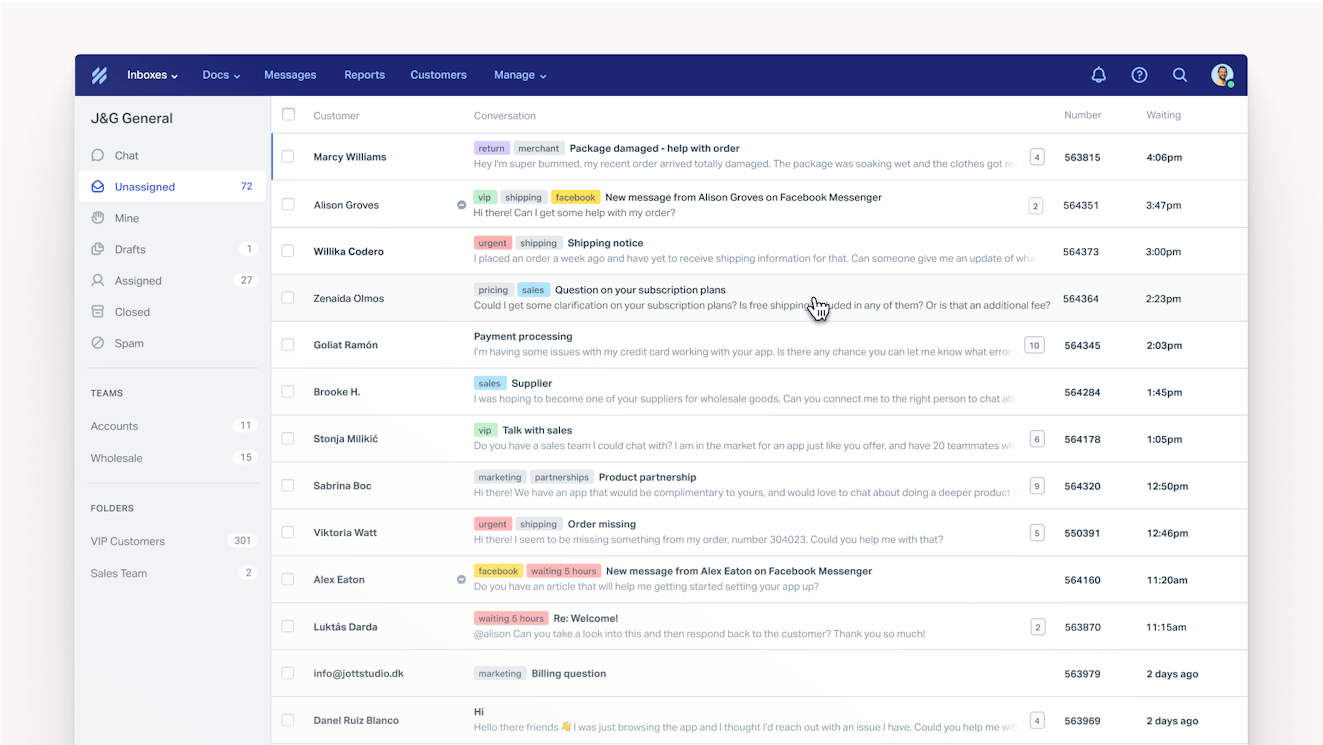
Email is included in every Help Scout plan. You connect your existing support email addresses (like support@ or billing@) to a shared inbox, and customers reach you by either sending an email to the connected email address or filling out a contact form.
When you reply to customers, your reply looks exactly like a regular email. There are no ticket numbers or "Please do not write below this line" messages, and customers don't have to create an account to see the messages you send them or log into any system to reply.
The Free plan includes one inbox, Standard includes two, Plus includes five, and Pro includes 10. Additional inboxes can be added to any paid plan for $10 per additional inbox per month on an annual plan or $12 per additional inbox per month on a monthly plan.
Live chat

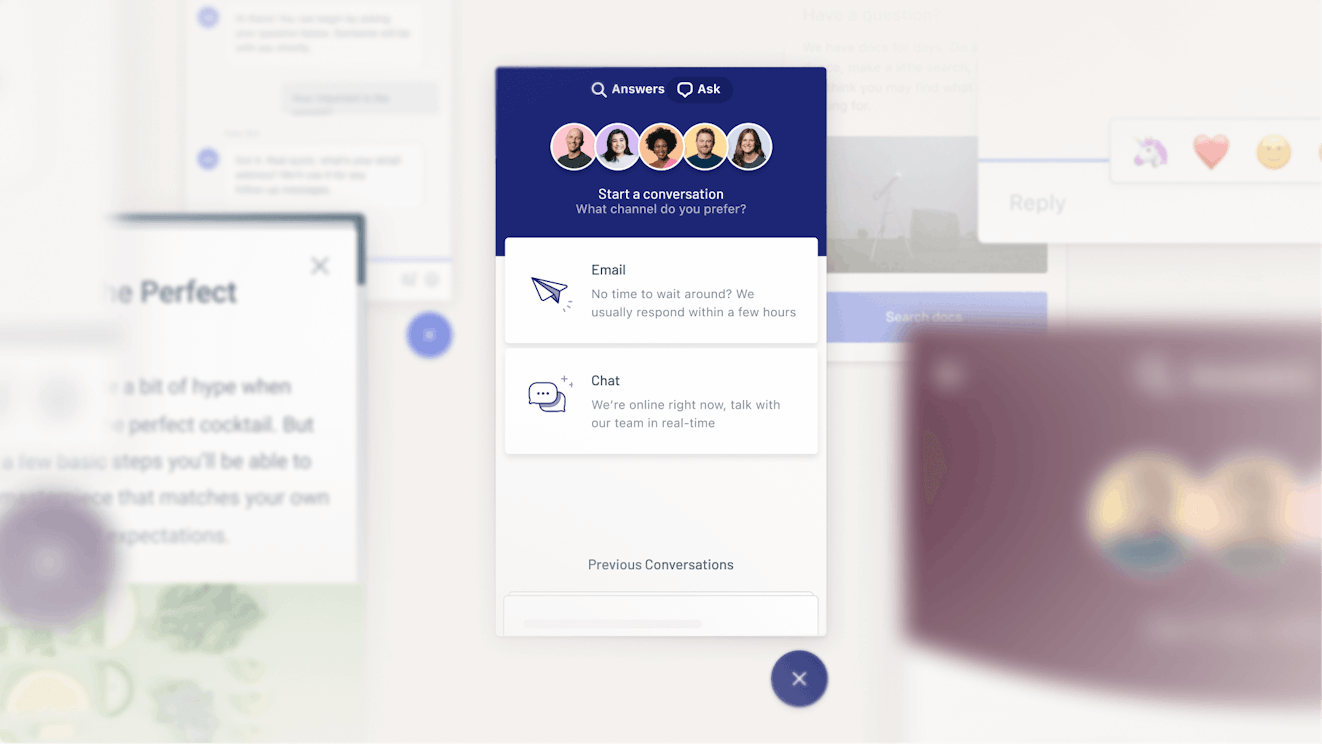
Live chat runs through Beacon, Help Scout's embeddable help widget. You can place it on any page of your website or any screen inside of your app. Chats arrive in the same inbox as email.
If no one on your team has their chat availability set to "Active," the live chat option isn't shown to customers. They can send an email to your team through the Beacon instead.
Live chat is available on all paid Help Scout plans: Standard, Plus, and Pro. Standard plan subscribers can create up to five different Beacons, and Plus and Pro subscribers can create unlimited Beacons.
SMS


With SMS support, customers can text your business number, and those text messages show up in your Help Scout inbox. Your team replies to them like any other message in your inbox, and the customer receives your reply as a text message.
Native SMS support is available on all of Help Scout's paid plans — Standard, Plus, and Pro — though you'll need a Twilio account to use the SMS feature.

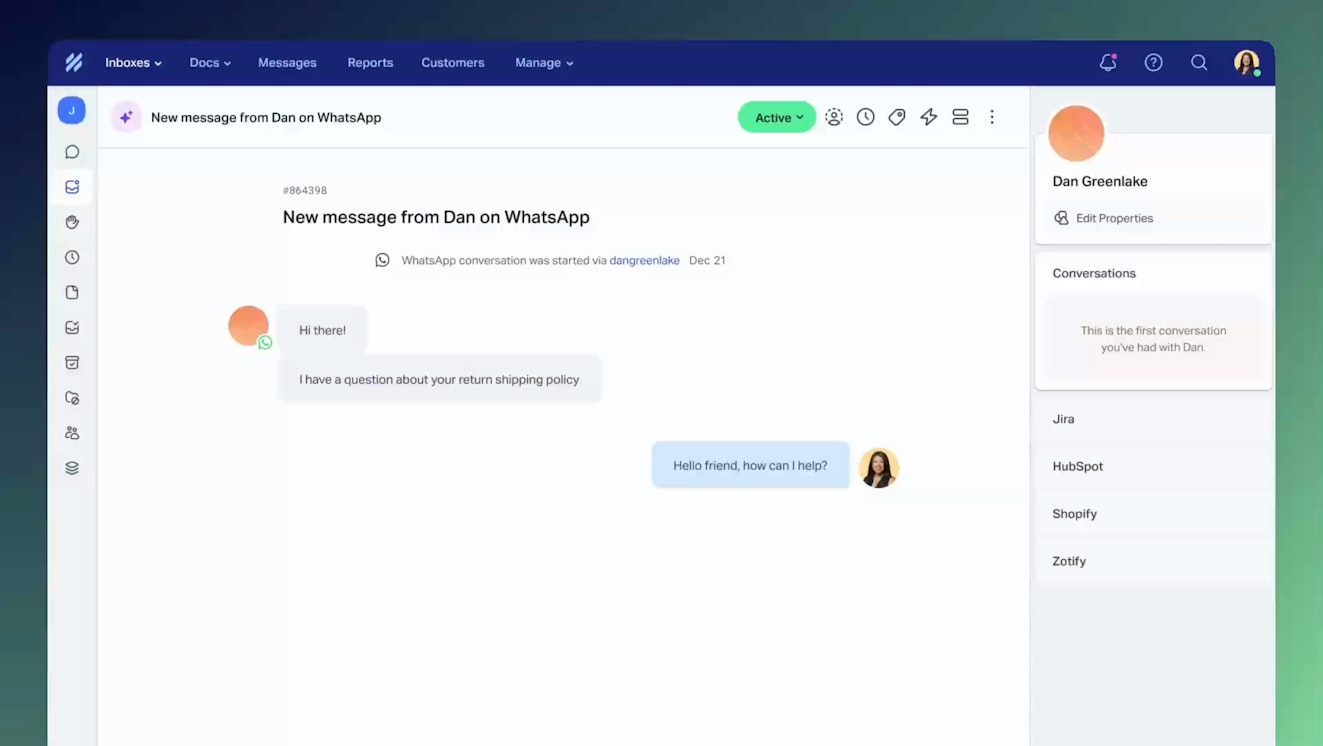
To offer WhatsApp support to your customers, you can connect your WhatsApp business number to an inbox in Help Scout. Then, when a customer messages you on WhatsApp, that message will show up as a conversation in your Help Scout inbox where you can write a reply. The customer receives the reply you sent in WhatsApp.
WhatsApp support is included in all paid Help Scout plans: Standard, Plus, and Pro.
Facebook Messenger

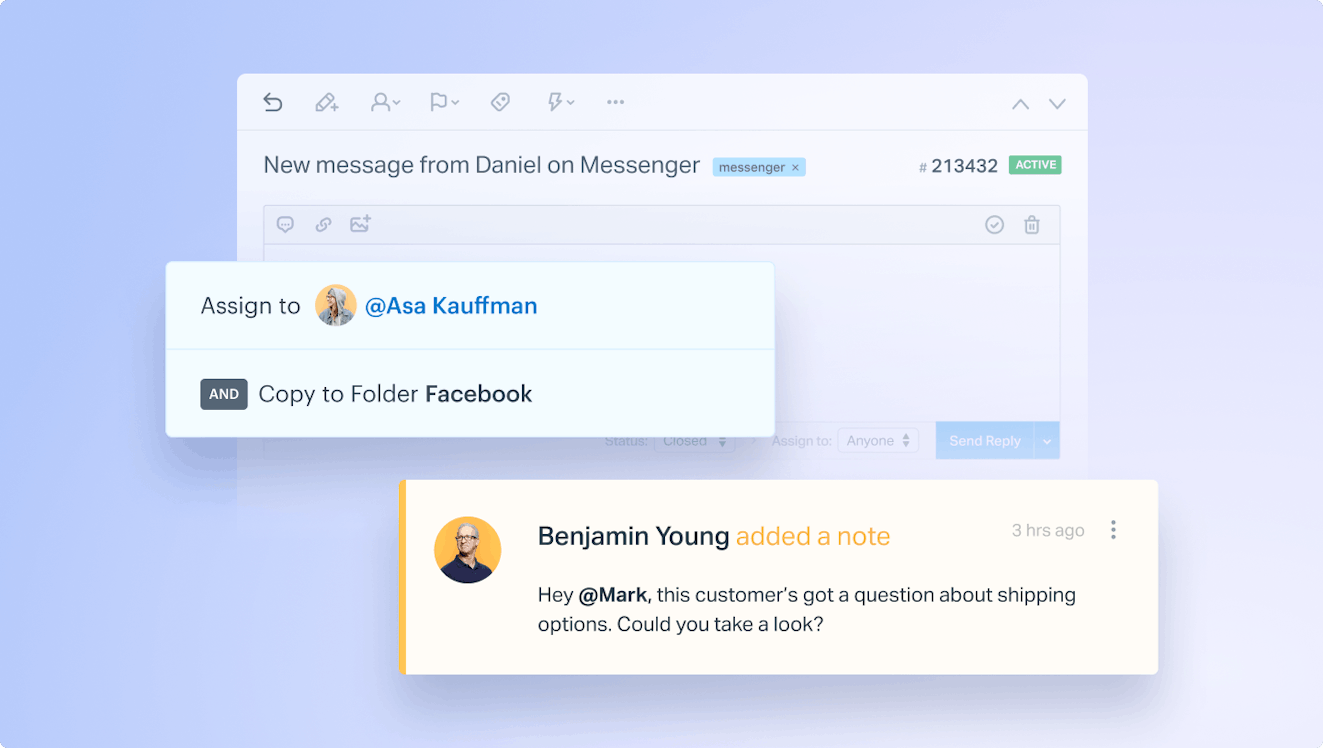
By connecting the Facebook Messenger channel to Help Scout, you can view and reply to direct messages that are sent to your Facebook page. Facebook Messenger conversations show up in your inbox and can be replied to from Help Scout, and all replies are sent back to the customer as direct messages in Facebook Messenger.
Facebook Messenger support is included in all paid Help Scout plans: Standard, Plus, and Pro.


By connecting the Instagram channel to Help Scout, new messages sent to your connected Instagram Business account are created as conversations in your Help Scout inbox. You click into the conversation to reply — just like any other conversation — and the customer will see your reply on Instagram.
Instagram support is included in all paid Help Scout plans: Standard, Plus, and Pro.
Self-service
There are three ways to enable customer self-service in Help Scout: by building a knowledge base, creating a customer portal, and/or launching Help Scout's AI agent.
Knowledge base (Docs)

Docs is a knowledge base builder that powers most of your self-service support in Help Scout. You can build a knowledge base, customize its design, add articles to it, sort your articles into categories and collections, and publish your new help center on your own URL.
Once your knowledge base is published, customers can navigate through your categories and collections to find the answers they're looking for, or they can use the built-in search function.
Your Docs articles can also be searched and accessed from any Beacon you've published, letting customers get help from any page they're viewing or any task they're trying to accomplish without having to stop what they're doing and navigate to your help center.
Your Docs site is also one of the knowledge sources that Help Scout's AI agent uses to answer questions.
Docs is included in all Help Scout plans. On the free plan, you can create one Docs site and up to 10 articles. All paid plans let you publish unlimited articles to your Docs site. On the Standard plan you can create two Docs sites, on Plus you can create up to three, and on Pro you can create up to five. Additional Docs sites can be added to any paid plan for $20 per additional Docs site per month on an annual plan or for $24 per additional Docs site per month on a monthly plan.
Customer portal

Create a secure portal where customers can see the conversations they've started with your team, all conversations with anyone at their company, or all conversations sent to specific inboxes (depending on your settings). This is helpful because customers can check the portal before emailing your team to see if you've already answered the question they were planning to ask.
Customers log in securely using a one-time six-digit code sent to their email — no password creation is required.
For regulated industries, a customer portal provides a secure, login-gated path that keeps sensitive information off unencrypted email.
A customer portal is included in Help Scout's Plus and Pro plans.
AI agent


Help Scout's AI agent answers customers' questions for you automatically using information from your knowledge base, website, and any other sources you provide. It's clearly labeled as AI so customers are never confused about who (or what) they're talking to, and when the agent can't help, it escalates the question to your team along with the full context of the conversation it had with the customer.
An AI agent can be added to your Beacon to respond to chat requests from your customers, and it's coming to email soon so you can answer customer email questions automatically too.
Help Scout’s AI agent can be added to any paid plan: Standard, Plus, or Pro. You can try it for free for three months. After that, you'll pay $0.75 for each conversation it resolves on its own. You can also set monthly spending caps so you never get charged for more resolutions than you've budgeted for.
Phone

Help Scout doesn't include a native phone support system. However, you can manually log phone calls you receive in Help Scout using phone notes, or you can use a phone integration to log calls, voicemails, and recordings so they sit in the customer's history alongside conversations from your other support channels. The Aircall integration will also allow you to initiate calls from within Help Scout so that you don't need to switch back and forth between systems. Calls logged manually and via integrations and calls initiated in Help Scout can be monitored in Help Scout's phone report.
You can log phone calls manually on any Help Scout plan. When it comes to integrations, the Aircall integration is sold as an add-on to all paid plans (Standard, Plus, and Pro), while JustCall, Talkdesk, and other phone support integrations can be added to any Help Scout plan. The free plan is limited to one integration; unlimited integrations are included in all paid plans.
Marketplaces
Help Scout doesn't offer marketplace support natively, but you can route buyer messages from marketplaces like Amazon, eBay, and Walmart using the ChannelReply integration.
How every channel works together in Inbox
No matter which channel a customer uses to contact you, the conversation lands in the same shared Inbox in Help Scout and follows the same rules:
One contact profile: Each customer's information — and their support history from interactions across all channels — appears in the contact profile sidebar alongside every conversation. You'll always know who you're talking to* and will never have to ask customers to repeat themselves.
Shared features: Features like assignments, tags, workflows, SLAs, routing rules, and more work across all channels. You build what you need once, and it will be available for you to use across all of your channels, including any you add later.
Cross-channel reporting: Built-in reports track volume, response times, and customer satisfaction by individual channels and across all of your channels. You'll be able to see things like what your most popular channels are and what channels have the lowest satisfaction ratings, which can help you decide when you need to hire or when it's time to retire a channel.
All of Help Scout's native channels were built by Help Scout for Help Scout — they're not a collection of tools stitched together into one platform as part of acquisitions — so using it for multichannel support feels cohesive and integrated, and it's easier for support teams to learn and maintain.
*Because users may not be required to enter any identifying information to start a live chat with your team, customer profile information may not be immediately available for live chats, and live chat conversations may not show up in a customer's support history unless you manually connect a profile to the chat.
What Help Scout doesn't support natively
Help Scout is built for teams that want email, chat, messaging, and self-service in one intuitive workspace. A few channels sit outside that core today:
Phone: There's no built-in phone system; voice runs through integrations like Aircall, JustCall, and Talkdesk.
Some messaging apps: Messages from platforms like Telegram and LINE are not supported.
Some social channels: Messages from X (Twitter) and TikTok are not supported.
Social comments: Only direct messages from Instagram and Facebook Messenger are pulled into your Help Scout inbox; public comments can't be viewed or managed in Help Scout.
Marketplace messaging: Messages from marketplaces like Amazon, eBay, and Walmart run through integrations like ChannelReply.
Community forums: Help Scout doesn't offer a feature for creating support forums.
AI agent on messaging channels: Help Scout’s AI agent works via live chat in Beacon and will be available for email soon; it does not currently work for responding to requests received from messaging channels (Facebook, Instagram, WhatsApp, and SMS).
Help Scout is great for email support — and much more
Because Help Scout started 15 years ago as an email support tool — and because the core of the product is Inbox — it's often recommended for email-only or email-first teams. But the reality is that Help Scout is a robust multi-channel platform with most of the same features as tools like Zendesk, Freshdesk, and Intercom but available at a fraction of the price of those tools.
While small businesses and startups that are only currently delivering email support can certainly benefit from Help Scout — and the free plan is a great option for those companies — most of our customers are companies with 100-500 employees that offer support on multiple channels. The system (and its pricing) scales effectively for growing teams, so it will work for you whether you're building your first support department or writing a job description to hire your 50th support professional.
If you want to see how Help Scout can work for your team, you can get hands-on by trying it for free, or you can get answers to more complex questions by requesting a personalized demo.
Like what you see? Share with a friend.
Jessica Greene
Jessica Greene is a Help Scout alum, where we make excellent customer service achievable for companies of all sizes. Connect with her on LinkedIn or through her website.
Ready to go?

