The 8 Best Tenant Communication Tools in 2026



Property management companies have a lot of communications to manage. Between fielding maintenance requests, answering questions from current tenants, coordinating with prospective renters, and keeping property owners in the loop, it's easy for messages to slip through the cracks.
In good news, the right tool can bring all of those conversations into one place so your team spends less time chasing threads across email, phone, and text.
To help you find the right option for your team, we've put together this list of the eight best tenant communication tools. Read our detailed reviews to learn what types of teams and use cases each platform is best for and what unique features they offer.
1. Help Scout – Best for collaborative email management

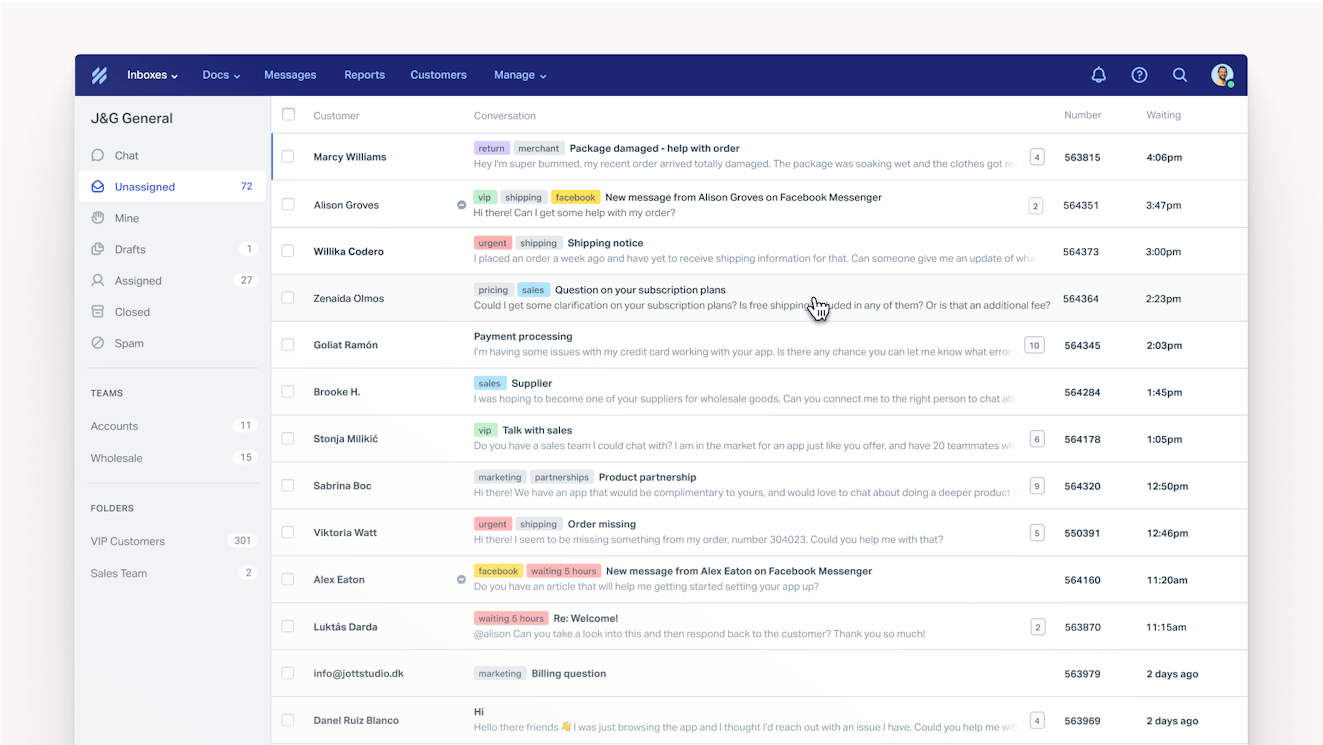
Help Scout is an easy to use and affordable communications platform that makes managing high volumes of email simple. It aggregates all of your emails into a shared inbox so your team can work together to respond to them. Collision detection shows you when someone else is working on a request so you can avoid duplicate work, and emails can be manually or automatically assigned to specific people so each one lands with the right person.
Create multiple inboxes if you need to control who can see certain types of information. If not, set up teams so everyone can work out of folders that only show the emails they're accountable for. You can also create tags to add meaningful labels to emails (e.g., "maintenance request" or "showing request"), then use workflows to add tags to emails automatically based on the subject line or the email address the request was sent to. After that, you can create custom views to filter your inbox to show only emails that have those tags applied.
Beyond its tools to help you collaborate more effectively as a team, Help Scout also comes with lots of features that let you reply to emails faster. Create saved replies — a library of prewritten responses to FAQs — to send off helpful replies in seconds, search your help center to quickly insert knowledge base article links into responses, or use AI Drafts to generate a complete, custom-written response in one click.
AI Drafts uses information from any websites you list as a source, from your knowledge base, and from previous responses your team has sent to make sure the drafts it writes are accurate and on-brand. All you have to do is review the reply, edit it if necessary, and click "send." Other AI features in the platform let you clean up spelling and grammar issues, translate emails into different languages, and summarize long conversation threads.
If you need to manage more than just email communications, Help Scout can do that too. Integrate with social media sites, SMS providers, or phone support tools to manage those requests in your shared inbox, or embed a Beacon on your website and in your tenant portal to enable live chat. You can also provide tenants with self-service options by building a knowledge base and launching an AI chatbot that automatically answers questions for you.
Pricing: Free plan and trial available. View Help Scout's current pricing.
Learn more about Help Scout:
2. MessageDesk – Best for collaborative SMS management

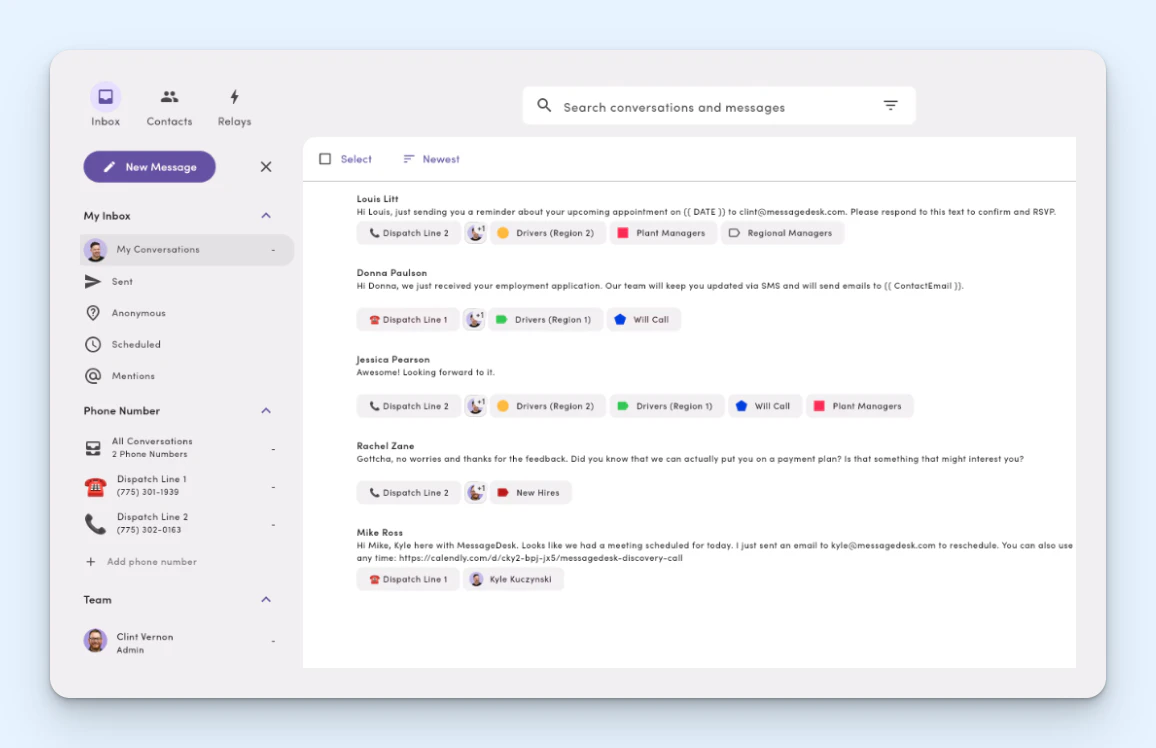
If all of your tenant communications happen over text messages, MessageDesk is a good option. It lets you add as many phone numbers as you need, then it consolidates all of those texts into a shared inbox so anyone can reply to them. You can add your existing phone numbers, buy new phone numbers from MessageDesk to use in your listings or on your website, or connect the system to your Twilio account.
Any time one of your connected phone numbers receives a text message, it shows up in MessageDesk. Anyone on your team can reply to the text, schedule a reply to be sent later, or close the conversation if no reply is needed. You can create a library of previously written reply templates and insert them into responses in a couple of clicks, and you can add labels to messages to organize and track messages by type.
Filter the inbox to see only messages sent to a specific phone number, only messages with a specific label, or only messages that have been assigned to you. When clicking into a message, you'll see a threaded list of all of the messages in that conversation, making it easy to pick up where someone else left off. When replying, you can use text only, or you can also attach documents and images to your response.
Pricing: Free trial available. View MessageDesk's current pricing.
3. Quo – Best for managing phone calls

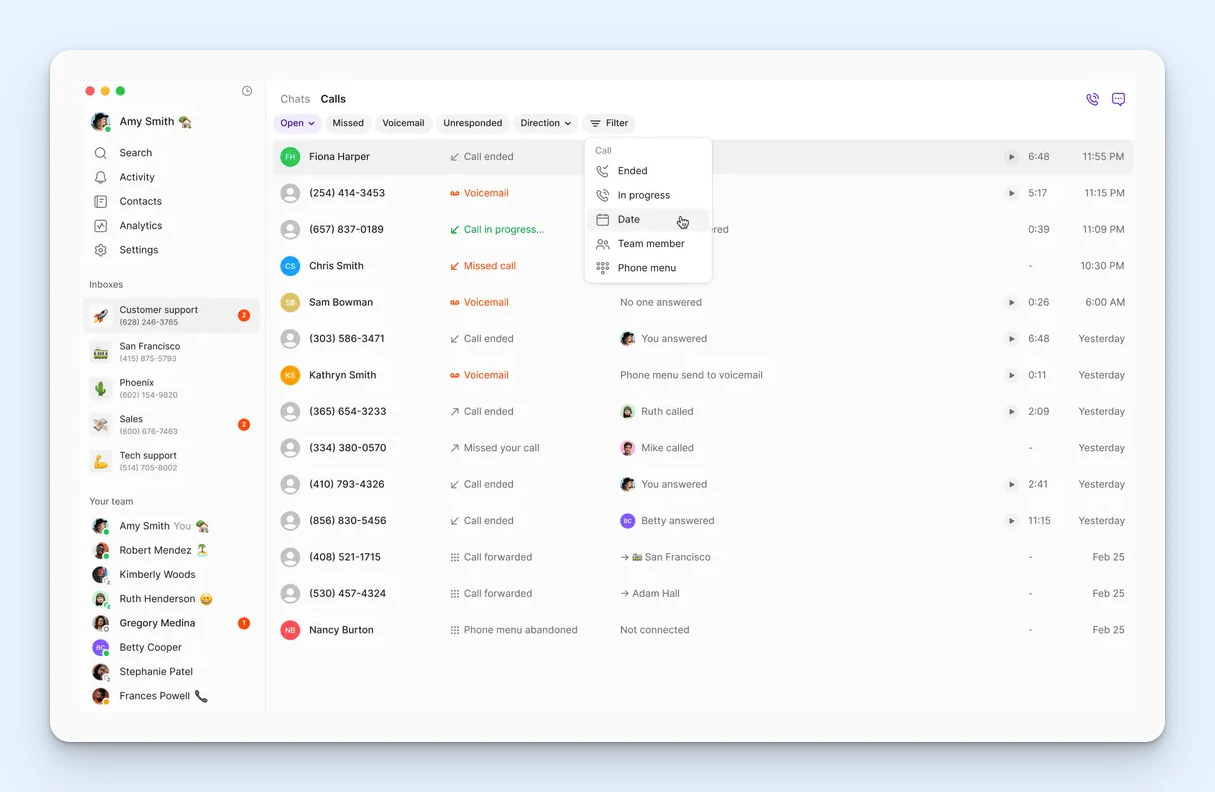
If your tenants prefer to call you rather than send an email or text message, Quo is a great option. It's a call management platform that lets you automate your phone support. Manage calls by creating an option menu that's used to route calls to a specific individual (even one using a different phone number), to voicemail, or to the platform's AI agent.
You can create complex workflow trees to make routing work exactly the way you need it to. For example, you can send calls to individuals during business hours or to either the AI agent or voicemail outside of business hours. The AI agent can answer common questions for you using information from any websites you train it on, and when it can't answer the question, it can solicit the details needed for a call back.
The details for all of your calls are logged in Quo's platform. You'll be able to listen to call recordings and voicemails and see call transcripts. AI-generated call summaries are also available to help agents get up to speed quickly on in-progress conversations. If you need to collaborate with your team to resolve issues, you can leave private notes on logged calls or pull someone else into a live call with you.
Finally, Quo gives you access to detailed reports showing things like how many calls you're getting, when they're coming in, and how long the calls typically last. Plus, in addition to managing phone calls, Quo can also be used to manage text messages in a shared inbox, so if your team communicates with tenants over both calls and SMS, it might be a better option for you than MessageDesk.
Pricing: Free trial available. View Quo's current pricing.
4. ShowMojo – Best for automating the showing process

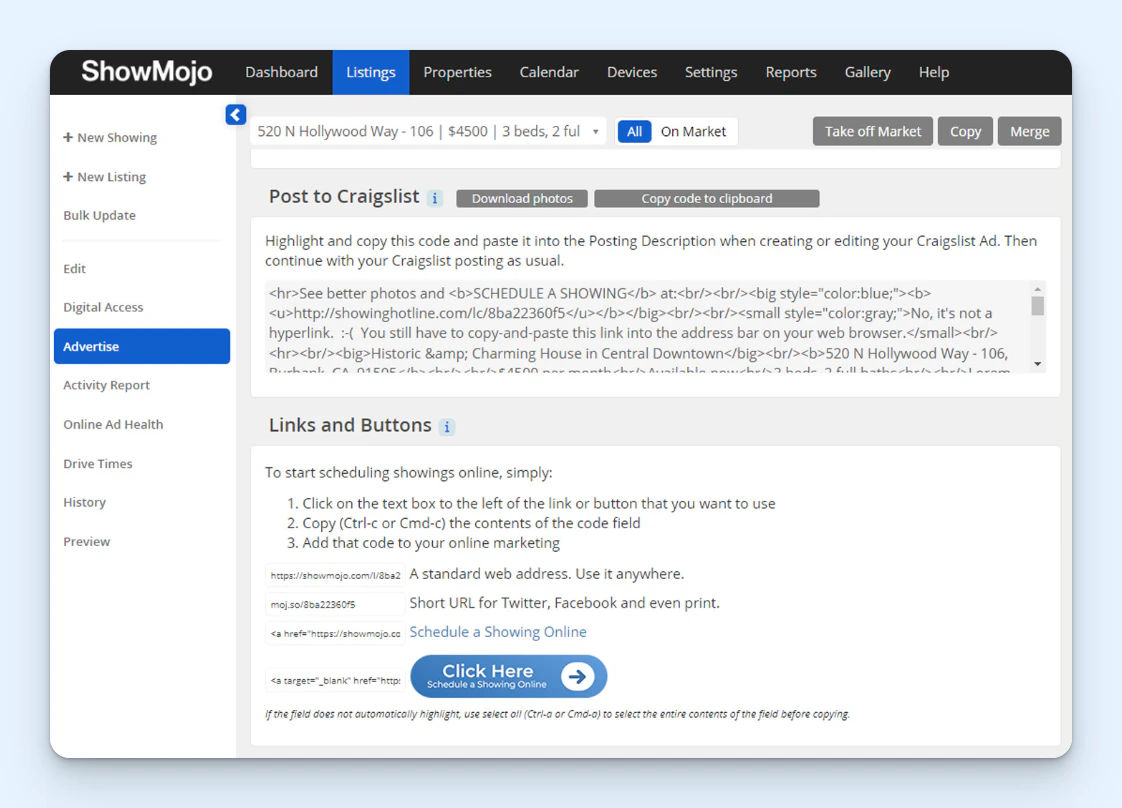
ShowMojo automates every aspect of the showing process. It starts by syndicating your listings across more than 50 listing sites to generate more interest in your properties. You can build listings from scratch or import them from your property management platform.
Once people start showing interest in your property, it fully automates the process of booking showings. If needed, it will reach out to property owners to get permission for the showing and notify current tenants that showings are scheduled. The company offers lock boxes for self-service viewings or connects to your agents' calendars to display their availability to prospects for in-person showings.
If you want to screen prospects to make sure they're a good fit before taking time for the showing, ShowMojo helps with that too. Its request forms can be customized to ask any prequalification questions you need answers to, such as if the renter has pets and when they want to move in. If everything looks good, prospects call a toll-free number to get their showing booked automatically by ShowMojo.
ShowMojo also reduces the likelihood of no-shows by sending text confirmation reminders to prospective renters to encourage them to cancel or reschedule the appointment if they're not going to be able to make it. Finally, when it's time to follow up after a showing, you can have ShowMojo send a follow-up email for you automatically or use it to draft messages that you can review, edit if necessary, and send.
Pricing: No free trial offered. Contact ShowMojo for pricing.
5. AppFolio – Best for managing maintenance requests automatically

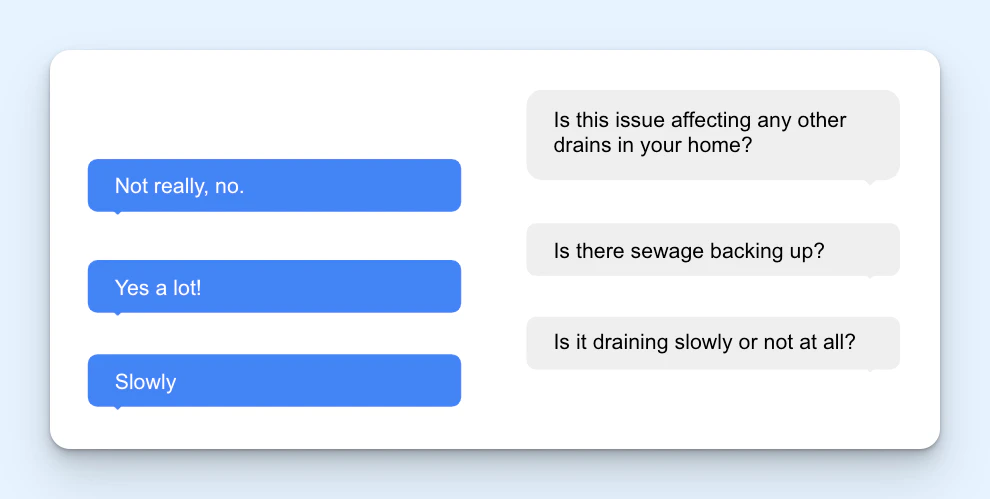
AppFolio helps property management companies manage every aspect of the tenant experience, from the moment a property is listed through the end of the lease. It has an AI chatbot that can help you get tours booked without a human having to get involved and a tenant portal where prospects can sign rental applications and leases electronically as well as submit payments for application fees and deposits.
Once the lease has been signed, Appfolio offers additional ways to communicate with tenants. Tenants can log into a portal to submit a maintenance request without having to call or email anyone. AI agents can help here too, asking tenants for any follow-up information that is needed (like photos of the issue) and automatically creating work order requests for your maintenance team.
If you need to contact your tenants, you can send individual or bulk messages (things like surveys or upcoming building maintenance announcements) to them via text or email. Upload templated emails for things like renewal notices and rent increases to send those messages to tenants in a couple of clicks, or reply to messages they send back using text templates that contain default, pre-written answers.
Pricing: No free trial offered. Contact Appfolio for pricing.
6. Buildium – Best for creating community message boards

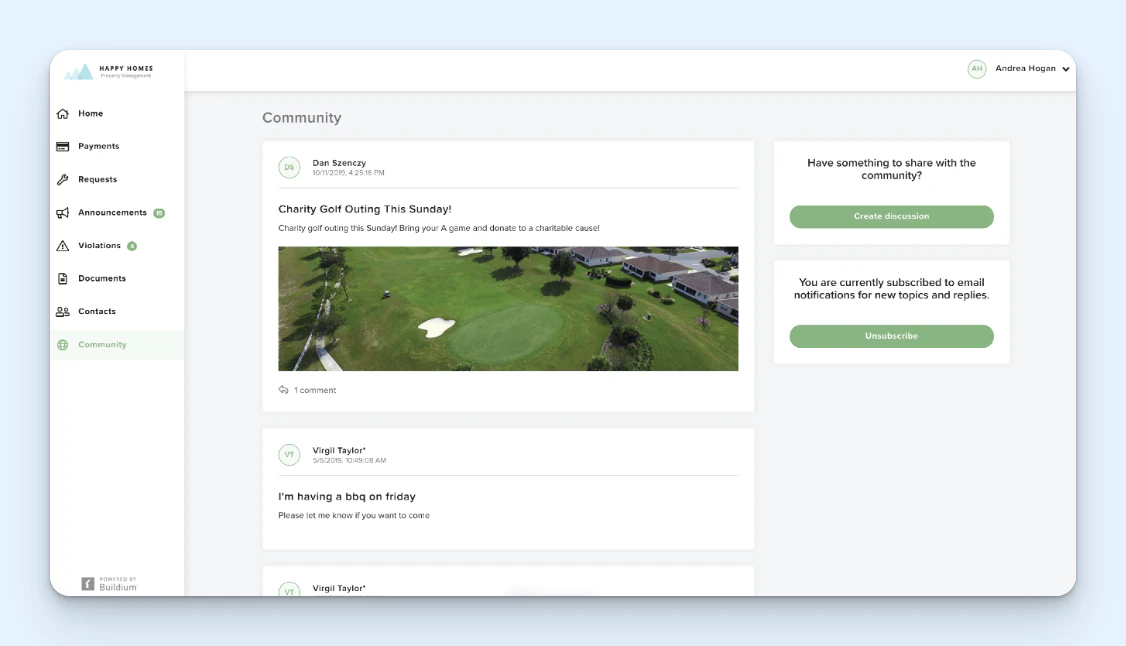
Buildium is another comprehensive property management platform that comes with tools for collecting rent, managing properties, syndicating rental listings, and even building a website for your company. Like Appfolio, it has a tool that lets residents submit maintenance requests via an online portal, but it's unique in that tenants can also track the status of the request in the portal at any time.
Buildium also has a feature that lets you send messages to tenants via email and text, though unlike Appfolio, these messages can only be sent to groups. However, residents can individually contact your team through the resident center, and you can see and reply to those messages through the admin interface. There's also a feature that lets you create messaging boards for your communities.
Your team can send general awareness messages to all tenants via the message board, and residents can also create conversations of their own. If you build up your communities and get tenants invested in them, this can help you crowdsource answers to the questions you get from tenants. Instead of your team having to answer all questions, other residents may answer them for you.
There's also an AI writing tool built into Buildium that you can use to help you craft messages. You can give it a prompt — similar to how you'd use a tool like ChatGPT or Gemini — to have it write the content for you from scratch, or you can use it after you've written your own message to revise it, making it shorter, cleaning up grammar issues, or translating it into other languages.
Pricing: Free trial available. View Buildium's current pricing.
7. ElevateOS – Best for luxury properties

If high-quality tenant support is part of what your tenants are paying for, ElevateOS is probably the right platform for your company. It's another comprehensive property management platform, but it offers a lot more features than some of the other options on this list.
You use ElevateOS to create a resident portal that can be white-labeled to look like it's your own site. In the portal, tenants can do typical things like pay their rent, access move-in and move-out checklists, submit maintenance requests, contact management, and view your resident handbook.
However, if you offer specific amenities — such as pet services, housekeeping, or dry cleaning — residents can book those services through the portal, too. If you host events for the community, tenants can RSVP for those events in the portal. You can even create groups (communities for people with similar interests) to make it easy for residents to meet others in the building and organize their own events.
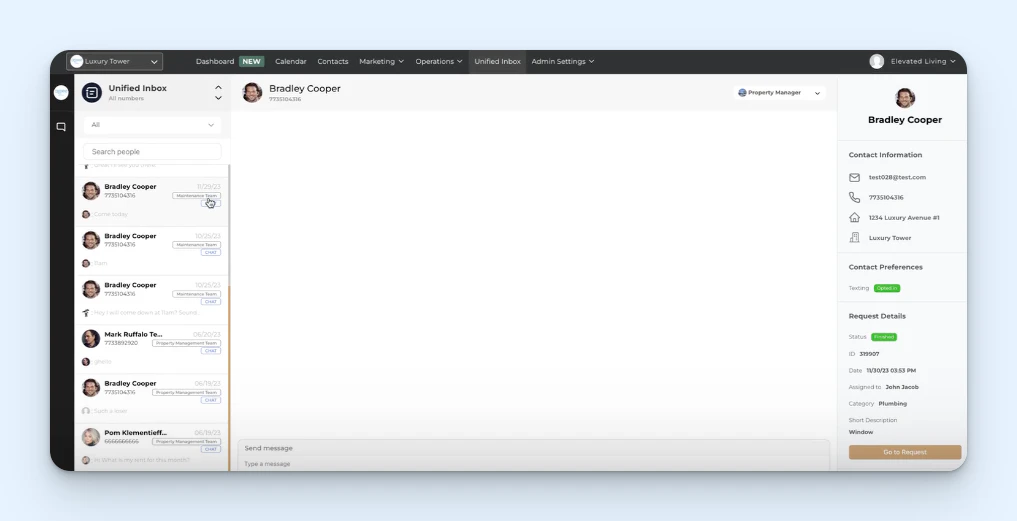
All communications your tenants send you show up in ElevateOS's unified inbox, which pulls in emails, texts, and messages sent through the portal. Create separate inboxes for different teams, then assign users to those teams so they only see the messages that apply to them. Add your business hours to send auto-reply messages to tenants outside of those hours to let them know when you'll get back to them.
You can also respond to residents quickly using saved response templates that can be entered into replies with one click. When viewing a message from a resident, you'll be able to see details like their name, email address, mailing address, and which property they live in, as well as other details like which team they sent the request to and where the request was sent from, helping you send personalized replies.
Pricing: No free trial offered. Contact ElevateOS for pricing.
8. DoorLoop – Best for sending mass messages to tenants

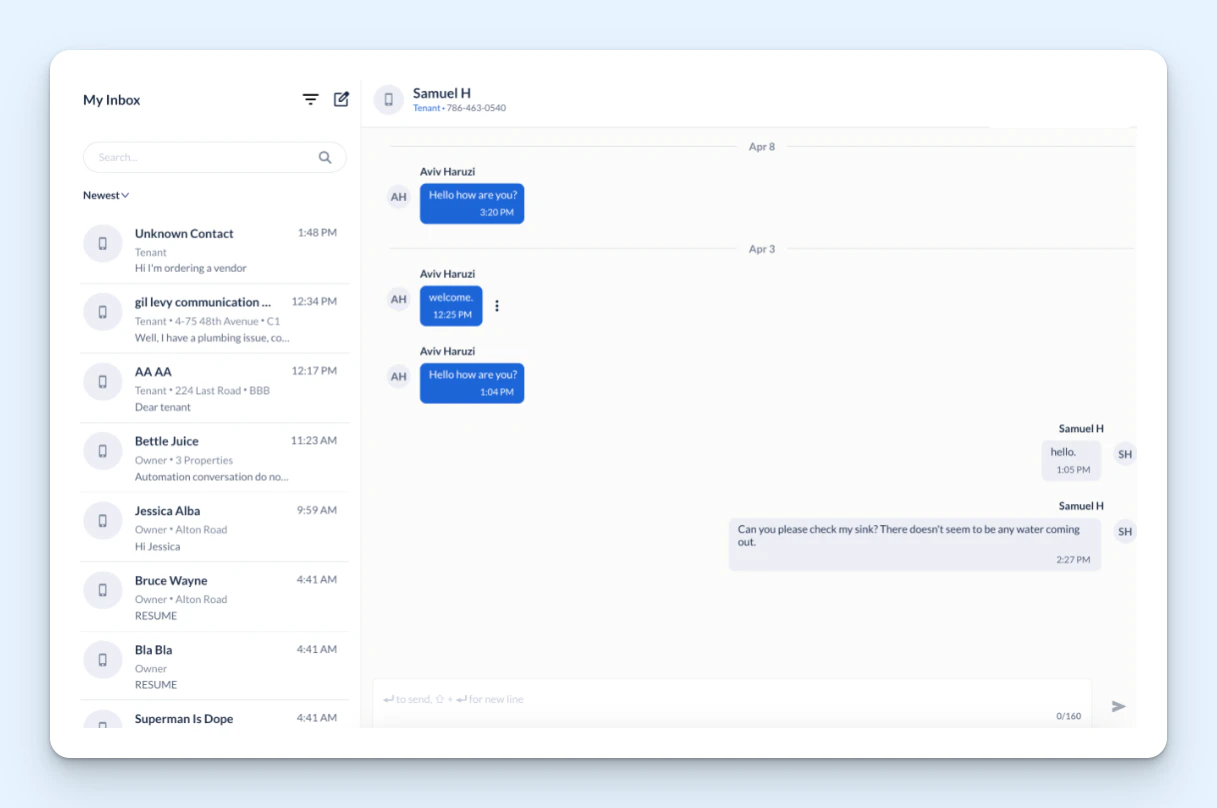
If you're looking for a tool that lets you send mass messages to tenants — things you want everyone to know about like elevator outages, upcoming events, or referral promotions — DoorLoop is a good choice. It lets you send messages to groups of tenants via text or email or through your resident portal.
A couple of features make DoorLoop unique over other platforms like Buildium and Appfolio that also let you send bulk messages. First, you can set your messages to expire in DoorLoop. If you send a message through the portal and the tenant doesn't view it before it expires, it will disappear from their view. Second, you can see whether or not a resident viewed a message you sent as well as when they viewed it.
DoorLoop also has a feature that lets you communicate with residents one-on-one via text messages only. You can create a phone number in the system and share it with your residents so they can text you. Those messages show up in the communication center, and you can reply to them with text, images, or short videos. You can also use the platform to send new texts to residents even if they didn't message you first.
An AI assistant is also available in both the communications platform and announcements module that helps your team compose new messages and replies. In the communications center, it can write a reply from scratch, giving you three options to choose from, or help you clean up copy you've written. In the announcements module, it can be used to make your content shorter, more professional, or friendlier.
Pricing: No free trial offered. View DoorLoop's current pricing.
Choosing the best tenant communication tool for your company
Choosing the right tenant communication tool for your team largely depends on two things: which communication channels you need to manage and how much of your workflow you want to consolidate into a single platform.
If your team primarily communicates with tenants over email, text, or phone, specialized shared inbox software will usually give you better collaboration features and a smoother workflow than an all-in-one property management platform. Look for collision detection, assignment features, and inbox views that help your team work together without stepping on each other's toes.
If you'd rather manage everything — communications, maintenance requests, leasing, rent collection, and more — from a single platform, look for a comprehensive property management tool with strong communication features built in. These tools tend to focus more on operations than support, so they won't be quite as robust, but they'll come with basic features that help you keep track of requests more easily.
If you're not sure where to start, look at where messages are falling through the cracks today. That's usually the channel worth fixing first. Once you've got that under control, you can expand into other channels or consolidate into a broader platform as your needs grow.
Jessica Greene
Jessica Greene is a Help Scout alum, where we make excellent customer service achievable for companies of all sizes. Connect with her on LinkedIn or through her website.