Facebook Messenger for Customer Service: The Basics

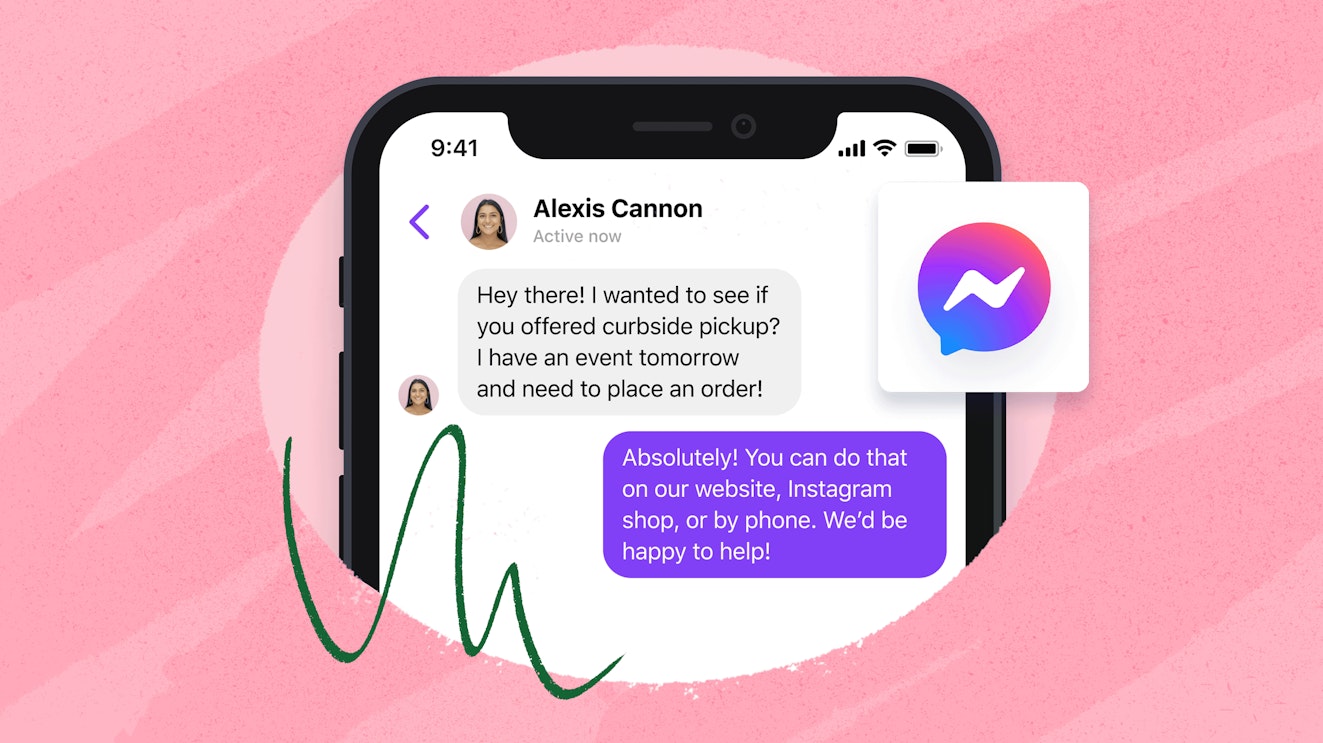
When something goes wrong with your coffee maker or you order the wrong size shirt from an online shop, you probably reach out to the company’s customer service department. If you’re like a growing percentage of today’s consumers, you do so through a digital channel.
While phone and email support channels are still going strong, adoption of digital communication methods — live chat, social media, and messaging — is growing. In fact, more than half of consumers have increased their use of digital channels to communicate with businesses in recent years.
One of the more popular messaging platforms in operation today is Facebook Messenger. If you’re curious how your business can incorporate Messenger into your customer service strategy, read on.
What is Facebook Messenger?
Facebook Messenger is an instant messaging service, originally designed as a chat feature on the Facebook platform. Over the years, Messenger moved beyond the walls of Facebook with the release of stand-alone iOS, Android, and desktop applications.
Used for both personal and business communications, Facebook Messenger is the leading messaging app in the U.S. and is second only to WhatsApp globally. Users can send text, images, stickers, and reactions via the app, and the service even supports audio and video calling.
The benefits of using Facebook Messenger for customer service
One of the main ways that companies are using Facebook Messenger to connect with their customers is as a customer service channel. Facebook Messenger helps you:
Meet customers where they are. Forty percent of consumers believe that having “multiple options for communicating” is the most important aspect of a company’s customer service. Messenger allows you to talk to Facebook users on Facebook, getting them the help they need quickly on the platform they prefer.
Create a private messaging system. While you always want people to feel comfortable reaching out with a problem, responding to customer complaints publicly isn’t always the best move. Facebook Messenger allows your team to reply to customers privately, keeping any sensitive information out of your public feed.
Build brand trust. Messenger is a channel that can help your business build consumer trust. A Facebook survey found that 69% of individuals who message businesses say that the option “helps them feel more confident about the brand.”
Facebook Messenger is also a cost-effective support channel. Messenger itself is a free service, and Facebook offers several tools for managing your business’s Messenger requests that come with no additional cost.
The 10 best Facebook Messenger tools for customer service
While Meta does offer native tools for managing Facebook messages, there can be benefits to going with a third-party tool. Here are 10 platforms that integrate with Facebook Messenger to help you level up your customer service.
1. Help Scout - Best customer service tool for growing SaaS and ecommerce teams

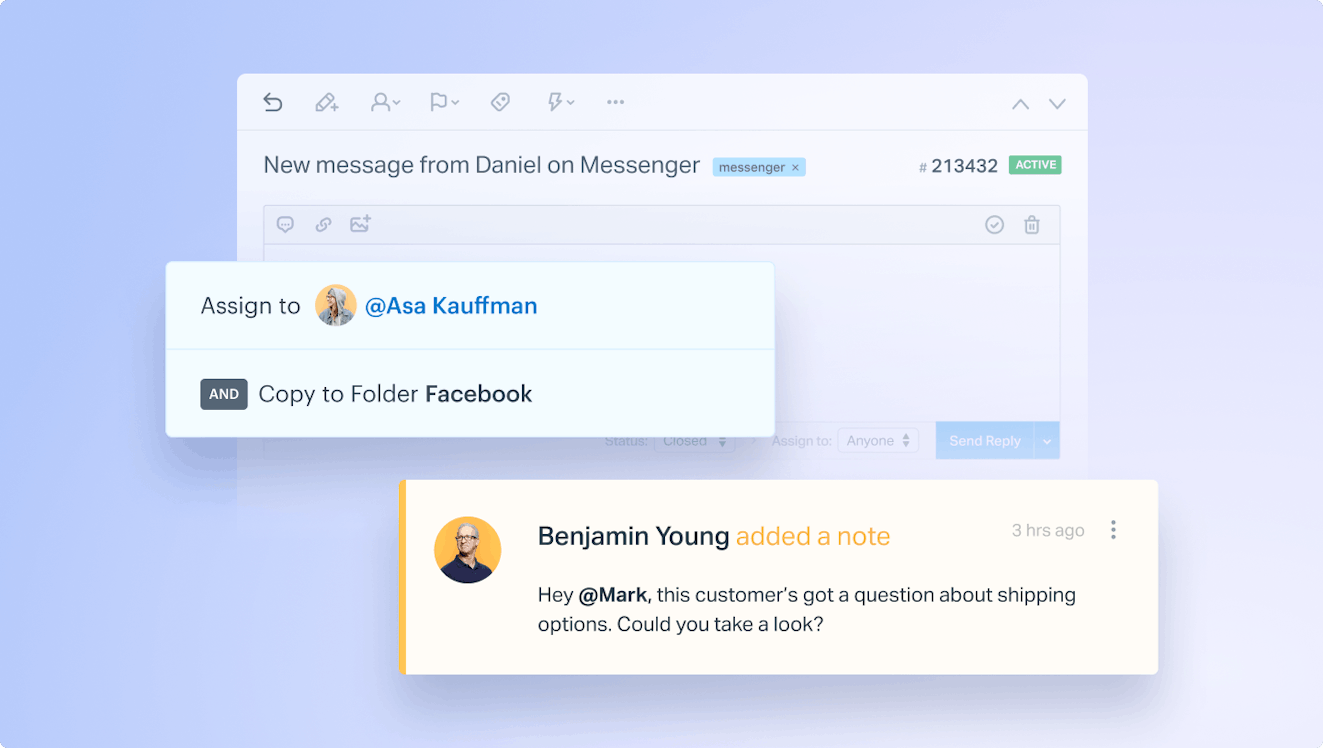
Help Scout is a powerful yet easy-to-use customer support platform that is a great choice for teams looking to use a single tool to manage all of their support communications. The software supports multiple channels (including Facebook Messenger) and provides self-service and proactive support tools to ensure that you’re able to provide support where your customers need it the most.
All of your conversations, all in one place

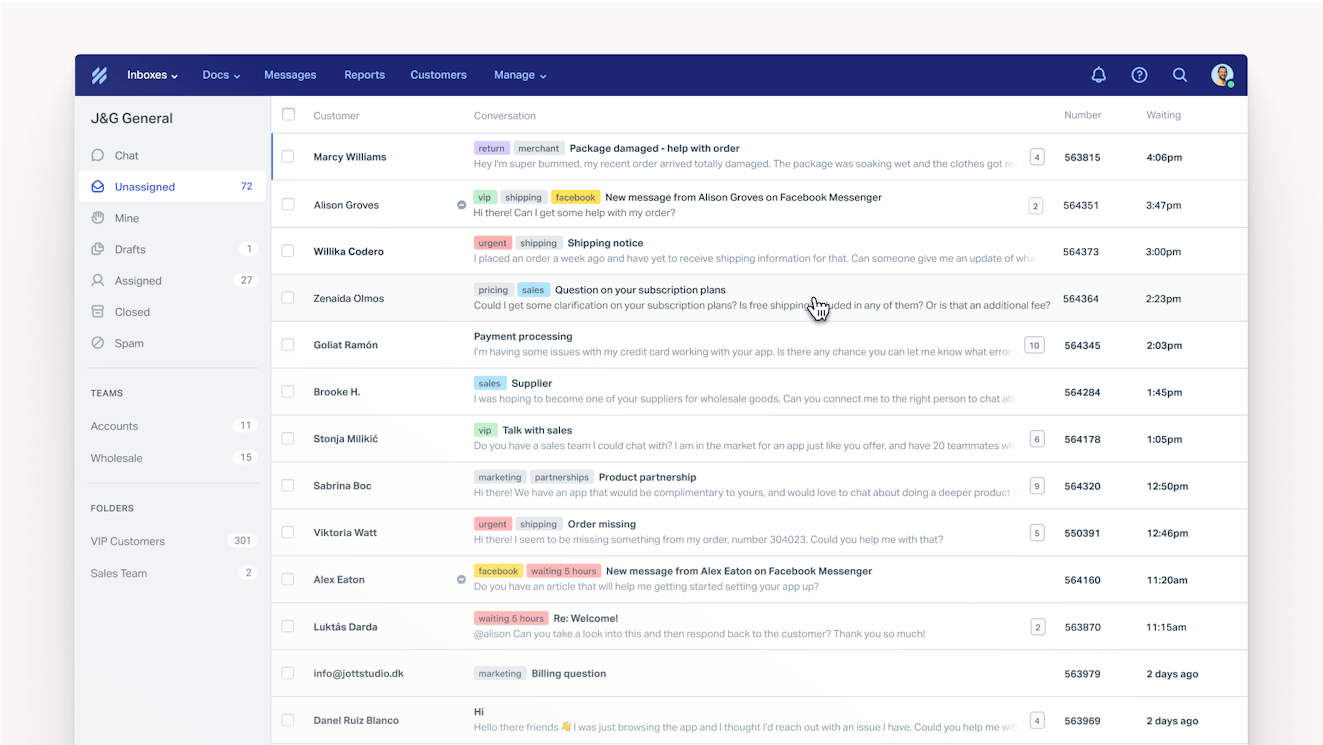
The Help Scout platform centers around a shared inbox where you can manage all of your customer requests — email, live chat, Instagram DMs, and Facebook Messenger requests — from a single, centralized location.
In the case of Facebook, when a customer reaches out to your company via Messenger, a conversation is created in Help Scout. This allows your team to natively work with the request just like they would any other support conversation, without having to rely on a third-party service.
Help Scout’s inbox includes helpful features like conversation assignments, customer profiles, tags, and workflows to keep your team organized and on track. Its reporting feature helps you better understand how the Messenger channel is performing and provides other customer support metrics like conversation volume, handling time, and insight into what types of issues your team is fielding.
Proactive tools for proactive support

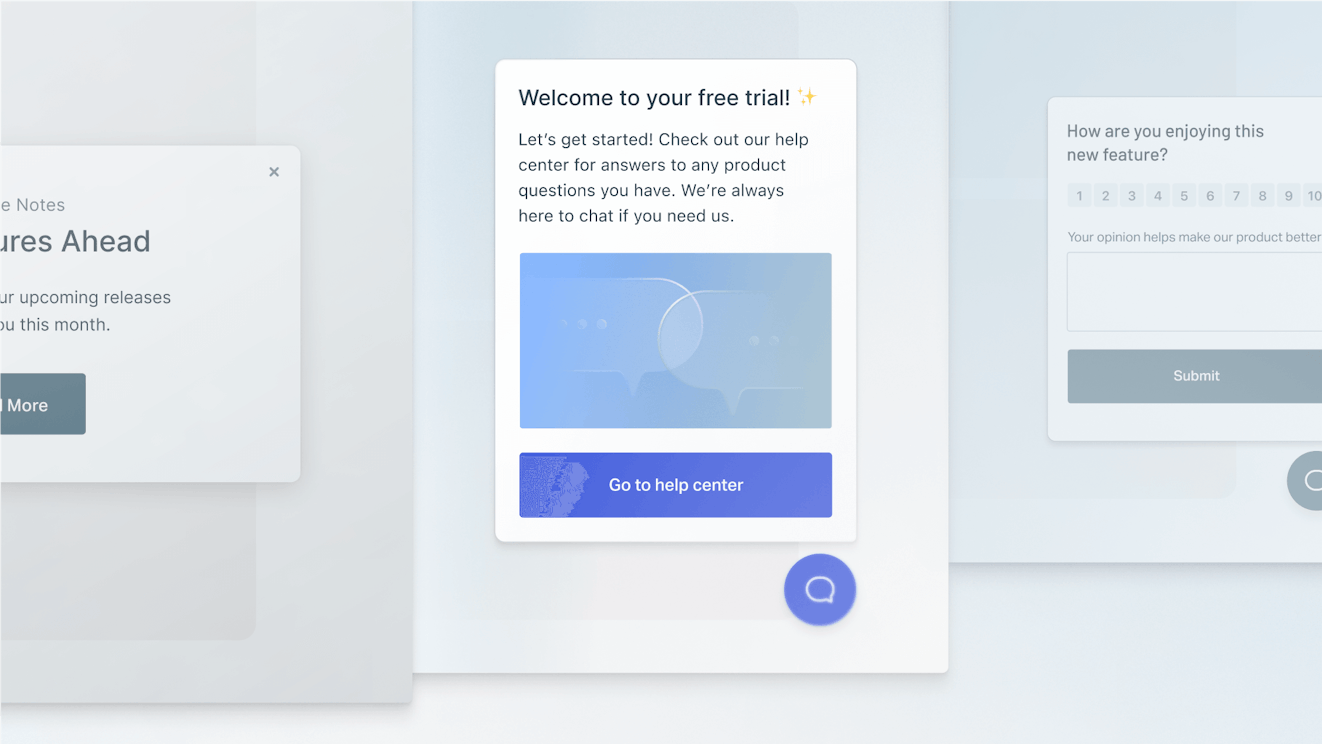
While staying on top of customer conversations is important, there’s also value in looking ahead and anticipating customer needs. All Help Scout plans include Docs, a no-code knowledge base solution that lets you publish articles and answers to FAQs, making it easy for your customers to find answers on their own.
Customers can access knowledge base articles through your Docs site or via Beacon, Help Scout’s web widget. Place a Beacon on any webpage or within your app to provide instant access to self-service support. Beacons can also be used for surfacing proactive messages or microsurveys during key points in the customer journey.
Messages are great for letting customers know about an upcoming event like a sale or a change in business hours. Microsurveys can help you get quick, actionable feedback from customers while they are interacting with your product and their opinion is fresh.
Give your team a helping hand with AI
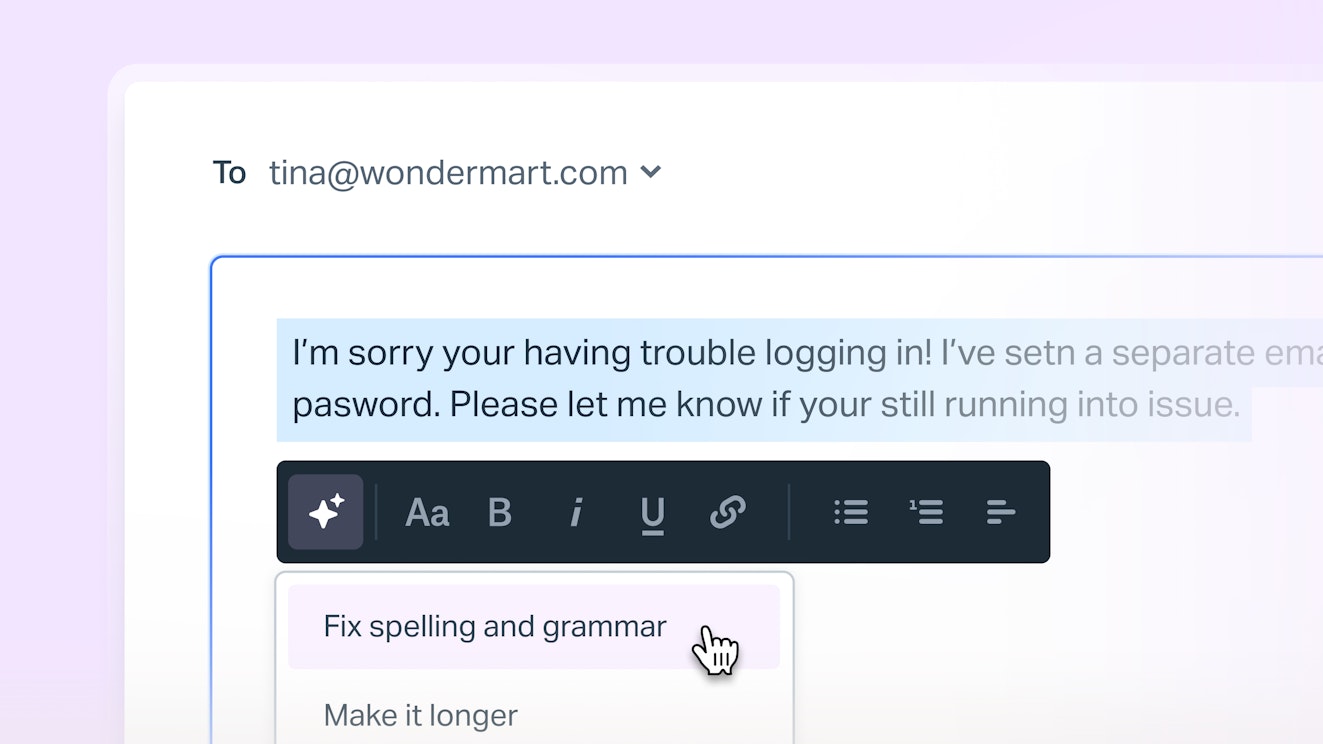
While great support certainly stems from the human touch, a little AI can help lighten your team's load. With Help Scout you can use:
AI Assist to fix spelling and grammar errors, modify the length and tone of your replies, and translate your copy to provide multilingual support.
AI Summarize to boil down long conversations into a few digestible bullet points.
AI Drafts to automatically draft email replies based on conversation history and knowledge base articles.
AI Answers to provide customers with instant answers via a chatbot that is trained on your own source materials like your help center and company website.
AI Assist and Summarize can be used across all channels (including Messenger), and Drafts and Answers are available for email and live chat respectively.
Better support for you, better support for your customers
If there’s one thing that Help Scout is known for, it’s the company’s deep dedication to providing its customers with outstanding support. Help Scout’s dedicated customer service team provides 24/6 support coverage across all time zones.
The team also maintains an extensive knowledge base and hosts live classes to ensure that you always have the tools you need to help your customers thrive across all of your support channels and beyond.
Price: Free trial available; Messenger support included in all paid plans. View Help Scout's current pricing.
Learn more about Help Scout:
2. Kustomer - Best for providing support throughout the Meta ecosystem


Kustomer is a support platform that in recent years has made a strong pivot toward a focus on AI tools for both customers and agents. While those features are strong — we’ll talk about them more in a minute — the biggest draw for support teams looking to support Messenger as a channel is Kustomer’s seamless integration with Meta apps.
When looking specifically at the functionality of the Facebook integration, you can respond to Messenger contacts as well as to any public comments customers leave on your wall or ad postings. It’s even possible to delete unwanted comments, allowing your team to moderate community discussions without switching tabs. Kustomer also supports Instagram and WhatsApp channels.
Once a Messenger conversation lands in Kustomer, you’ll find it in the customers’ timeline view. Instead of creating individual tickets each time a customer contacts your business, all interactions — including emails, voice calls, chats, social media messages, purchases, and more — are shown chronologically in one timeline. Each entry is labeled, so you know which channel the customer is currently using as well as which channel they prefer.
Kustomer has a solid set of customer support features: saved replies, workflow automations, private notes, CSAT surveys, sentiment tracking, automatic language detection, a knowledge base builder, and the ability to integrate with many other platforms. When it comes to artificial intelligence, Kustomer has both customer- and agent-facing features which are offered as add-ons to their plans.
Use Kustomer’s AI Studio to create a team of AI Agents, each designed to specialize in specific areas of your support flow. They base their answers on real-time CRM, knowledge base, and customer intent data, with the option of adding external sources to provide additional context. AI Agents are available across all channels (including voice), and the platform supports easy handoffs both to and from the AI in cases where a human needs to be looped in.
On the agent side, Kustomer offers AI Agents that can suggest answers to incoming customer questions and research context behind the scenes to help your team provide more personalized, relevant support. They can also automate record updates and create detailed conversation summaries to reduce busywork and make handoffs between team members easier.
Price: No free trial offered. View Kustomer's current pricing.
3. Hootsuite - Best for centralized content and customer care management


Hoosuite is a social media management software that helps marketing teams plan, schedule, and respond to social posts across all major platforms, including Instagram, LinkedIn, X, Bluesky, TikTok, YouTube, and Facebook.
For social media managers, the platform is full of helpful tools. There’s a social content calendar where you can see all of your planned posts in a single place and lots of collaboration and approval tools that make it easy to work as a team. There are also reporting dashboards to measure performance and AI features that can help spark creativity and speed up the content creation process.
Hootsuite has a shared inbox for customer care built into the product. This means that marketing and support teams can easily monitor and respond to Facebook post comments, private messages via Messenger, and your brand’s wall posts without switching tools.
The inbox supports a lot of the features you’d expect to see in a customer service platform: conversation assignments, content tagging, saved replies, collision detection, private notes, and customer satisfaction surveys, though not all are available across all plans. It also supports skill-based routing to ensure that each social interaction makes it to the right team or person, and it offers inbox-specific reports to measure performance.
It also offers some helpful AI tools to make managing social posts a little easier. Teams can use AI to draft initial smart replies to customer messages, and the platform also offers an AI-powered chatbot to monitor your social channels and answer questions 24/7.
Overall, Hootsuite is a great social media management platform, but it’s really best for teams that need robust solutions for both social scheduling and social support. If you are only looking for a way to manage Facebook Messenger conversations, it may be a little more software than you actually need.
Price: Free trial available. View Hootsuite's current pricing.
4. Zendesk - Best for enterprise customer service teams


Zendesk is an omnichannel customer communications platform. It allows businesses to communicate with customers via all major channels, including social media and messaging platforms like Facebook, Instagram, X, WhatsApp, Telegram, LINE, and WeChat.
When customers contact your company via a social channel like Facebook Messenger, Zendesk creates a ticket. From there, team members can respond and manage the contact from the agent workspace in the same way they would an incoming email or live chat, using features like macros (email templates), tags, assignments, automations, and customer profiles.
Beyond social, Zendesk can also help teams manage just about any channel. From email to live chat to voice, they’ve got you covered. They also have really strong AI features, some of which you can use with Facebook Messenger.
For instance, you can deploy an AI Agent (what Zendesk calls their chatbot solution) to Messenger and have it instantly answer customer questions or perform simple tasks like providing a shipping update or canceling an order. There are also agent co-pilot features that can help draft responses, suggest troubleshooting steps, and help with quality assurance.
One downside to choosing Zendesk to manage Facebook conversations is its cost. While users on the Support Team plan can respond to public comments made on their business page’s wall, they can’t manage private messages sent through Messenger. Zendesk Suite plans can manage both, but they come at a higher cost. In addition, if you plan on relying heavily on AI Agents, you will incur additional usage costs beyond plan pricing.
Given Zendesk’s cost as well as its robust feature set, it’s best suited to enterprise customer service teams who will not only use the platform for social but also to manage the rest of their support operations.
Price: Free trial available. View Zendesk's current pricing.
5. Crisp - Best for flat rate pricing

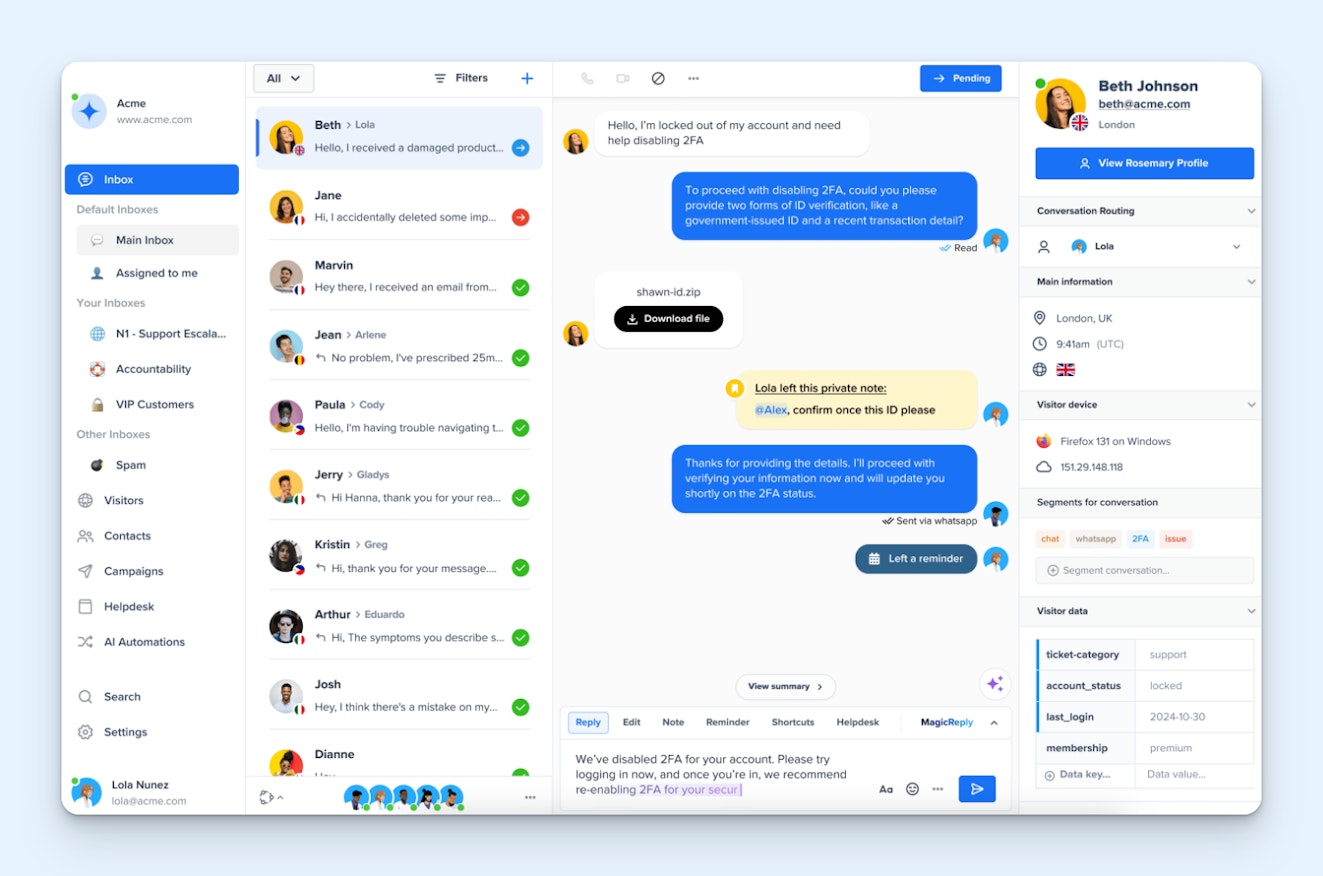
Crisp supports email, live chat, and several social media and messaging platforms including Facebook Messenger. When Crisp users install the Messenger plugin, they are able to respond to Messenger contacts alongside other communications in a shared inbox. From there, teams can use other Crisp features like chatbots, knowledge base articles, and canned responses to respond to Messenger requests.
In general, Crisp is a cost-effective software choice for Facebook Messenger support. The channel isn’t offered on Crisp’s free plan, but its entry-level paid plan will allow up to four team members to provide Messenger, X, Telegram, email, and live chat support to your users.
However, prospective subscribers should be aware that Crisp doesn’t offer the ability to respond to public Facebook posts or comments, and if you need other basic support features like a knowledge base and reporting dashboards or other messaging channels like Instagram or WhatsApp, you’ll need to opt for a more expensive plan.
When it comes to AI, the same is true. Crisp has a lot of solid AI features including a Copilot that can handle tasks like generating draft responses, modifying copy, or answering questions agents have while responding to incoming questions. The platform is also in the process of rolling out an AI Agent feature that can manage customer interactions directly. Unfortunately, all of Crisp’s AI features are restricted to their higher tiered plans.
Price: Free plan and trial available. View Crisp's current pricing.
6. Front - Best for account management, sales, and customer success teams

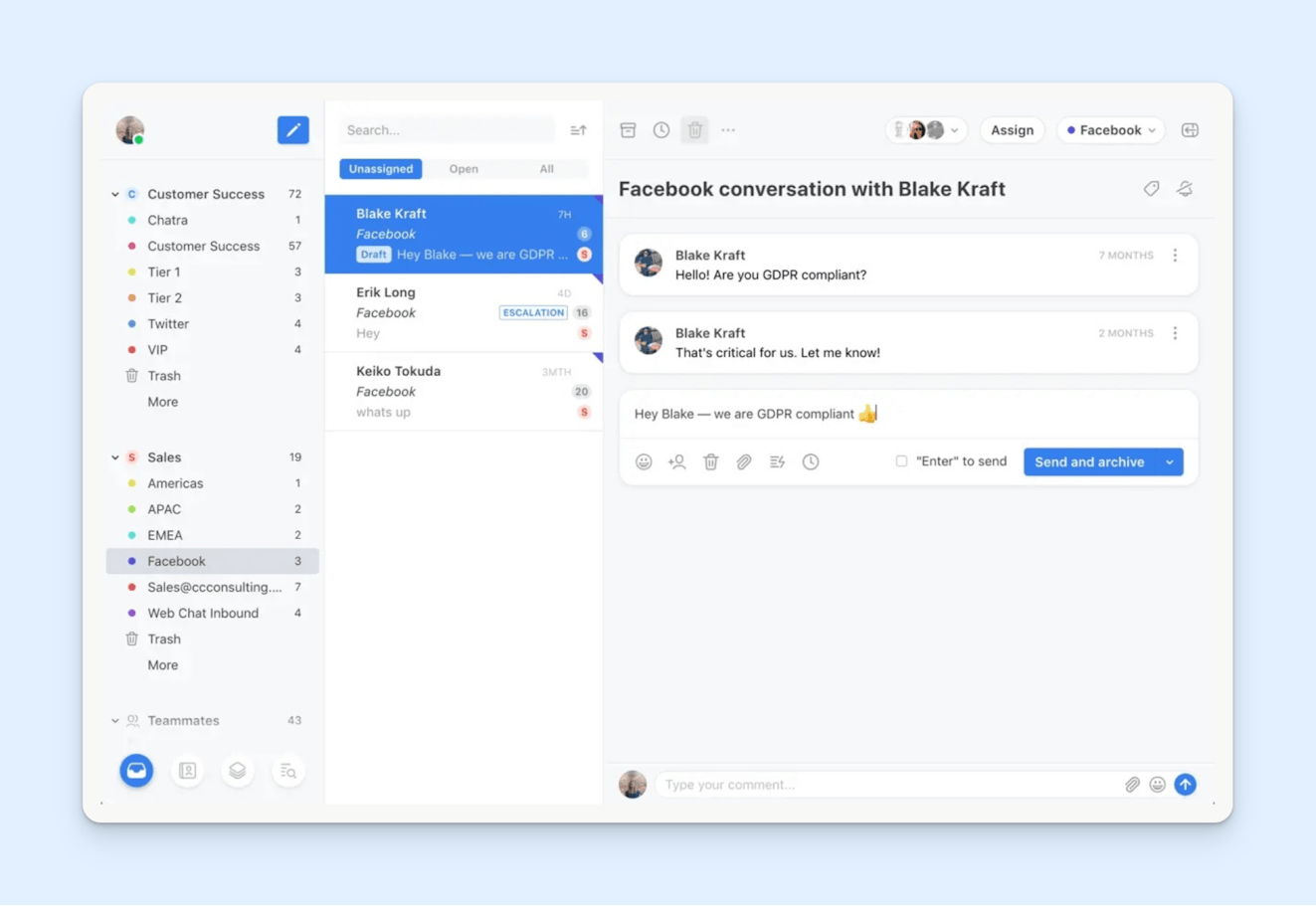
Front is a communications management tool that supports email and live chat as well as many other channels like Facebook, Instagram, X, WhatsApp, SMS, and phone via integrations.
Through Front, businesses can respond to both public wall comments and private Facebook Messenger conversations using all of the support features that come with the platform’s shared inbox tool. Businesses can also use Front’s auto-reply feature (it allows you to create rule-based automations for things like out of office replies, etc.) with Facebook, but only in response to direct (private) messages.
Outside of social media, one of the best features Front offers is the ability to route your individual business email into the app so you can manage all work email (individual and team) in a single workspace. This, along with the calendar and meeting scheduler, makes Front a pretty nice option for account management, sales, and customer success teams who may need the visibility that a help desk provides along with the personalization that comes with using an individual email account.
People interested in Front should be aware that its Facebook integration is not available on the platform’s Starter plan. Teams needing support on Messenger (or any other Meta app) will need to subscribe to at least the Professional plan. The Starter plan also lacks all but basic reporting features and many of the platform’s AI tools — Autopilot, smart QA, and CSAT — require an additional paid add-on.
Price: Free trial available. View Front's current pricing.
Recommended Reading

7. Gorgias - Best for large-scale ecommerce businesses

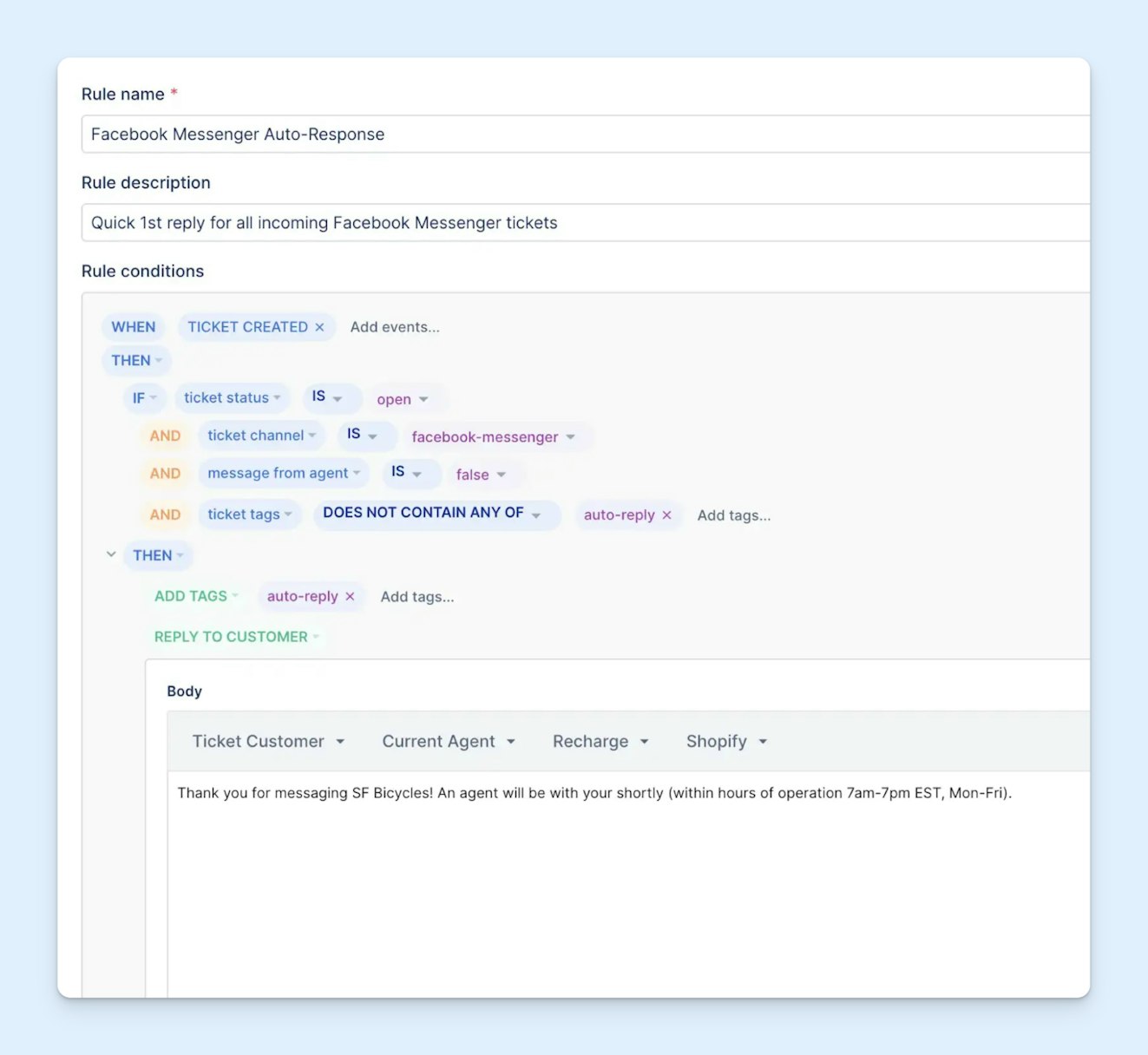
Gorgias is another support platform that can be used to manage social media customer support. Given the platform’s deep integration with Shopify, it’s especially useful for ecommerce businesses. While most tools have integrations that allow agents to manage orders from within a ticket, Gorgias also allows for things like using Shopify data in your saved replies and workflows, making it a lot easier to send personalized responses to your customers.
Outside of Shopify (and other ecommerce integrations), Gorgias has a lot of features that are similar to other customer service tools. There are macros (templates) for quick replies to common questions, a customer timeline to help understand context quickly, rules to automate routine tasks, routing to get conversations to the right people, a knowledge base tool to aid in self-service, and reporting dashboards to keep track of all of your work.
For retailers that use Facebook as a primary support channel, Gorgias supports the handling of both public Facebook commentary (wall posts and comments) and private communication via the Messenger application. When any of these communications are initiated via Facebook or Messenger, Gorgias creates a ticket within your shared workspace so that your team can handle the conversation like any other case.
Gorgias also offers a few AI features. They have a tool called AI Agent to help with customer support and shopping assistance. AI Agent is trained on information from your help center, Shopify store, and any docs or rules you add as sources, and it can provide personalized assistance via email and chat. The platform also offers AI-powered auto-tagging to help with issue tracking as well as an AutoQA feature that can score each interaction and provide instant feedback.
One last thing to note about Gorgias is that it operates on a usage-based pricing model. This means that you pay based on how many tickets your team handles each month. In addition, if you decide to use the platform’s AI features, there are additional fees for how many conversations are automatically resolved by AI Agent. It can get a little complicated, so be sure to spend some time with their pricing page if you think Gorgias might be right for you.
Price: Free trial available. View Gorgias' current pricing.
Recommended Reading

8. Manychat - Best for lead generation and marketing

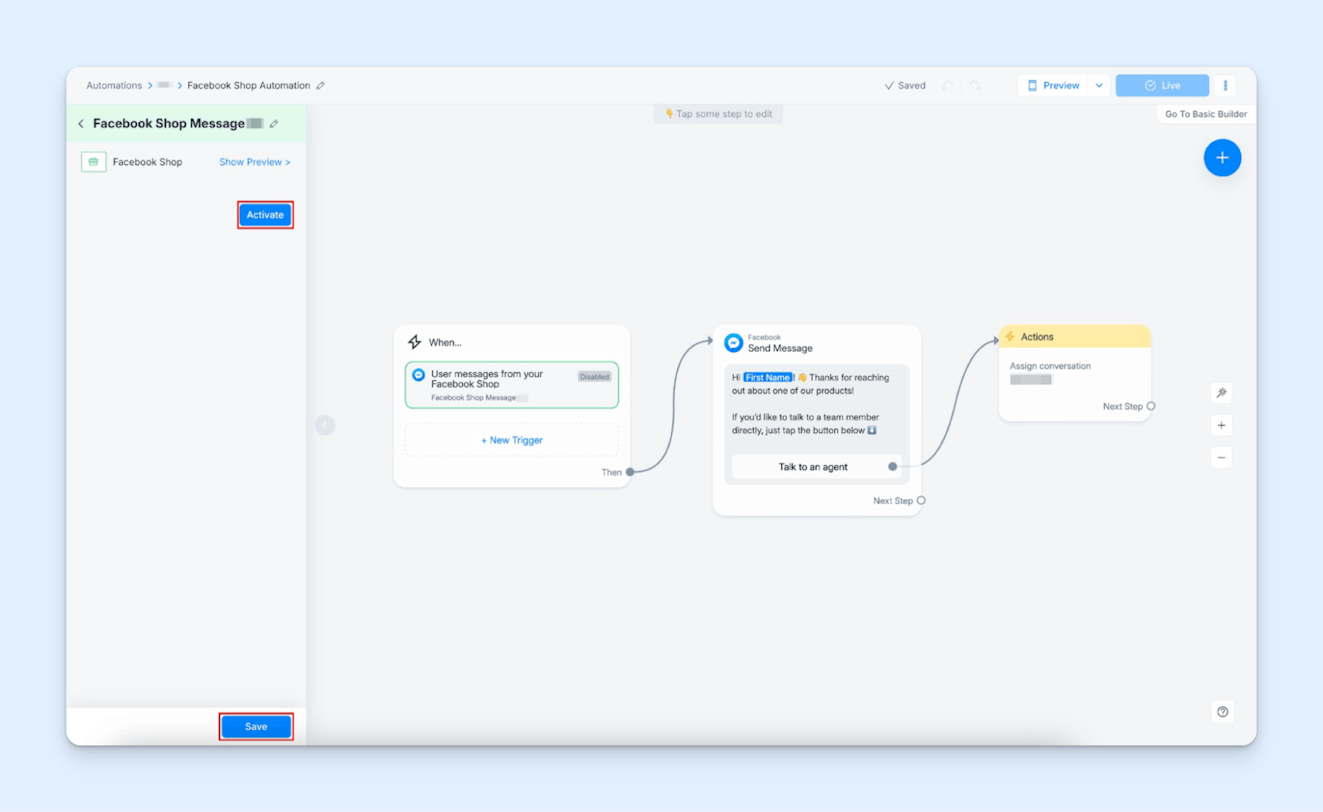
Manychat is software that aims to help automate your sales and marketing communications across messaging channels. The platform supports Facebook Messenger, Instagram, WhatsApp, TikTok, and SMS messaging.
The platform allows users to create drag and drop chatbot flows to help automate tasks like nurturing leads, promoting sales, and helping customers with easy support issues. Manychat bots can also help customers book appointments, remind them of upcoming scheduled events, and individually engage with each person who comments on your Facebook posts or ads.
Of course, not all interactions are suitable for self-service resolution. When an issue becomes too much for a chatbot, Manychat lets your team hop online with your customers. The platform offers live chat functionality on Messenger, Instagram DM, and SMS channels. This helps your business find the balance between automation and person-to-person care that is right for you.
Something to be aware of is that Manychat’s main offering only allows you to have three user seats for live conversations. If you have a larger team, you’ll need to add the company’s shared inbox software, Manychat Inbox. It offers unlimited seats and comes with more traditional support features like canned responses, tags, and agent chat analytics.
Price: Free plan available. View Manychat's current pricing.
9. Sprout Social - Best for review management


Sprout Social is another well-known social media management platform that is a great pick for companies with a heavy social media presence.
The software has helpful content publishing features, including workflows to help with the content approval process, trend analysis, social listening, comprehensive reports, asset libraries, and more. Sprout Social also offers many things to help make social support easier, like the social inbox, saved replies, message tagging, task assignments, chatbots, and the ability to survey for net promoter and CSAT scores.
Like most platforms, Sprout has added in several AI features. Its AI agent, Trellis, allows your team to delegate tasks using natural language. Sprout also has AI to help your team create and edit copy, figure out ideal publishing times for your content, surface conversations that need your attention, and more.
Facebook-wise, with Sprout Social you can manage multiple Facebook pages simultaneously. You can respond to public posts and comments on your business’s page as well as to private Facebook Messenger posts from the shared social inbox.
Another helpful feature of Sprout Social to take note of is its review management functionality. In addition to fielding customer messages across your social media channels, you can also monitor and respond to company reviews posted on Facebook, Google Maps, TripAdvisor, Glassdoor, TrustPilot, Apple App Store, Google Play Store, and Yelp, all from the same familiar interface.
Sprout Social has a lot to offer; however, it does come at a price point that is significantly higher than the rest of the tools on this list. Teams that only need help managing Facebook Messenger requests may want to explore other options before committing to Sprout.
Price: Free trial available. View Sprout Social's current pricing.
10. SocialPilot - Best for agencies


SocialPilot is a social media-specific platform designed to help teams manage their presence across all major social platforms: Facebook, LinkedIn, X, Instagram, Threads, Bluesky, YouTube, Pinterest, TikTok, and Google Business.
It does all of the basic things like allowing teams to plan, create, and publish content across multiple platforms. Teams can respond to comments left on posts and stories as well as to private messages sent through Facebook Messenger or Instagram DMs.
SocialPilot also has collaboration features like being able to leave notes for teammates or clients, user permissions so that each person only has access to the social profiles they need to work with, workflows for content approvals, and reporting dashboards for tracking productivity and posting volume.
AI Pilot is the platform’s AI agent. It can help you ideate when you need fresh content ideas, help compose the content, and help you optimize posts for other platforms so that your work can stretch further. It also has AI to generate trending hashtags and help you improve or translate copy.
Probably the most unique feature of SocialPilot is its private label offering. On its highest level plan, you have the option of customizing the SocialPilot interface and reports for your own clients, allowing you to resell the product as your own social media management solution. It’s not an option seen on many platforms, so it could be interesting for agencies looking to open up additional revenue streams.
Price: Free trial available. View SocialPilot's current pricing.
Bonus: Meta Business Suite - Best free option


If none of these sound like the right option for you, that’s OK! As we mentioned earlier in our post, Meta does provide a tool for folks who have moved beyond responding natively inside of Facebook or Messenger but still may not be ready for a standalone tool: Meta Business Suite.
Meta Business Suite will allow you to manage your business communication across all Meta platforms: Facebook (and Messenger), Instagram, and WhatsApp. You can plan and schedule content, reply to comments and private messages, and manage ads.
The features are basic, but it’s free to use, and, if you’re just getting started, it may be all you need.
Price: Free
Getting started with Facebook Messenger as a customer service channel
Once you’ve decided on which tool you'll use, follow these steps to set up Facebook Messenger for customer service:
Turn Facebook messaging on for your business page. Here are instructions on how to turn messaging on (or off).
If you’ve decided to use something other than the Messenger app to manage requests, set up those tools.
Social media or customer support platforms should have documentation on how to set up their Facebook Messenger integration.
Bonus: If your business has a website and your chosen tool doesn't come with a web widget, consider adding the Facebook chat plugin to high-traffic pages. This will create additional access points for customers to communicate with your team, even if they aren’t Facebook users.
You'll also want to use the reporting tools in either Meta Business Suite or within your chosen communications platform to measure your success on the channel.
Remember, it takes time to truly understand the impact a new support channel has had on your support efforts. If you don’t see the results you were looking for right away, consider sticking with it for at least three months. This will give you enough data to evaluate the channel’s performance and adjust your strategy as needed.
If you'd like more tips on how to successfully implement social media channels into your support strategy, check out our guide to Getting Started with Social Media Support.
Like what you see? Share with a friend.
Alexa Ahrens
Alexa is a content strategist at Help Scout, where she writes and helps other authors tell stories about customer experience, technology, and company culture. Before working in support and content creation, she worked at a wax museum — an experience that prepared her surprisingly well for a life of storytelling. Connect with her on LinkedIn.


